
React Native 0.82, React 19.2 and a Network Tab
Earlier this year—actually, on stage in React Universe Conf, 2025.
The React Native team promised a bi-monthly release cycle, hoping to stabilise releases and bring us closer to the “version whose number can not be spoken”… 1.0.
It seems like that promise is being honoured with React Native 0.83, which includes React 19.2, upgraded dev tools, and a new performance API.
And in case you haven’t been keeping an eye on socials, you may or may not have heard that React 19.2 also includes a Critical security vulnerability tied to React Server Components.
If your app runs React code on the server—yes, React code on the server, whose idea was that? then there’s a vulnerability that allows unauthenticated remote code execution by exploiting how React decodes payloads sent to React Server Function endpoints.
Good news: this does not affect React Native, in case that wasn’t already obvious.
And because React Native 0.83 brings in React 19.2 — it comes with two fresh additions: <Activity> and useEffectEvent.
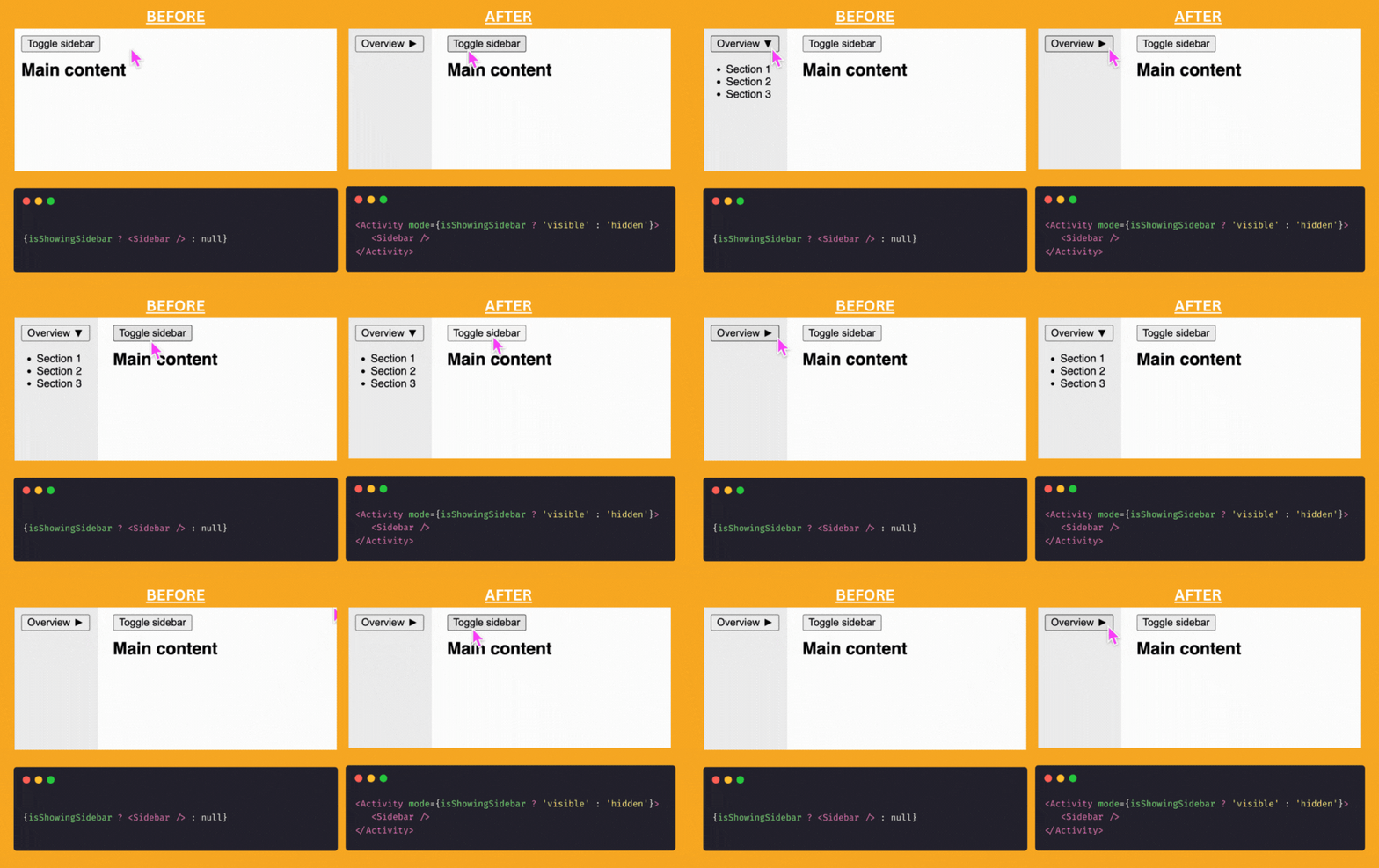
Activity took us a minute to wrap our heads around, but essentially, it allows you to hide parts of your UI without actually unmounting them. They don’t run effects or receive updates anymore, but they do retain their state.
In the example below, we tried our best to illustrate what you’d do before using <Activity> and what you’d do after. Pay attention to how the Sidebar keeps its expanded state in the example when we use <Activity>.
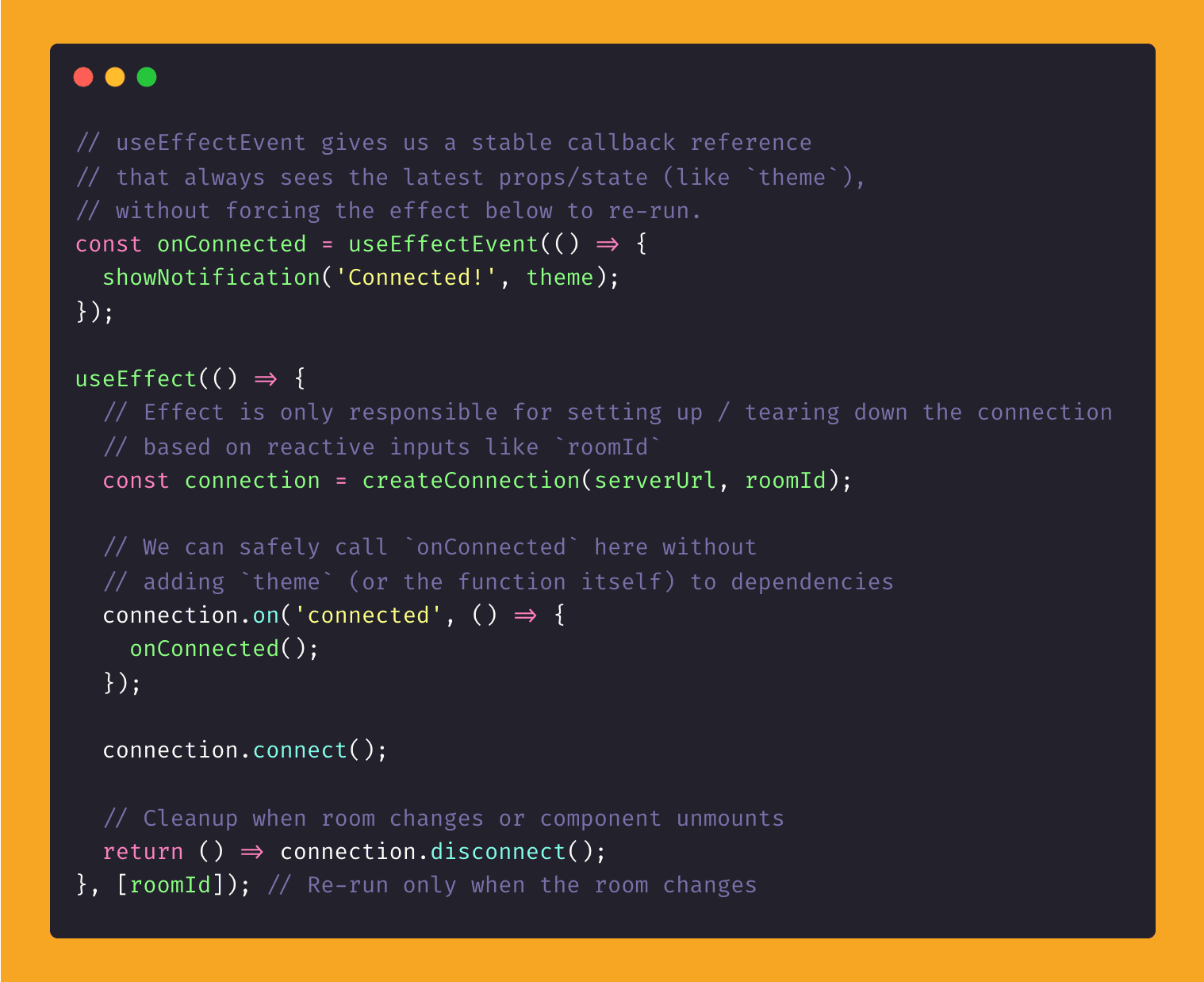
Then there’s useEffectEvent, which exists because everyone’s been quietly disabling their ESLint rules to avoid the “dependencies cause re-renders” headache in effects. This hook lets you lift your event logic out of the effect entirely, so you don’t need to lie to the linter anymore.
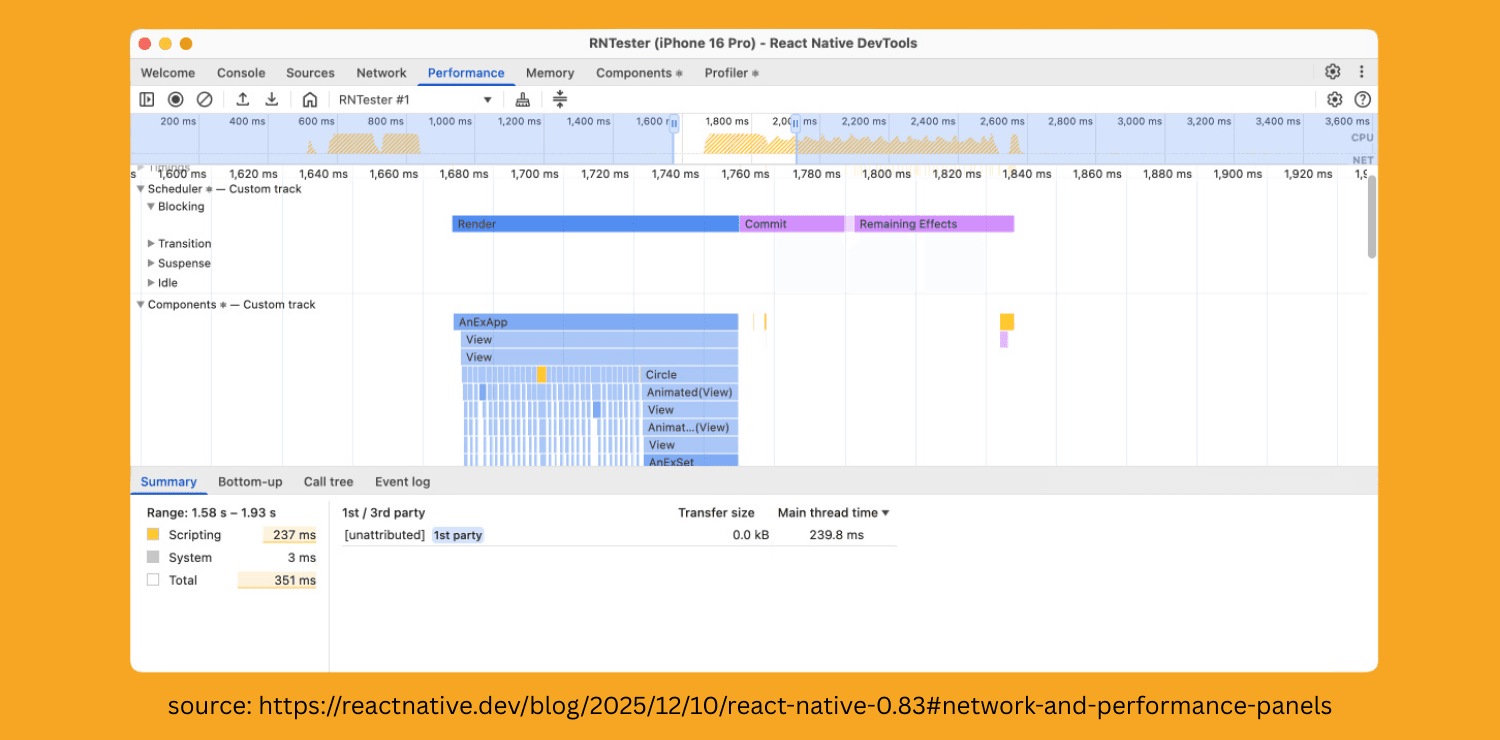
Other than these React 19.2 APIs we all pretend to understand, there’s been some great work done on React Native DevTools.
It now comes with its own desktop app, which doesn’t really change much (aside from faster launch times and fixing a few Chrome interaction bugs), but honestly, it just makes the whole experience feel cooler.

The real big thing, though, is that React Native DevTools now has a built-in network inspector. So instead of relying on Radon or some janky third-party tool, you can now view and debug your network requests right inside the built-in debugger.
I mean, how did we survive this long? Maybe just riding the wave of “LGTM!” Just Ship It™.
Lastly, React Native 0.83 ships with some new web APIs. Gosh—what did you say? Web APIs in React Native? If my grandfather heard about this, he’d… (insert Cards Against Humanity card).
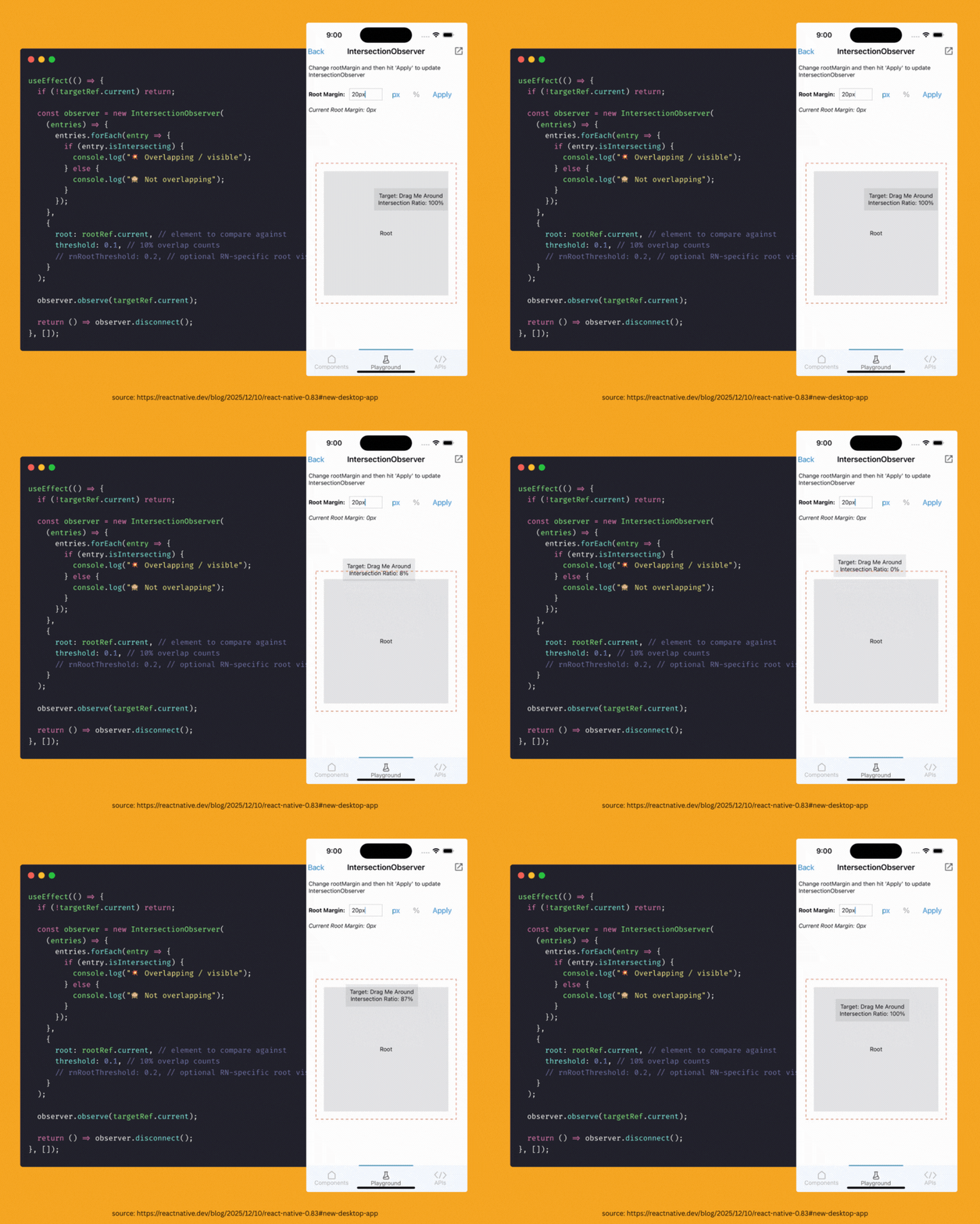
Yes, as we’ve been saying for the past year: React Native is becoming multi-platform. The latest addition is the Intersection Observer API. It lets you measure the “intersection” of elements—super useful for drag-and-drop interfaces that used to require a mess of complex logic to pull off.
If you think you’re already fully on the New Architecture for iOS, there’s now a flag to cut out the dead weight (yes, the old architecture is still in your app).
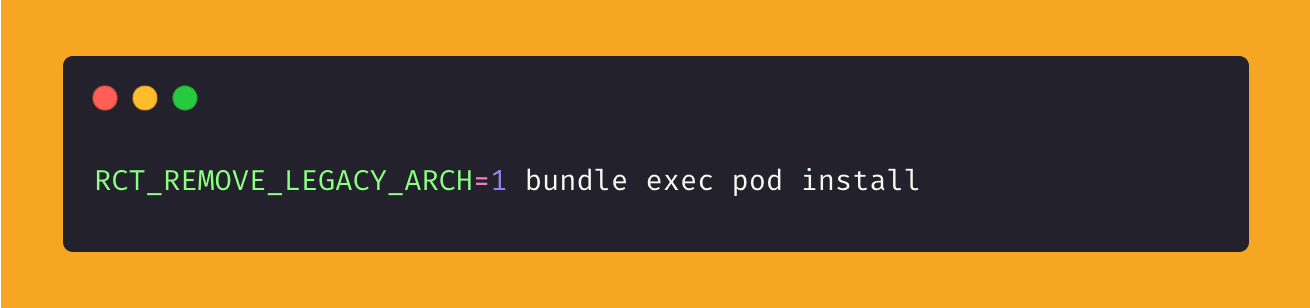
When installing pods, Xcode will now skip compiling the old architecture entirely. Fewer files, faster builds, smaller binaries—assuming your third-party dependencies don’t drag you back into the past.

Software Mansion’s Festive Flex
As usual, Software Mansion has been steadily pushing updates — most notably, they’ve released Reanimated 4.2.0, which includes a long-requested feature. Drum roll… take a guess: Shared Element Transitions.
Shared Element Transitions are essentially animations that can animate across pages. Think of clicking a card in your app and having the image from that card animate seamlessly into the next page, where that same image is displayed. See the example below:
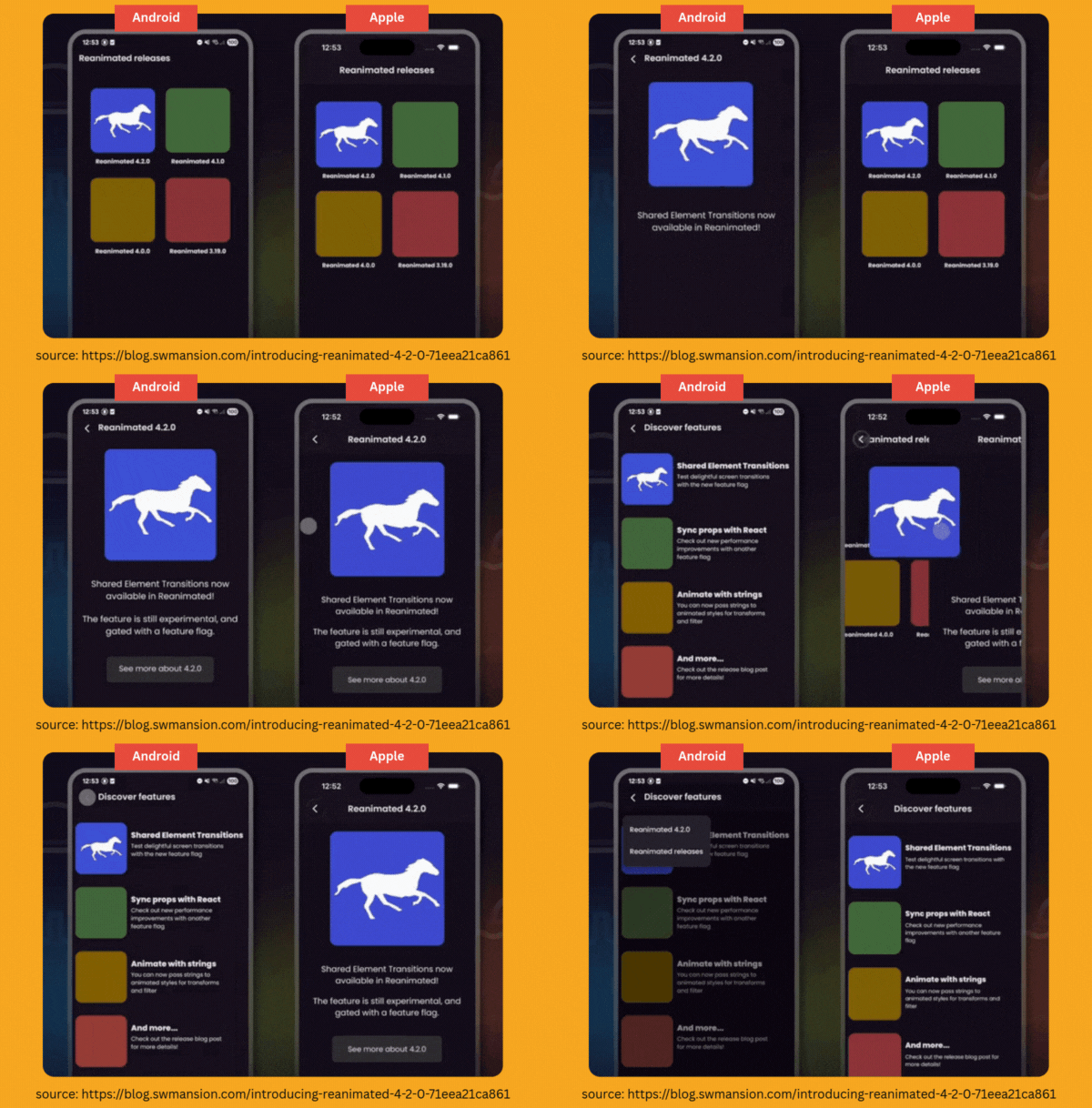
They’ve also rolled out some performance improvements which, according to them, can yield up to 3x faster performance with Reanimated animations in large codebases.
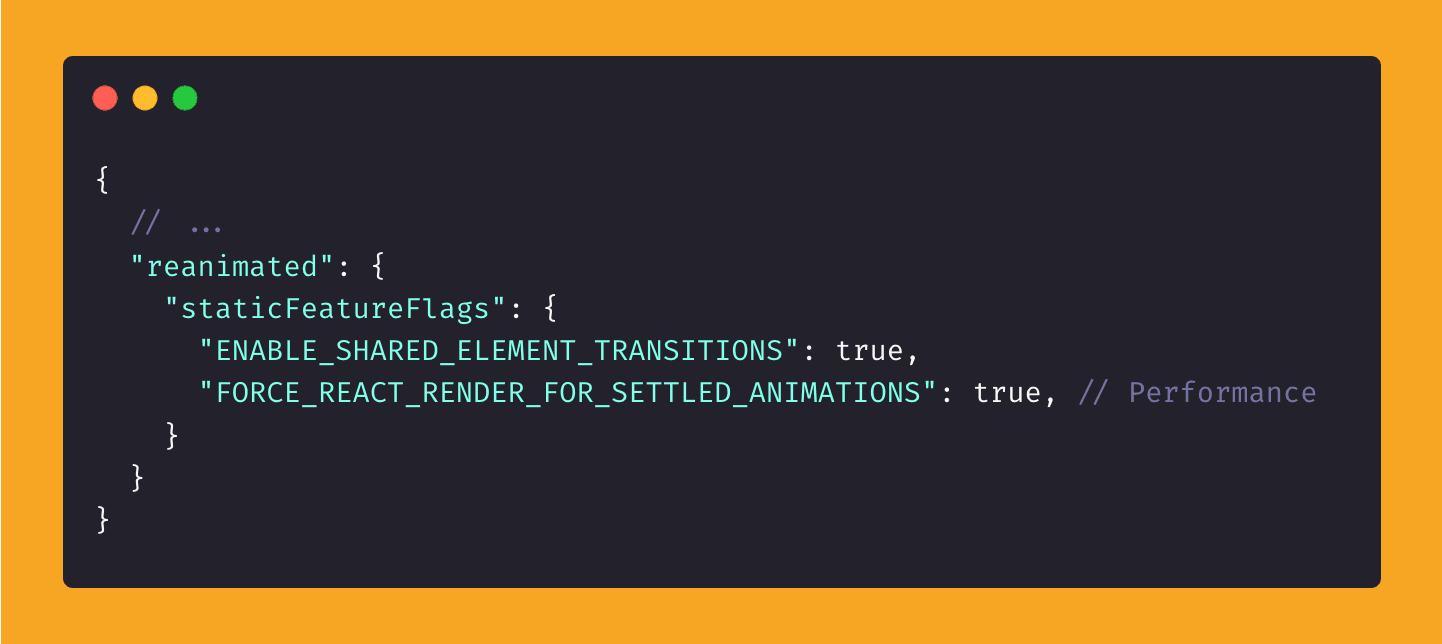
It’s important to note that all this goodness is hidden behind feature flags, so you’ll need to explicitly enable them by adding the following to your package.json, then running pod install and rebuilding your app.
So for those of you out there who say—or think— “why don’t you ever cover Android features” or “this newsletter is too iOS-centric,” well, this one’s for you.
Software Mansion has also been working on speeding up Android builds, and as part of that effort, they’ve launched RNRepo, a system for distributing prebuilt native binaries for React Native libraries.
Usually, the long build times on Android (and iOS too, but that’s not the focus here) are caused by third-party modules needing to recompile every time you run the app.
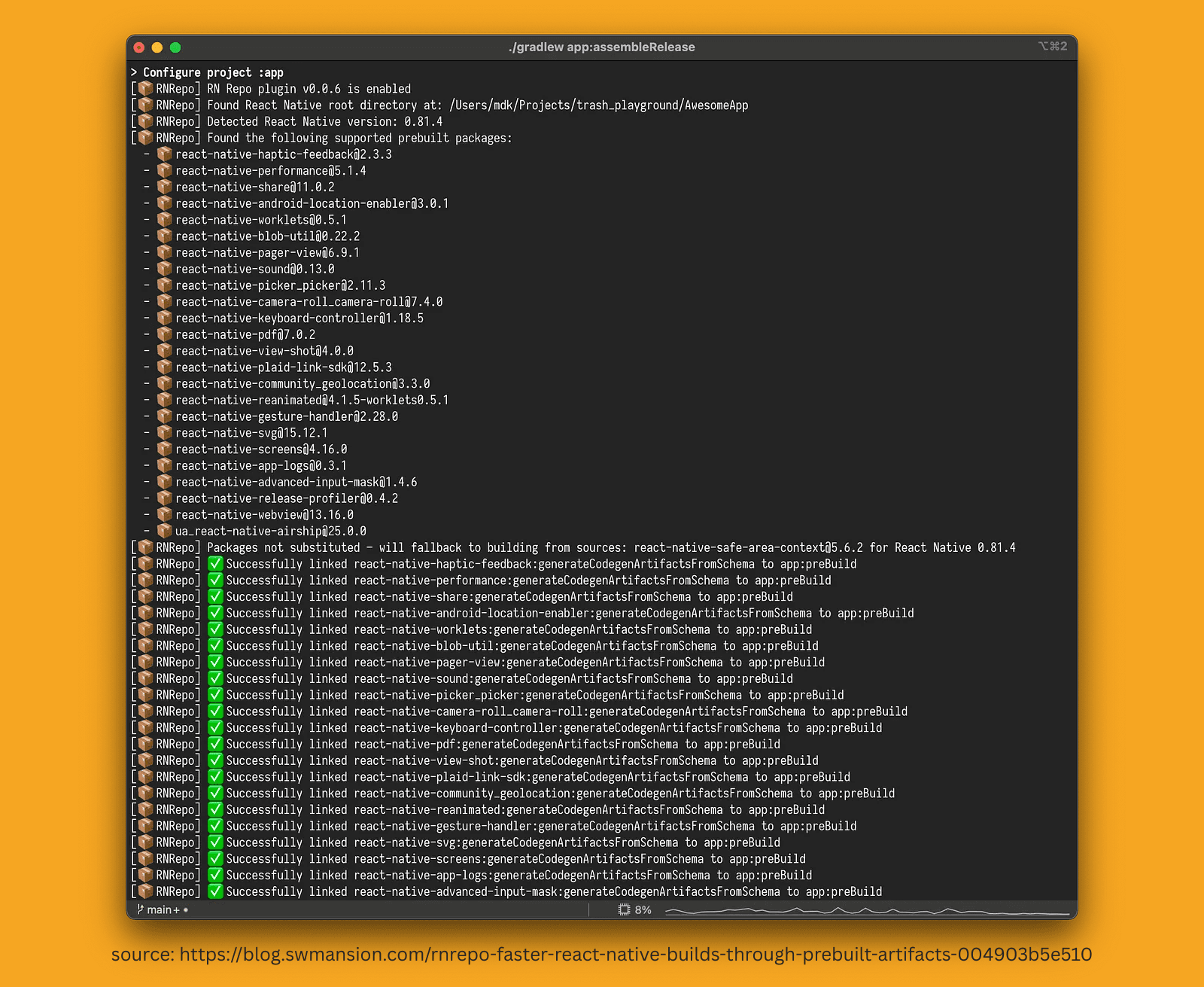
So how does it work? Software Mansion hosts a number of prebuilt library artefacts on a Maven repo (Maven is a tool for managing and distributing Java/Android project dependencies).
When you enable RNRepo in your app, it uses Gradle (Gradle is the build system Android uses to compile and bundle your app) to scan for dependencies that match the prebuilt ones in RNRepo. If it finds a match, it uses those instead—no compiling necessary.
There’s also an Expo plugin to make setup even easier:
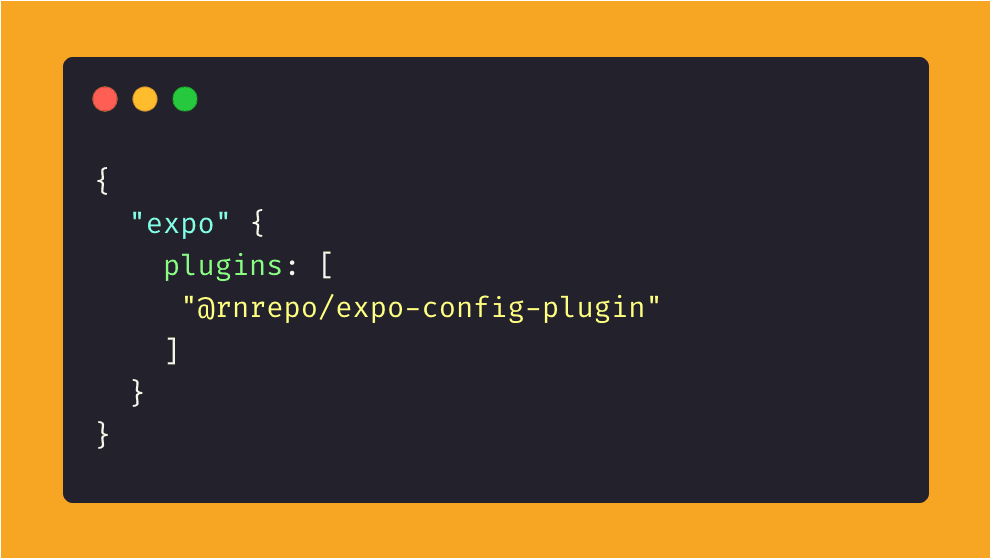
This is especially helpful for CI (Continuous Integration). Think of services like CircleCI or Expo Application Services. In Software Mansion’s own testing, they cut build times in half. That means fewer dollars, euros, or Ethereum—whatever you kids are trading these days.
Now, you might be asking:
“If I’m grabbing artifacts from some Software Mansion RNRepo thing, isn’t there a security risk? What if someone injects something malicious and starts mining my Ethereum?”
Fair question.
The good news is, Software Mansion is a reputable company—this isn’t just some random Joe saying “connect to my Maven repo and I’ll build your dependencies for you, good deal, yeah?”
Plus, the whole system is open source. You can trace any binary back to the exact GitHub workflow that produced it, which gives the system a strong level of transparency and trust.
Lastly, it’s time for the State of React Native 2025 survey. If you like contributing to the community and helping everyone understand trends and preferences—so they can better market products to you genuinely understand the community—then go ahead and fill it out.

Before you Go: Building Native Extensions with JavaScript?
Native Targets (also referred to as Native Extensions) are build targets in your iOS project that compile into their own binary. They run in a separate process, have their own Info.plist and build configurations, yet can still share data with your main app. This is how iOS isolates features like widgets while keeping them part of the same app bundle.
Android doesn’t have the same concept of “targets” in a strict sense, when you hear terms like “expo-target” or “react-native-target,” they typically refer to an abstraction for cross-platform native extensions—not just an iOS build target, but a defined native extension (widget, share extension, app clip, etc.) that gets generated/linked into both iOS and Android projects.
Native targets in React Native is a topic we’ve touched on a few times—like in #5 and #19—and just as you might be thinking “finally, now’s the time!…”, someone has brought native targets that can be written entirely in JavaScript, the world’s most loved and hated language.
This is not one of those times.
That said, Expo Targets by Chris (@csark0812) is an interesting approach that allows you to build expo targets more easily within Expo, with a lot of room for customisation.
However, this is not a plug-and-play solution where you just run a command and start writing JavaScript to build a high-performance, customisable native target (unfortunately, that’s still a problem waiting to be solved).
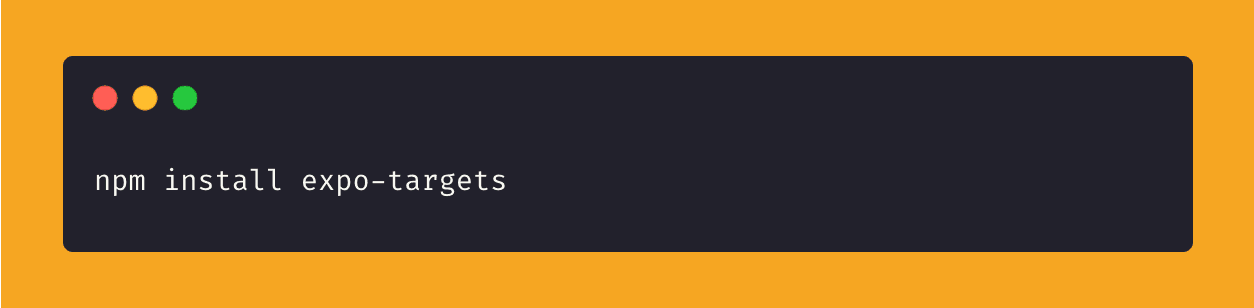
To use Expo Targets, you’ll need to create a target**:**
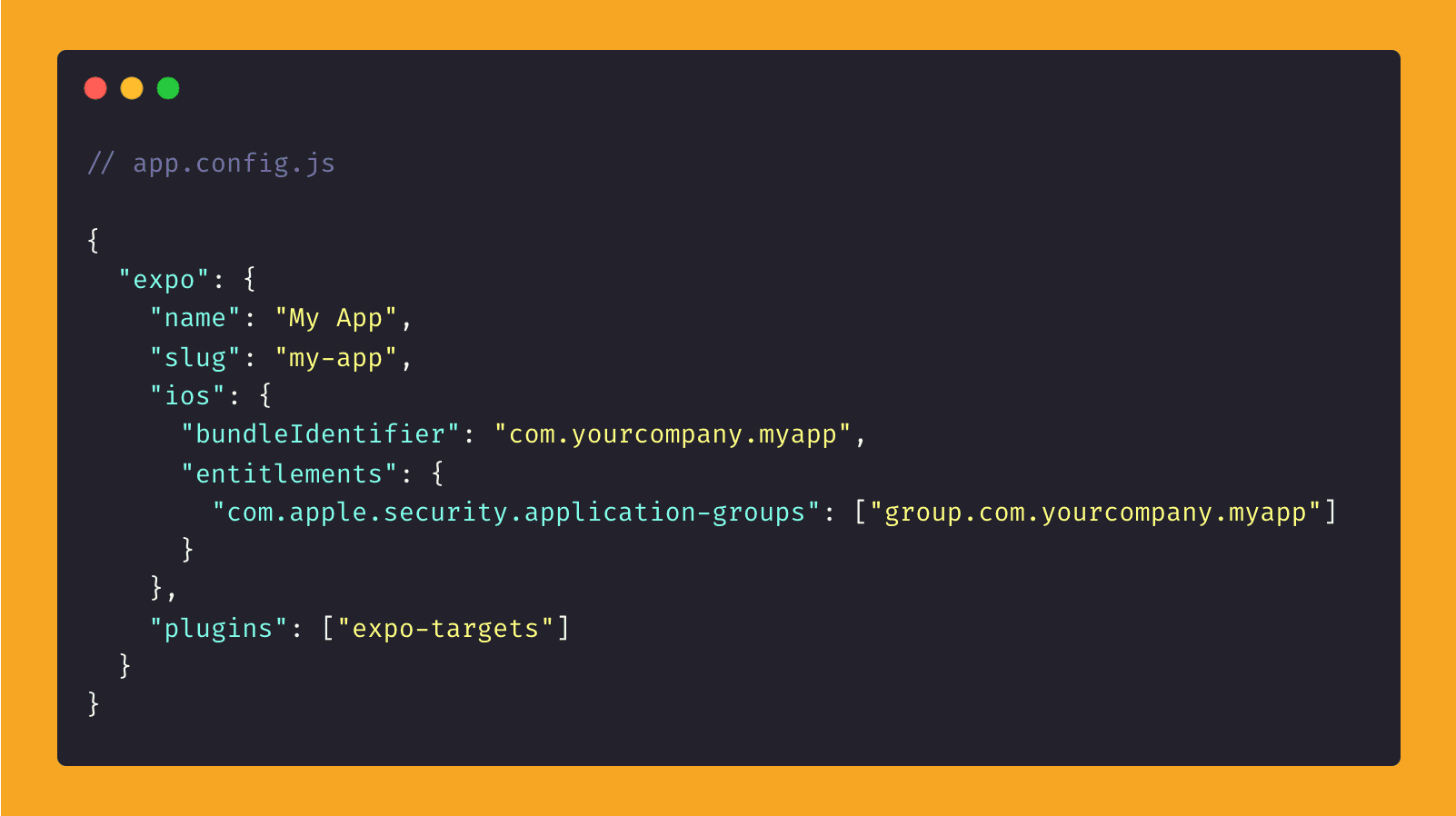
Enable App Groups in your Expo config, since Expo Targets uses app groups to share data between your JavaScript app and the target:
It will then generate a folder in your Expo project, exposing native code and a bit of JavaScript:
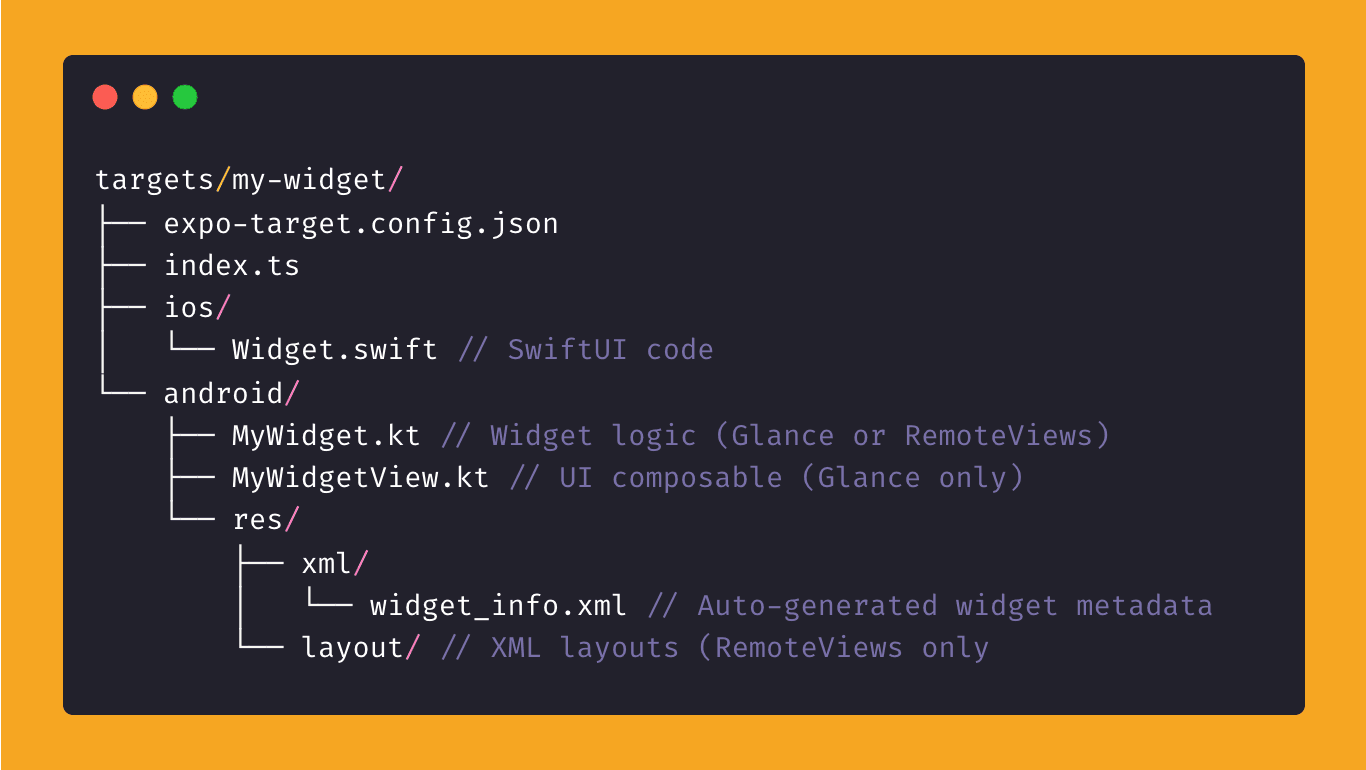
And when you thought setup was over… you’ll need to manually patch some generated values.
We’re intentionally illustrating the complexity here—not to discourage, but to clarify that native targets and extensions in React Native or Expo are not simple, and there’s still no universal, out-of-the-box solution.
However, Expo Targets introduces a novel approach by allowing you to fully configure your targets using Swift or Kotlin.
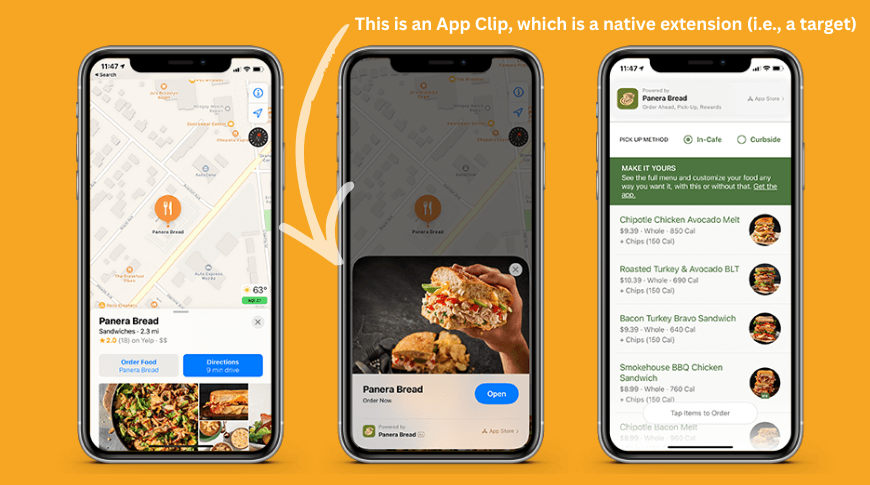
And impressively, some targets can even be built using React Native, like App Share Extensions (e.g., custom UI for sharing a photo into your app) or App Clips (allowing a portion of your app to run without a full install).
Here’s an example of an App Clip:
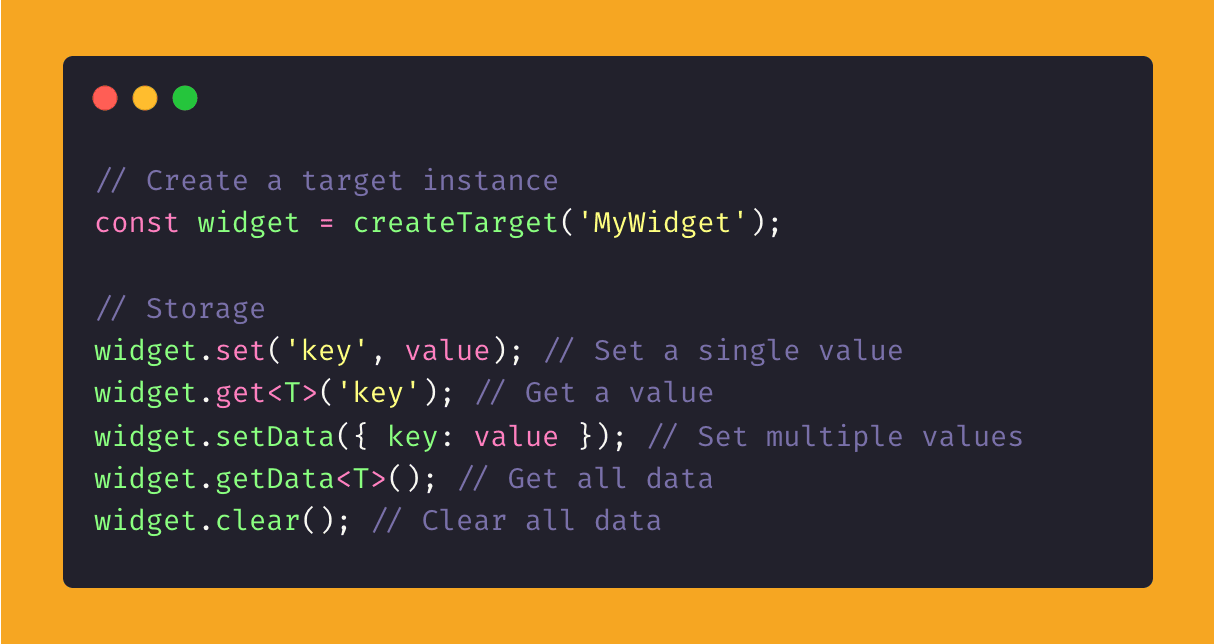
Expo Targets also exposes an API that lets your native target communicate with your main app:
So no, it’s not a simple “run a command and start writing JavaScript” situation (or have your agents write it for you).
But this is the closest real, published attempt we’ve seen this year—not just teased on X—and we’re especially impressed by the ability to build the share, action, and app clip extensions in React Native code, even if the setup still takes several steps.