Suck on This Rusty Lollipop, Metro
For years, if you used React Native, you bundled with Metro.
Or… eh… Cough… Cough… Repack, but that is a story for another day.
Here is a quick refresher on what a bundler does.
Your app is hundreds of JavaScript files, each importing the others.
The JavaScript engine on the phone (*Hermes in most apps*) does not handle hundreds of files.
It wants one file.
Metro is what turns those many files into that one file, and for years, it has done the job fine.
Where Metro shows its age is in module resolution (the process of turning an “import” statement like “import x from lodash” into the actual file on disk it points to).
It still leans on Haste (a module system that finds files by a globally unique name instead of their path), its package exports support is marked unstable, and getting Yarn PnP (Plug'n'Play, a Yarn install mode that skips node_modules and resolves packages from a single lookup map) running means hand-writing resolver config.
Rollipop by Geunhyeok LEE (@leegeunhyeok) is a modern build toolkit for React Native.
It is built on Rolldown (a Rust-based JavaScript bundler from the team behind Vite), so it inherits the entire Rollup/Rolldown plugin ecosystem for free.
It is a drop-in replacement.
Rollipop hooks into the React Native CLI at the command line, so your existing start and build scripts continue to work.
// react-native.config.js module.exports = { commands: require('rollipop/commands'), };
Setup is one command:
npx @rollipop/init
That installs Rollipop as a dev dependency, wires your Android and iOS build scripts to the Rollipop CLI, and drops a rollipop.config.ts in your root.
From there rollipop start boots the dev server with HMR (Hot Module Replacement), Fast Refresh, source maps, and error symbolication.
Now, the Elephant in the room.
This is the bare React Native CLI path.
Rollipop registers itself via react-native.config.js, and the docs make no mention of Expo. Expo bundles apps via its own CLI and Metro config, so for the large share of the ecosystem that lives in Expo, Rollipop is not an option today.
The other piece worth showing off is the dashboard.
Everything these days has a dashboard.
Your mom has a dashboard.
Your cat's litter box has a dashboard.
And Rollipop bundler has a dashboard.
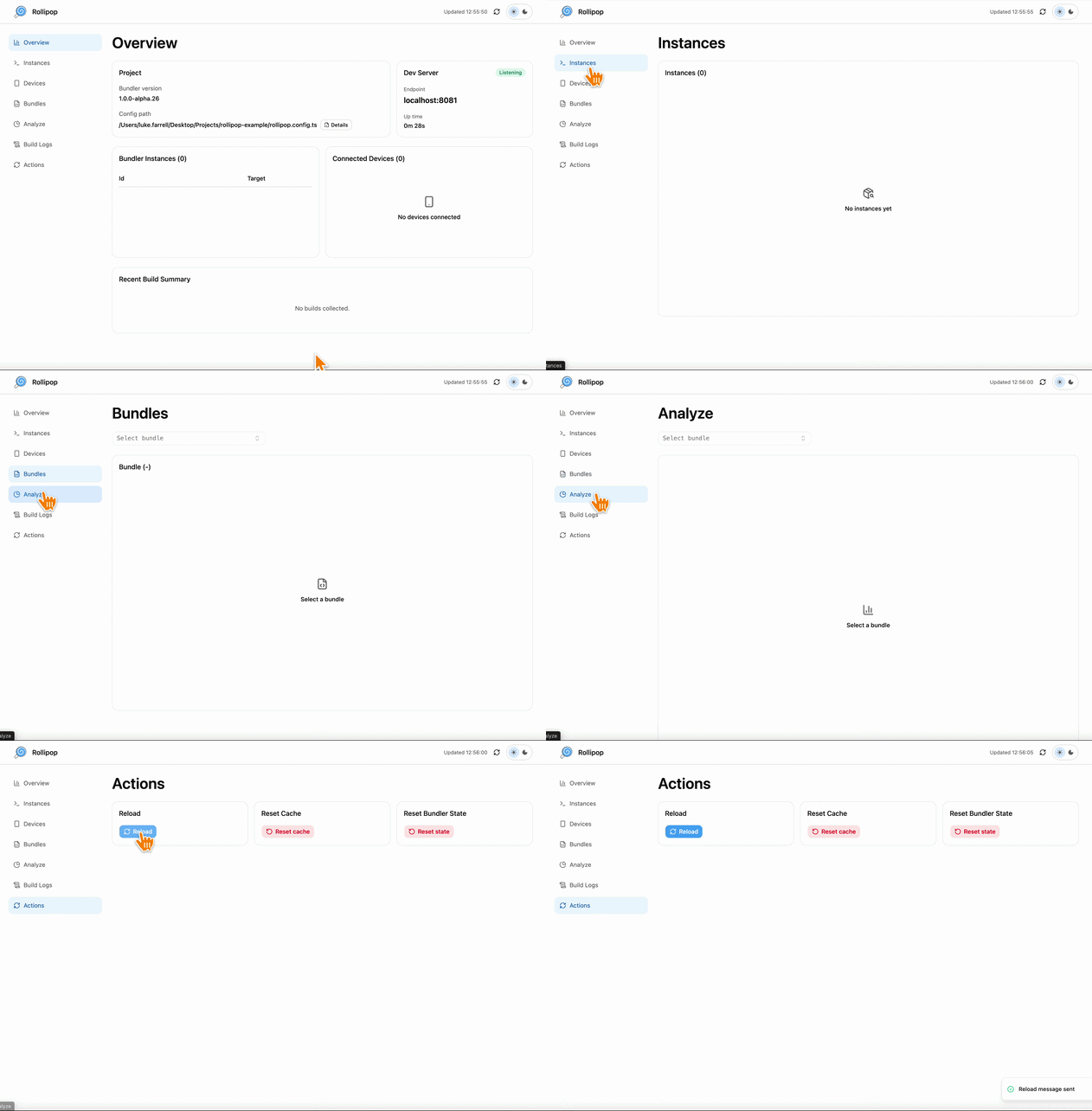
Open http://localhost:8081/dashboard in a browser to get a live window into the bundler.
You’ll see Active bundler instances and their build status, the React Native clients connected to the server, a preview of large bundles by position so you do not have to render the whole file, build logs filtered by level, and an Actions panel to reload clients or reset the transform cache without killing the process.
One more thing for the survivors of Metro's Flow types.
Rollipop is written entirely in TypeScript
So… no more $FlowFixMe. If you know, you know.
Metro had a good, long run.
Turns out the candy aisle had room for one more.
👉 Rollipop

The US React Native Conference
Meet people from Expo, Infinite Red, Meta, Amazon, Microsoft, Software Mansion, and Callstack at the most beautiful venue in Portland as we discuss the craft with a craft beer.
This July, join the community for the U.S. React Native conference.
Chain React: three days of talks, workshops, hallway conversations, and direct access to the people shaping the ecosystem.
Learn about the future of React Native in an age of AI.
Workshops happen on July 29, followed by a single-track conference with experts on July 30–31.
Treat yourself, or ask your boss to help you attend the React Native conference.
We send to your email an exclusive code for 15% off your ticket.
And we’re still raffling one free Chain React ticket next week 🎟️
To enter, you just have to subscribe to the Rewind and join our WhatsApp group before the 7th of July.
That’s where we’ll share the raffle details and winner, other conference plans, meetups, and behind-the-scenes Rewind stuff.

A Duck Made of Bold Tags
For years, rendering 3D on the web meant one of two things: a WebGL (the browser's low-level GPU drawing API) context, or a <canvas> that swallows the whole scene into one opaque pixel buffer you cannot inspect, click, or style.
PolyCSS, from @layoutit, takes an entirely different approach.
It renders solid, textured 3D meshes in which every single polygon is a real DOM element.
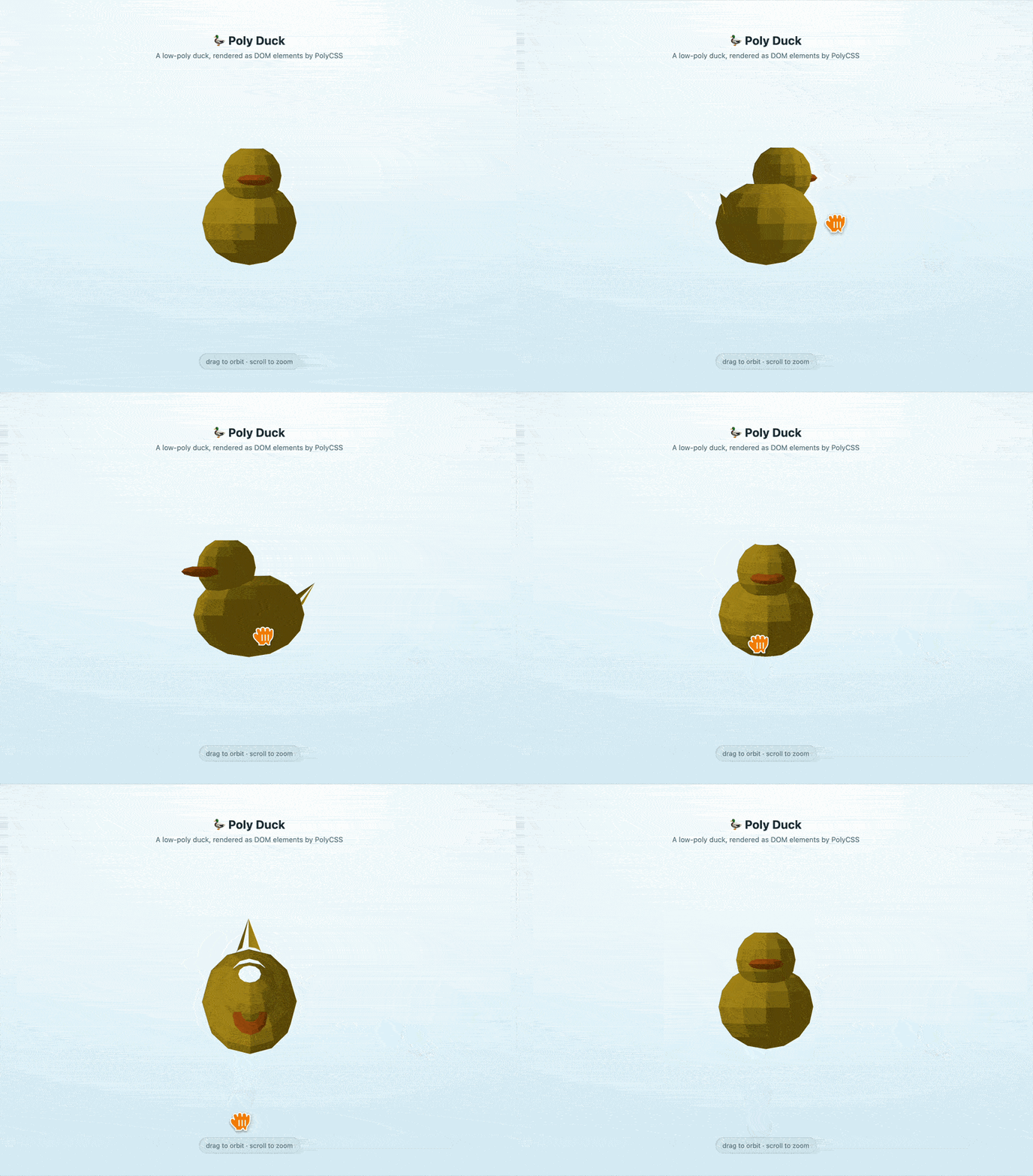
No canvas. No WebGL.
You hand it a standard 3D model file (the kind of .obj or .glb export you get from Blender or any 3D tool), and PolyCSS turns each face into an HTML element positioned in 3D space.
The renderer picks the cheapest CSS primitive, and the elements it reaches for are <b>, <u>, <i>, and <s>.
Solid rectangles become a <b> painted with background: currentColor.
Stable triangles ride on <u> via corner-shape.
Clipped polygons use border-shape on <i>.
Anything textured or irregular falls back to <s>, which maps a slice of a generated texture atlas (one big sprite sheet that packs all the UV-mapped triangles) as a background image.
Each face is positioned with transform: matrix3d(...), and the browser's compositor handles the 3D layering.
So the poly-textured duck on screen is a tree of bold, italic, strikethrough, and underline tags.
The same tags you last used to mark up a paragraph in 2009.
You would load a polygon like this:
// App.jsx import { PolyCamera, PolyScene, PolyMesh, } from "@layoutit/polycss-react"; export default function App() { return ( <PolyCamera rotX={65} rotY={45}> <PolyScene textureLighting="dynamic"> <PolyMesh src="/duck.obj" mtl="/duck.mtl" /> </PolyScene> </PolyCamera> ); }
PolyCamera owns the viewpoint and uses orthographic projection by default.
PolyScene owns the lighting, and PolyMesh loads the geometry from src with its companion materials from mtl (the Material Template Library file that pairs an OBJ's faces with their colours and textures).
Because each polygon is addressable, you can attach onClick to a single face, target it with a CSS selector, or animate it with a CSS transition.
<PolyMesh src="/cottage.obj" mtl="/cottage.mtl"> {(polygon, index) => ( <Poly {...polygon} onClick={() => select(index)} className={selected === index ? "active" : ""} /> )} </PolyMesh>
Somewhere, a screen reader is announcing a poly-duck as "bold, italic, strikethrough, bold.”
👉 PolyCSS
The Markup Canvas Apple Forgot to Hand Us
Back at WWDC25, Apple shipped PaperKit, the framework that quietly powers the markup you already use in Notes, Screenshots, Quick Look, and Journal.
Native iOS developers got a full annotation canvas in a few lines of Swift.
React Native developers got, as usual, a GitHub issue and a dream.
Gregory Moskaliuk (@G_Moskaliuk) has now wrapped the whole thing as expo-paperkit, an Expo native module that drops Apple's drawing-and-annotation surface straight into your app as a regular component.
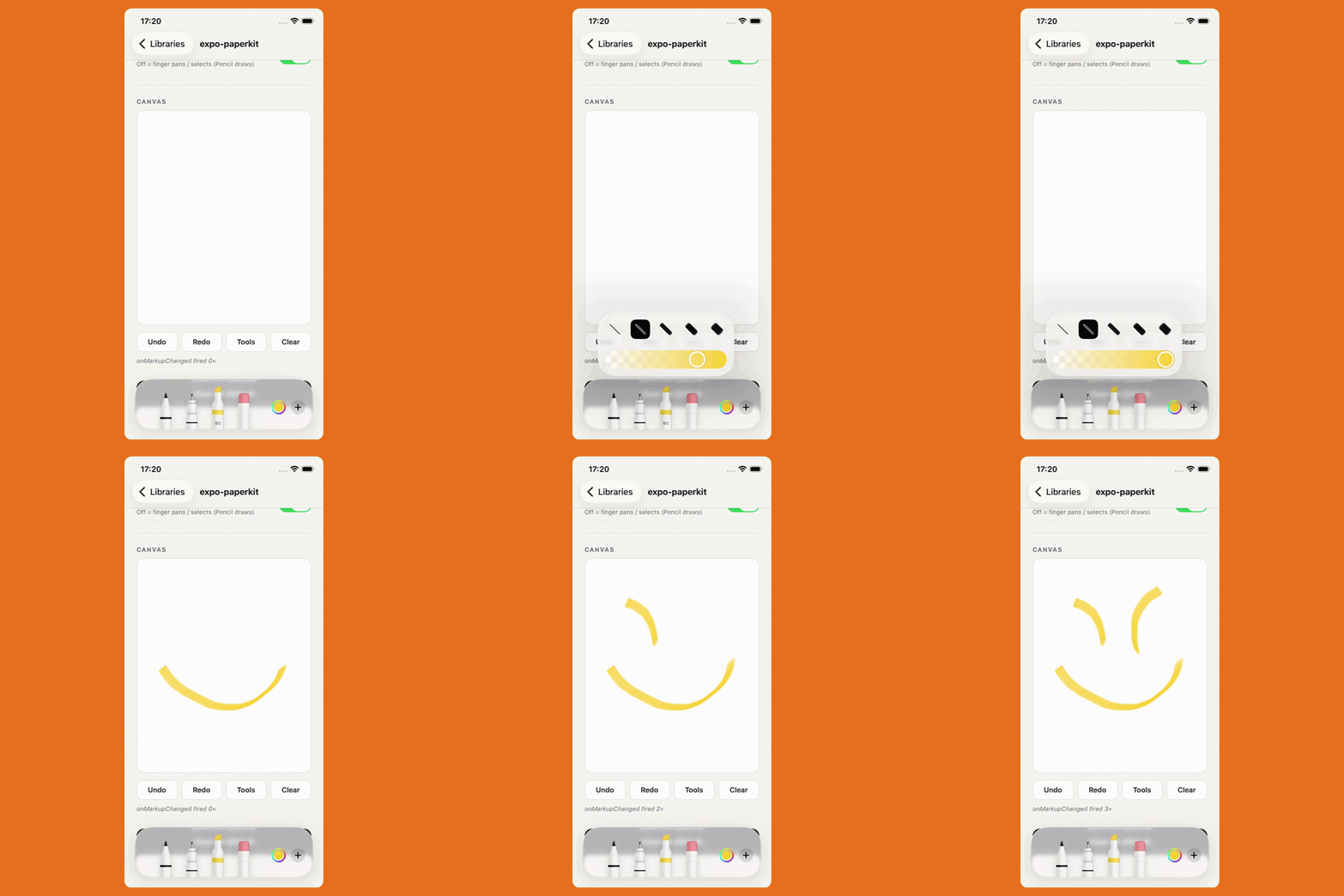
PaperKit is Apple's markup experience, the canvas where you scribble with Apple Pencil, drop in shapes, text boxes, and arrows, then move them around like stickers. It sits atop PencilKit (Apple's pencil-drawing engine).
You render a PaperMarkupView, and it renders the floating PKToolPicker (the draggable palette of pens and colours) on iOS and a MarkupToolbar on macOS.
<PaperMarkupView ref={markupRef} style={{ flex: 1 }} initialData={savedData ?? undefined} allowFingerDrawing featureSet={{ shapes: true, textBoxes: true, arrows: true, }} onMarkupChanged={() => console.log('Markup changed')} />
When you call save(), you get the entire canvas back as a base64 string.
Store that anywhere.
Hand it back through initialData, and the drawing comes back exactly as it was.
// App.tsx const ref = useRef<PaperMarkupRef>(null); // Serialize the canvas to a base64 string const data = await ref.current!.save(); // Flatten the same canvas to a real PNG file const uri = await ref.current!.exportAsImage('png', 1.0);
But… there is a catch.
Yes. At this point you know. There is always a catch, my dudes.
expo-paperkit needs iOS 26 or macOS 26, Expo SDK 54, and React Native 0.81, and it will not run in Expo Go because it ships native code.
It's native, it's gorgeous, and it works for all four of your users on iOS 26.