

The Hangover, Part Kraków
Once the singing stopped and the hangovers set in…
It turned out App.js had also shipped some software.
A suspicious amount of it numbered 3.0.
Gesture Handler 3.0 went stable in the opening keynote, courtesy of Krzysztof Magiera (@kzzzf) and the "Mansion of Mansions," the party mansion, Software Mansion (@swmansion). It is the hook-based API we walked through in #28; the whole thing is designed to sit comfortably alongside the React Compiler and Reanimated 4.
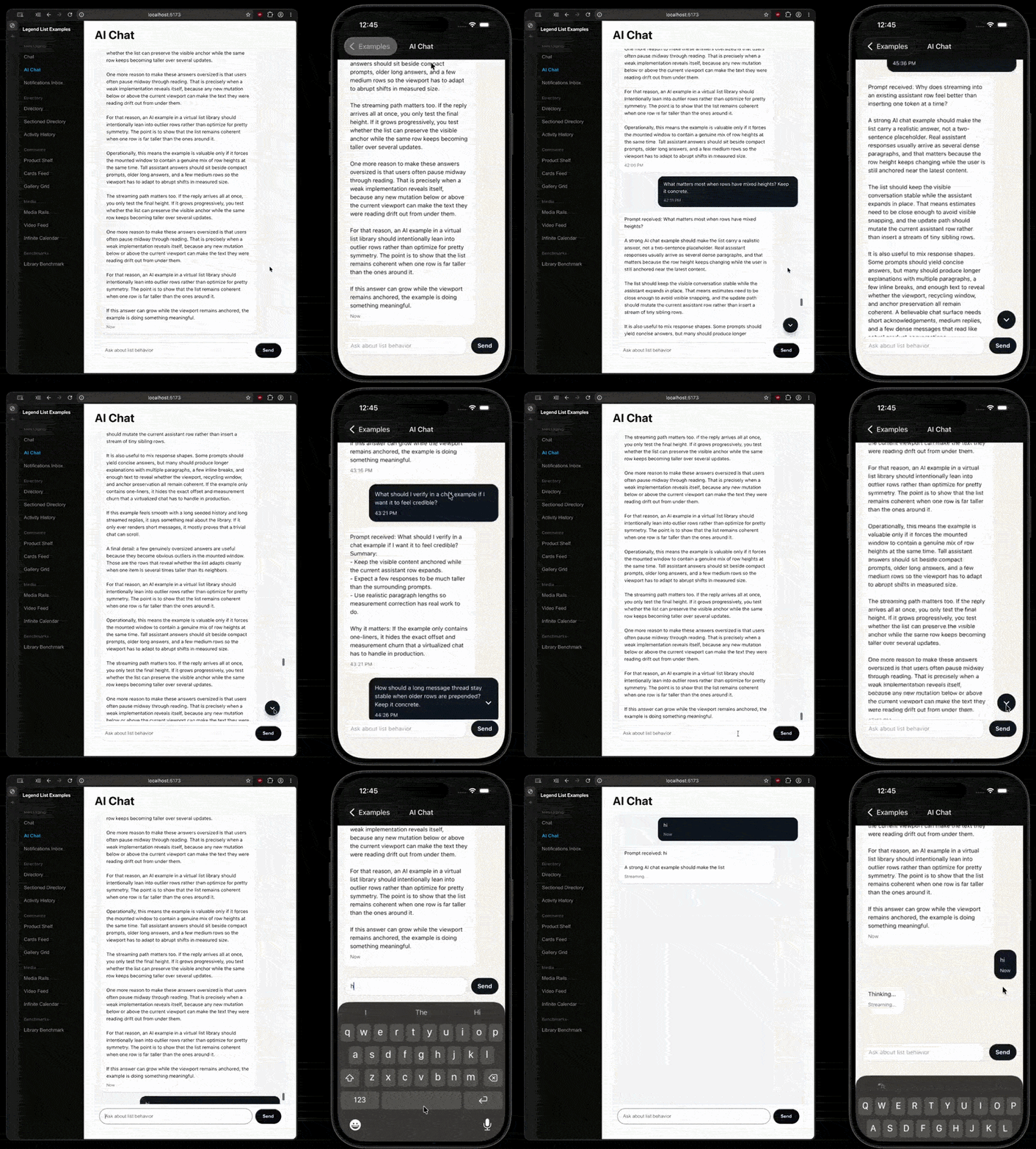
Then Legend List 3.0 went stable too.
Legend List is Jay Meistrich's (@jmeistrich) virtualised list (a virtualised list renders only the rows currently on screen), written in pure JavaScript with no native code, and it is a drop-in replacement for both FlatList and FlashList.
As in, you change the component name and mostly leave the rest alone.
<LegendList data={items} renderItem={({ item }) => ( <Text>{item.title}</Text> )} recycleItems />
The headline of v3 is that the same virtualisation core now renders straight to the DOM, no React Native dependency required. One engine working out which rows are visible, pointed at native views or the browser's DOM depending on the import path.
// React Native import { LegendList } from '@legendapp/list/react-native'; // Web: straight to the DOM, no RN in the mix import { LegendList } from '@legendapp/list/react';
Legend List v3 also adds a SectionList with sticky headers, and a bunch of chat-shaped APIs: initialScrollAtEnd to open on the newest message, anchoredEndSpace to hold room beneath it, and insets so the composer stops covering what you were reading.
Over in the animation corner, Redraw, William Candillon's (@wcandillon) WebGPU graphics library that drops physics-based lighting into flat 2D shapes, had its official release, and we already gave it the deep-tissue, hot-stone, cucumbers-on-the-eyes treatment in #42.
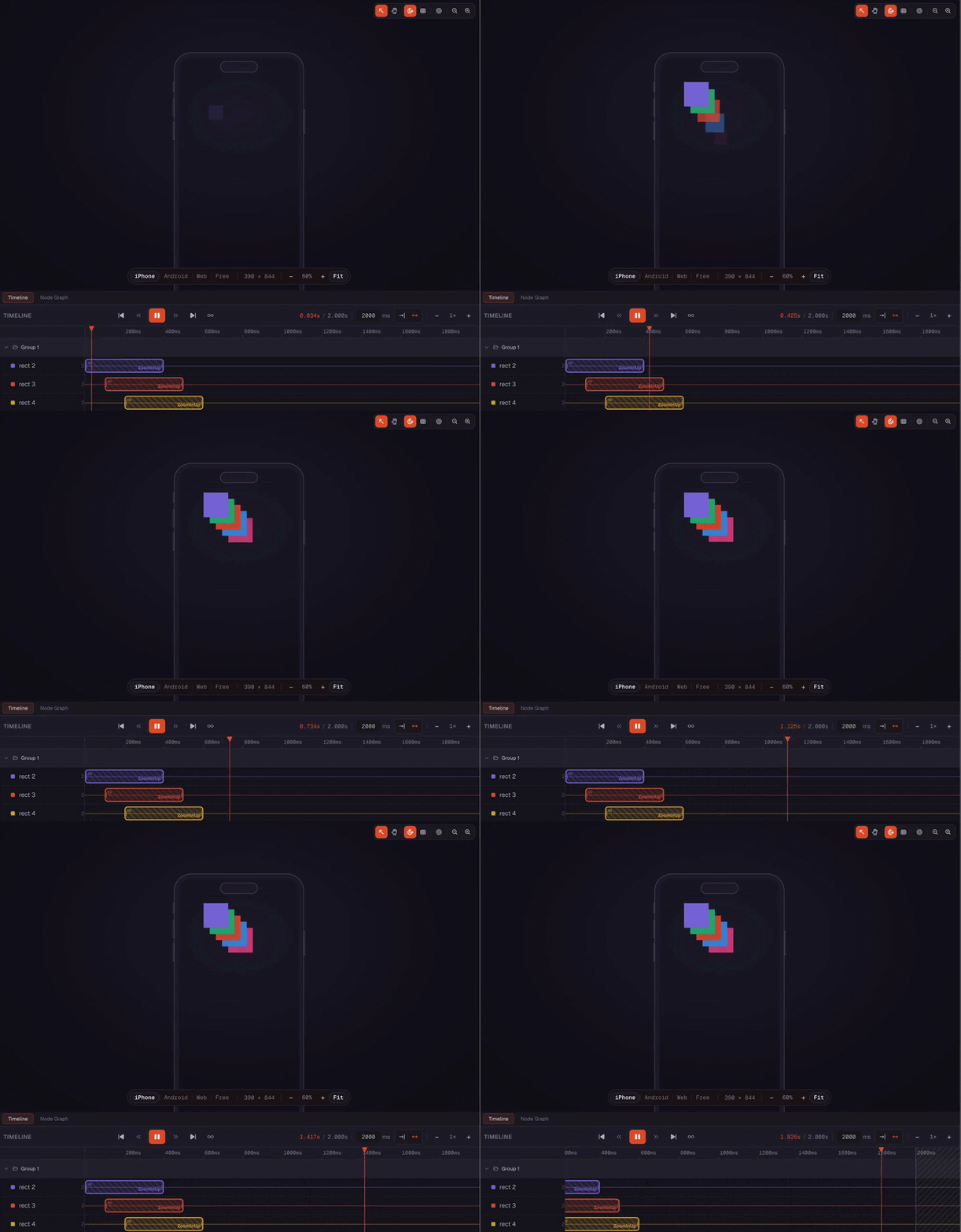
Next was Keyframer.dev, Catalin Miron's (@mironcatalin) visual editor where you drag a Reanimated 4 animation along a timeline, and it hands you back the production code. Which quietly turns animation into a no-code feature.
Condolences if handwriting withTiming was something you had going for you.
The Expo half of the schedule focused on production realities.
Expo Observe came out of private preview and answered the exact question Kadi Kraman (@kadikraman) titled her talk after: "what is your app actually doing in production"; it samples startup metrics from real devices, then pins every regression to the build or over-the-air update that caused it, like a disappointed parent with timestamps.
Tucked into Day 2 was Expo Desktop, Jamie Birch's (@birch_js) best-effort glue for pointing one Expo codebase with react-native-macos and react-native-windows. So iOS, Android, macOS, and Windows are created using a single command: npx expo-desktop create-app.
It genuinely scaffolds all four platforms and runs pod install for you. The honest catch is that it only does fresh apps: prebuild is still an unimplemented stub, so bolting desktop onto an app you already shipped is not on the menu yet.
The rest of the schedule did the usual rounds.
AI agents replacing your end-to-end tests, Grant Laborde (@GantLaborde) talked about agent and human collaboration distributing roles into PXA (Product Exp. Architect), IE (Integrity Engineer) and SE (Systems Engineer) in this new agent paradigm, and Perttu Lähteenlahti's (@plahteenlahti) talk titled "Is AI making React Native obsolete?", which is a bold question to put to four hundred people who flew to Poland specifically to write more of it.
By 1 am the answer didn't matter.
The afterparty had reached the stage where four hundred developers, arms around maintainers they'd met that morning, sang…
The boys of the NYPD choir, still singing "Galway Bay"
And the bells are ringing out for…
👉 App.js Conference Day 1, Day 2

June 11th, React Native Porto's 2nd Edition
React Native Porto #2 is going all in on AI, with a lineup all about building with AI and weaving it into your apps.
It's Thursday, Jun 11, 6 to 8 pm WEST at Porto Innovation Hub, hosted by Danny Williams. Artur Morys-Magiera from Callstack covers running LLMs on-device, Xavier Costa from Uphold turns MCP into auto-research loops that do the digging for you, and Perttu Lähteenlahti from RevenueCat looks at how to win with React Native in the AI age.
A friendly evening of talks, good people, and a healthy amount of AI.
Come say hi.

Your GPU Now Throws Type Errors
For most of us, the GPU (Graphics Processing Unit) has been a sealed box.
You have shipped screens, lists, navigation, maybe lost a weekend making one button bounce only for the designer to cut it, but you have probably never written a single line of code for the GPU, the fastest chip in your phone.
Here is the idea.
Your screen is a few million pixels. To draw anything, the GPU runs one function for every pixel and asks it the same question: “What colour are you?”. You write that function. It is called a shader, and the simplest one hands every pixel the same colour.
Until now, you wrote that function as a string, in a separate language called WGSL (the C-like language GPUs speak).
Nothing checked your spelling until the screen stayed black:
const code = ` @fragment fn main() -> @location(0) vec4f { return vec4f(1, 0, 0, 1); // red } `;
TypeGPU, from Iwo Plaza (@iwoplaza) at Software Mansion, lets you write the same shader as a normal TypeScript function with autocomplete and a red squiggle for type errors, instead of staring at a black rectangle accompanied by a 40-minute existential crisis.
const main = () => { 'use gpu'; return d.vec4f(1, 0, 0, 1); // red };
The 'use gpu' line is the only new thing to learn: it marks the function as a shader, and the build step turns it into WGSL for you.
Right now every pixel returns the same red, which is why the code above draws a flat red screen.
To draw anything real, the function is also handed one argument: the pixel's own position. It is a coordinate called uv, running from 0 on the left edge to 1 on the right, and from 0 on the top edge to 1 on the bottom edge.
Read it, and each pixel can answer differently:
const main = ({ uv }) => { 'use gpu'; // uv: where this pixel sits, 0 to 1 on each axis // colour = (red, green, blue, alpha) return d.vec4f(uv.x, uv.y, 0, 1); };
You describe what one pixel should be based on where it sits, and the GPU runs that for all a few million at once. The bottom-left corner comes out black, the right edge red, the top edge green, and everything between blends.
That one line is now a gradient.

What they shipped is @typegpu/react, the glue between a shader and a React component. A handful of hooks set up the GPU and the <canvas> for you, run the shader on every frame, and let you feed it live values so the picture can move and respond without re-rendering: a clock, a scroll offset, a touch, or a psychedelic visual experience, in case you didn’t make it to Burning Man, like below:

And all of it runs on WebGPU (the Web API for talking to the graphics card directly), which now works in React Native through react-native-wgpu by William Candillon (@wcandillon).
A function in, a colour out, fully typed.
The fastest chip in your phone, reduced to (pixel) => colour.
Beautiful.

When Metro Aliasing Lies To You
We've been porting The Collapse, our narrative decision game where players navigate the brink of an apocalyptic event and every choice branches the story, from Expo to Amazon Fire TV.
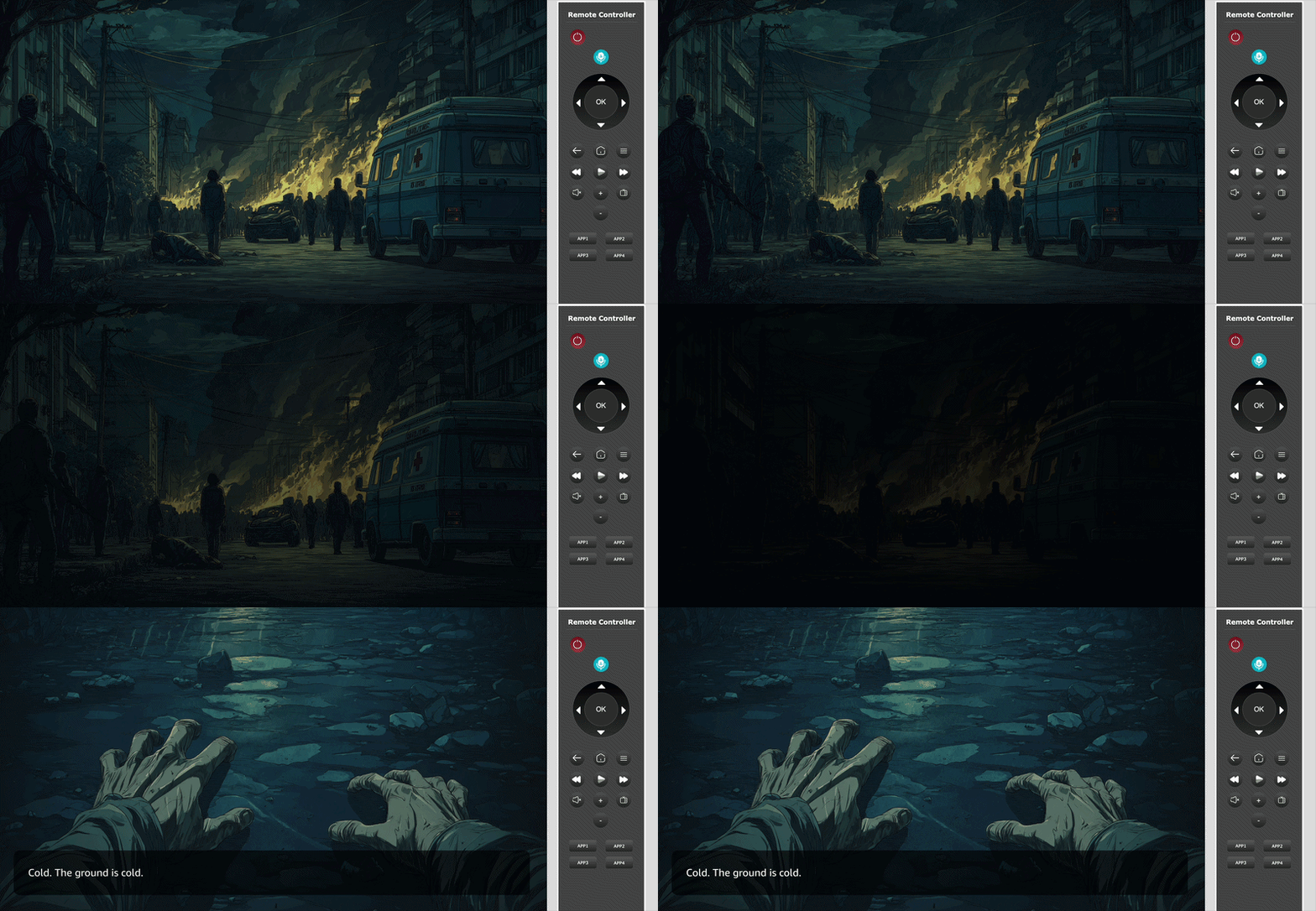
The setup is a monorepo with two shells. A mobile shell on Expo with React Native 0.81.5, and a TV shell on Vega's pinned React Native 0.72 fork. Both mount the same shared @app package, where the screens, state, and story logic live.
the-collapse/ ├── apps/ │ ├── mobile/ # Expo shell (iOS, Android, Web) │ └── tv/ # Vega shell (Fire TV) └── packages/ └── app/ # shared screens, state, story logic
Every transition between story branches is a fade, because a hard cut between "you opened the door" and "the room is on fire" reads like a bug.
That fade is a Reanimated hook.
And that hook is where things get interesting.
Our mobile shell runs Reanimated 4.x.
Vega ships its own fork of Reanimated 3.5 as @amazon-devices/react-native-reanimated@~2.0.0+3.5.4.
The obvious move in a monorepo is Metro aliasing, where we tell the TV shell to resolve react-native-reanimated to the @amazon-devices/ package at bundle time, and to share one set of imports across platforms:
// apps/tv/metro.config.js const path = require('path'); const amazonDevices = path.resolve( __dirname, '../../node_modules/@amazon-devices', ); extraNodeModules: { 'react-native-reanimated': path.join( amazonDevices, 'react-native-reanimated', ), },
This looks correct.
Mobile builds clean. TV builds clean.
TypeScript is happy because it still resolves against the mobile node_modules.
Then a Reanimated 4 API call meets a 3.5 runtime on the Fire TV Stick, and the app crashes.
The version system never saw the swap.
Metro performed the substitution at build time; TypeScript performed its checks against the unaliased mobile package.
Metro aliasing isn't wrong; it's the wrong shape for diverged forks.
For genuinely drop-in forks like react-native-svg or safe-area-context, where the API surface and version are stable across both packages, aliasing is the right move. For forks like Reanimated, where the version gap is real, the answer is platform-specific files.
Metro already resolves .kepler.tsx ahead of .tsx when bundling for Vega, so the import line becomes part of the platform decision:
// SceneFade.tsx (mobile, web) import { useSharedValue, useAnimatedStyle, withTiming, } from 'react-native-reanimated'; export function useSceneFade() { const opacity = useSharedValue(1); const style = useAnimatedStyle(() => ({ opacity: opacity.value, })); return { opacity, style }; }
The same hook, with one import swapped:
// SceneFade.kepler.tsx (Fire TV) import { useSharedValue, useAnimatedStyle, withTiming, } from '@amazon-devices/react-native-reanimated'; export function useSceneFade() { const opacity = useSharedValue(1); const style = useAnimatedStyle(() => ({ opacity: opacity.value, })); return { opacity, style }; }
The hook body is identical. The import isn't, and that's the point. The reader of the file can see which runtime they're targeting without having to cross-reference a Metro config.
This is the kind of mismatch Amazon Devices Builder Tools is built for. Querying it for "which Reanimated version does Vega ship, and which Babel plugin" returns the pinned package, the matching plugin name, and the SDK version they're tied to, before you reach for the alias.
The dependency boundary is exactly where AI assistants without grounding hallucinate the most, because the package name looks upstream.
We kept the fade.
We just stopped pretending the imports could be the same.
👉 Amazon Devices Builder Tools
This section was sponsored by Amazon. If you want to see how to actually monetise your existing code on their platform, check out Amazon Devices Builder Tools.
Oh… and by the way, Evan Bacon left Expo.