The Mansion’s Animation Threesome
Historically, the Animated API that comes with React Native was… let’s say, rather limited. It animated on the JS Thread unless you used the magic prop useNativeDriver, which isn’t a new Uber feature that only sends you local drivers; that would be creepy.
useNativeDriver is a boolean property used in the React Native Animated API to offload animation execution from the JavaScript thread to the UI thread. Although it had limitations. You could only animate non-layout properties: things like transform and opacity would work, but Flexbox and position properties would not.
This kind of defeats the point of animations unless you want to animate everything with translates and rotates like a fucking Transformers movie.
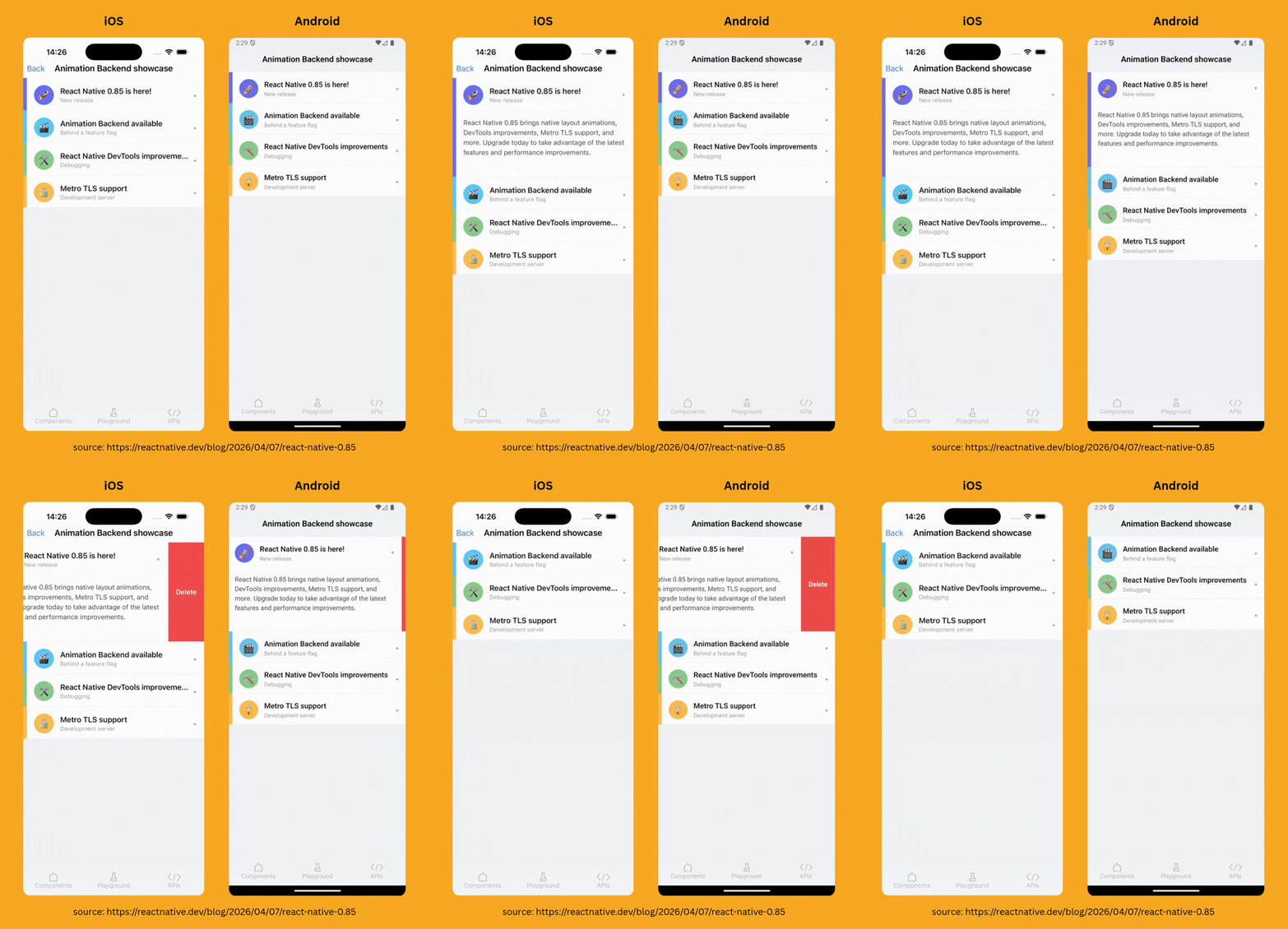
Until React Native 0.85, which was released on Tuesday, with a new animation backend.
Did you say new animation backend? What the heck is that?
The Shared Animation Backend is a unified C++ engine built directly into the React Native core (specifically for the New Architecture/Fabric). Instead of Animated and Reanimated doing their own thing, they now both plug into this same "engine" at the C++ level.
"Mansion of Mansions", the party mansion, Software Mansion co-authored this PR.
Reanimated is still the go-to choice for complex animations, such as drag-and-drop interfaces.
For fade-ins, easing, and basic animations that are expected in any app, you no longer need to pull in a third-party library. Now you can animate layout properties which run on the UI layer. Before 0.85, if you tried to animate width with useNativeDriver, it would crash or throw an error.
const width = useAnimatedValue(100); const toggle = () => { Animated.timing(width, { toValue: 300, duration: 500, useNativeDriver: true, }).start(); }; return ( <View style={{flex: 1}}> <Animated.View style={{width, height: 100, backgroundColor: 'blue'}} /> <Button title="Expand" onPress={toggle} /> </View> );
For the housecleaning, much like my desired dating life, React Native operates a strict "one in, one out" policy.
React Native 0.85 is moving the Jest preset to its own package. To keep your testing suite from failing as hard as the Fyre Festival, you'll need to make a quick one-line swap in your configuration:
// jest.config.js - preset: 'react-native', + preset: '@react-native/jest-preset',
Also, if you aren’t running at least Node 20.19.4, consider yourself officially evicted.
Listening to Music with C++
If you’ve been reading this newsletter or have been anywhere near the React Native community, you’ll know what Nitro is. Created by Marc Rousavy (@mrousavy), Nitro provides direct bindings to C++ and a shared type interface between Native and JS, claiming to be even faster than Turbo Modules.
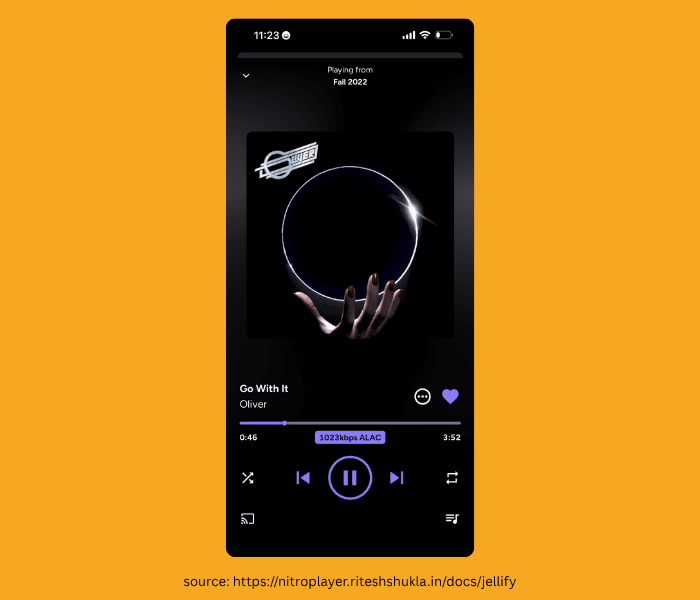
Nitro Player is a new library by Ritesh Shukla (@riteshshukla04) that offers the API surface for a full music player experience—including queue management, offline playback, an audio equalizer, CarPlay, and Android Auto.
You would define your list of tracks like this:
const tracks: TrackItem[] = [ { id: '1', title: 'Midnight Drive', artist: 'Synthwave FM', album: 'Neon Highways', duration: 245, url: 'https://example.com/tracks/midnight-drive.mp3', artwork: 'https://example.com/art/neon-highways.jpg', }, { id: '2', title: 'Ocean Breeze', artist: 'Lo-Fi Beats', album: 'Chill Sessions', duration: 198, url: 'https://example.com/tracks/ocean-breeze.mp3', artwork: 'https://example.com/art/chill-sessions.jpg', }, ];
The tracks are preloaded from URLs, so there is no local asset management. The library also includes an API dedicated to configuring how tracks are downloaded for an offline experience.
const downloadId = await DownloadManager.downloadTrack(track, 'playlist-123');
It even provides the ability to create playlists and organize tracks:
// Create a playlist const playlistId = await PlayerQueue.createPlaylist( 'My Playlist', 'My first playlist' ); // Add tracks await PlayerQueue.addTracksToPlaylist(playlistId, tracks); // Load and play await PlayerQueue.loadPlaylist(playlistId); await TrackPlayer.play();
You can then download those playlists:
const downloadIds = await DownloadManager.downloadPlaylist('playlist-123', tracks);
By adding your own UI and designs, these features come together to create a full player experience. Nitro Player provides the API only; it does not offer UI or components.
So, if your next project is a beautiful app for listening to ocean breezes or an exploratory directory of fart sounds, Nitro Player has you covered.

One Big Silicon and Carbon Family
So, if you’ve been on X lately, you’ve probably heard people talking about Multica.
And despite the name, no, it’s not a new taxi service for large families (Multica-r... okay, I’ll stop).
It’s a project management tool, but instead of serving Fortune 500 dinosaurs like Jira does, it implements an Agent-first workflow.
This allows you to assign your issues to Agents and have them collaborate with you, like you’re one big, happy, silicon-and-carbon family.
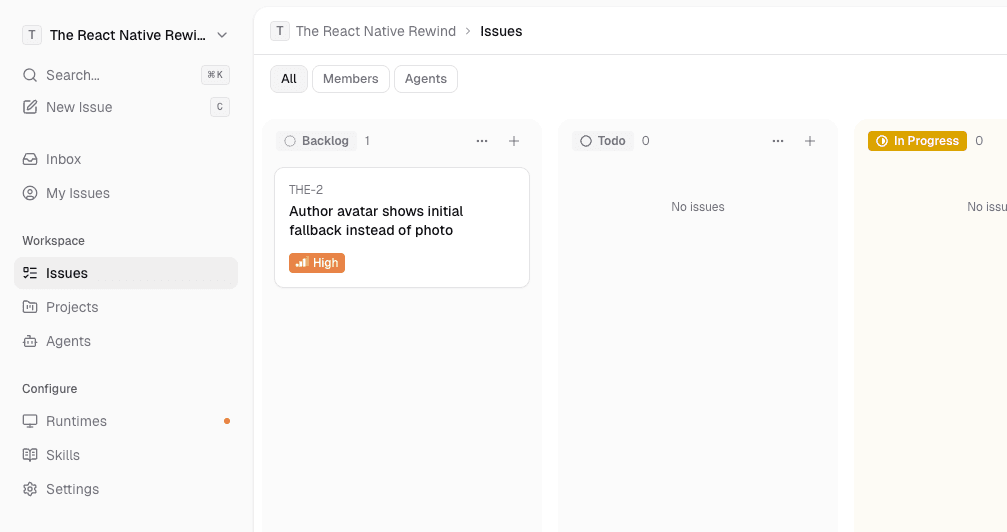
Linear arguably started this trend last year with Linear for Agents.
However, Multica goes a step further. While a product manager might use Linear to have an agent draft a summary or PR description, Multica is built for developers who want to build complex integrations and autonomous workflows.
In Multica, Agents are first-class citizens.
They have their own profiles, they appear in the Assignee dropdown, and they have their own activity feeds. They basically have everything a human dev has: a bio, a profile picture, a passport, a birth certificate, and a deep-seated, existential fear of CAPTCHAs.
Joking aside, the profile is just the beginning. The real magic is that they use OpenClaw.
OpenClaw is an open-source agent framework that runs locally on your hardware to execute code, manage files, and connect to third-party APIs. It provides a secure environment where AI agents actually "live" and interact with your system.
Think of OpenClaw as the "hands" that live on your local machine, while Multica is the "brain" giving orders. OpenClaw Integrations are the "plumbing" (e.g., your Google Drive API key, your Slack token, or terminal access). This is what gives the agent permission to touch your tools.
You can also configure Multica Skills, which are essentially "playbooks" you configure in the dashboard:
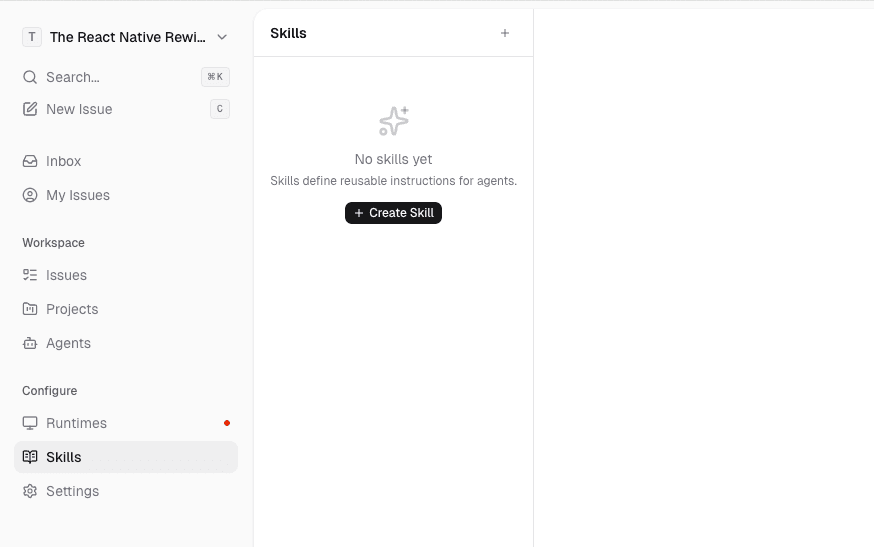
Crucially, Multica is locally hosted (or at least, your worker daemon is).
This means your source code and sensitive data never have to leave your infrastructure to be "processed" in some giant corporate cloud. You control the sandbox, you control the permissions, and you see every command the agent runs in real-time.
Maybe the days of manually picking up your own tickets are finally over... but someone still has to supervise these agents and make sure they aren't refactoring the entire codebase into EmojiScript at 3 AM.
I’m telling you, being an AI Manager is a hard job.
👉 Multica