React Native Leaves Home at Thirteen
There is that ONE moment in every React Native dev’s career.
For those who target Android. So like 2% of you.
(Reddit prepares the noose)
That ONE moment where you bump your targetSdkVersion to 35…
Hit run (pray)…
And your entire bottom nav is sitting behind the gesture bar.

measureInWindow returned wrong coordinates. KeyboardAvoidingView fought the keyboard instead of avoiding it. Dimensions lied about window sizes. StatusBar refused to update while a Modal was open.
That has been happening since Android 15 started enforcing edge-to-edge.
Your app now draws behind the system bars (status bar up top, navigation bar at the bottom) whether you asked for it or not.
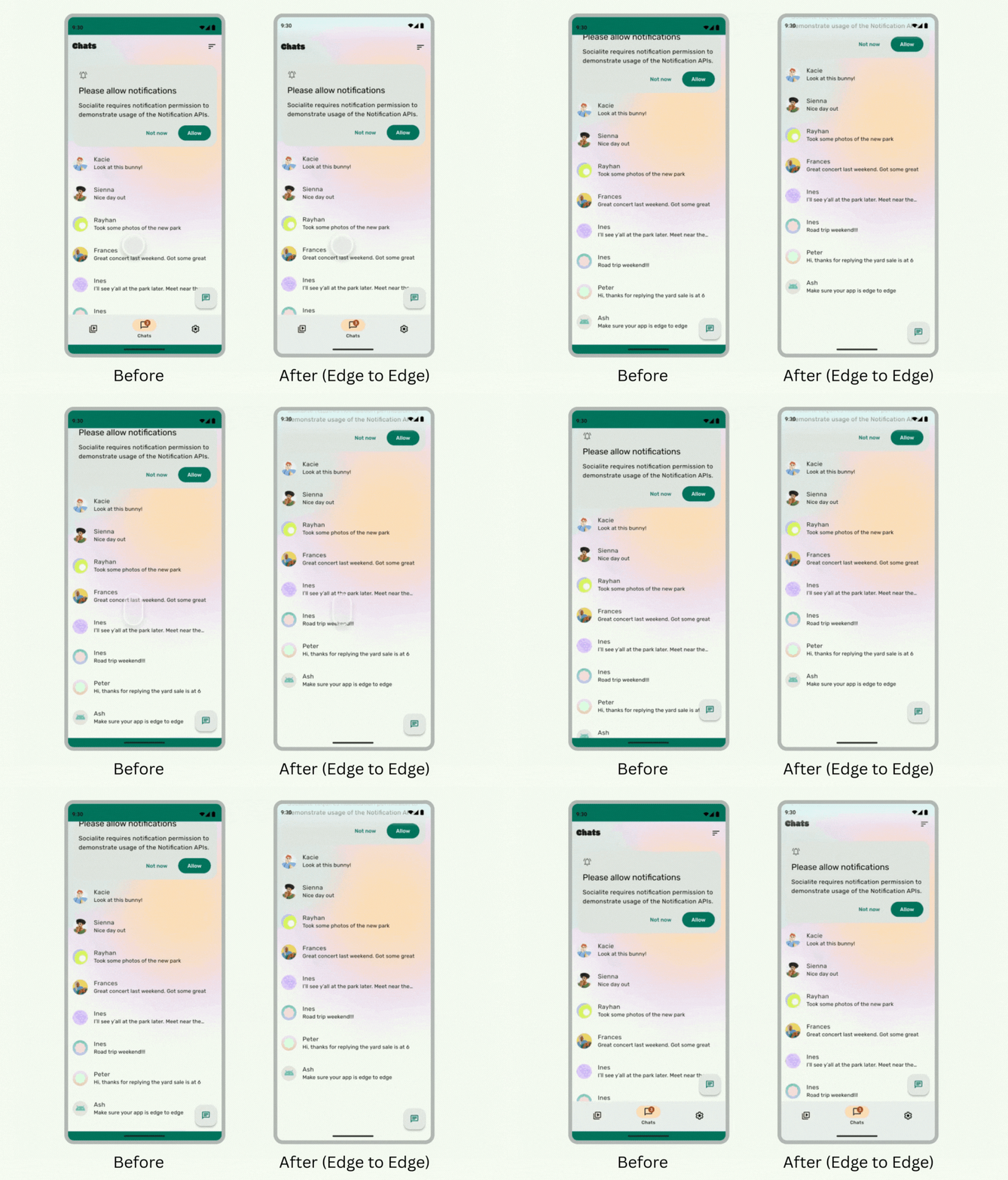
React Native was not ready for this.
But Mathieu Acthernoene (@zoontek) was.
He shipped react-native-edge-to-edge as the community fix.
Over 1,000 stars. Held the ecosystem together while core caught up.
Then he went and fixed core too.
React Native 0.86 now ships those fixes. KeyboardAvoidingView stops fighting the keyboard instead of avoiding it. Dimensions stops lying about window sizes. StatusBar finally updates while a Modal is open.
So, AKA… you can remove react-native-edge-to-edge from your package.json.

The other headline is quieter.
But it might be the bigger one.
The React Native repo has moved. From facebook/react-native to react/react-native. React, React Native, Metro, and Yoga now live under the React Foundation, an independent body hosted by the Linux Foundation.
Thirteen years under Meta…
To be clear, we are talking about React Native.
Your personal data has been under there much longer.
Callstack is a founding member alongside Amazon, Expo, Huawei, Meta, Microsoft, Software Mansion, Vercel and The React Native Rewind… only joking… calm down…
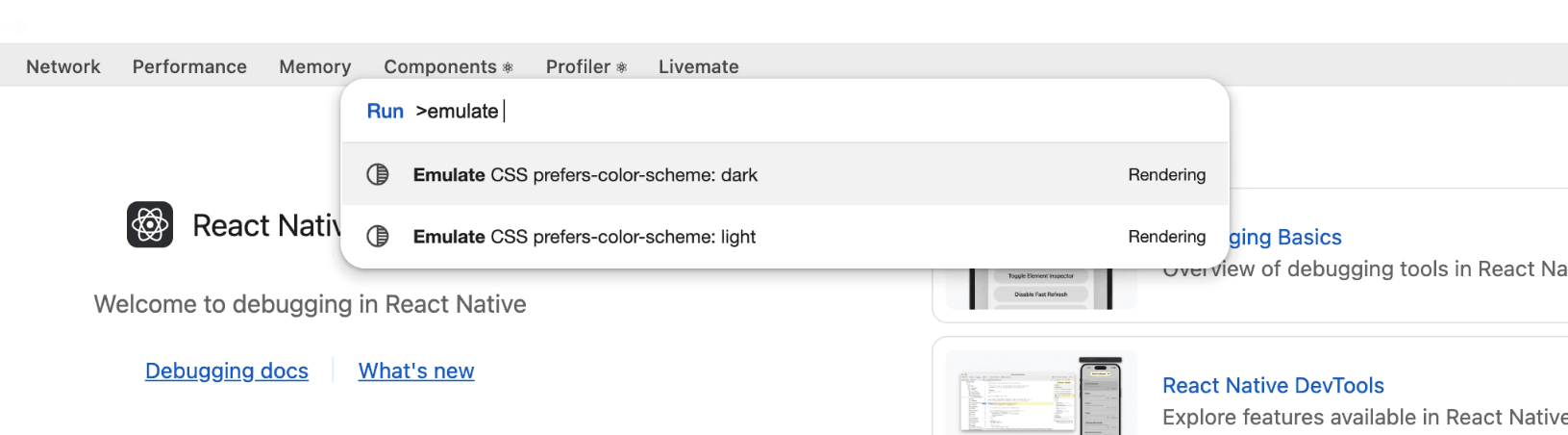
In DevTools, you can now emulate light and dark modes without changing device settings.
Hit cmd+shift+P, pick the appearance, done. Disconnecting resets it. One fewer trip through three layers of Android Settings menus to verify your dark palette isn't slightly cursed.
Zero breaking changes for two releases in a row.
A Qin dynasty of stability.
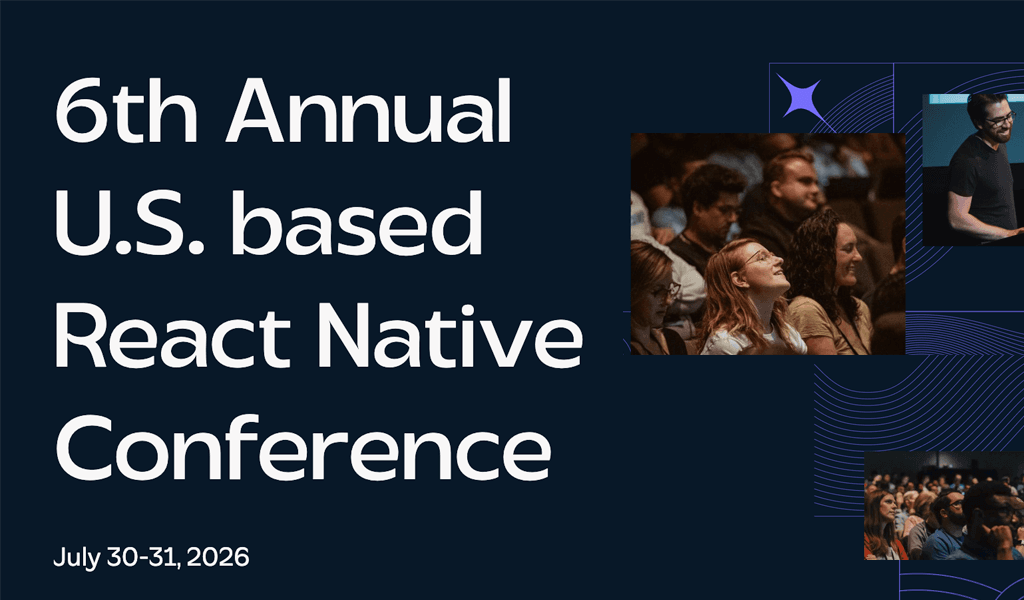
The US React Native Conference
Meet people from Expo, Infinite Red, Meta, Amazon, Microsoft, Software Mansion, and Callstack at the most beautiful venue in Portland as we discuss the craft with a craft beer.
This July, join the community for the U.S. React Native conference - Chain React: three days of talks, workshops, hallway conversations, and direct access to the people shaping the ecosystem.
Learn about the future of React Native in an age of AI.
Workshops available July 29th, and a single-track conference with experts July 30-31st.
Treat yourself, or ask your boss to help you attend the React Native conference.
We’re sending our email subscribers an exclusive code for 15% off their ticket.
A Chart Library with Party Mode for Market Crashes
Most chart libraries give you a line, an axis, and the emotional range of a spreadsheet.
ETH (Ethereum, the one that isn't Bitcoin) flash-crashes 15% while you're in a standup and the chart just...
Draws a line going down.
Calmly. Politely.
Not even a colour change.
react-native-livechart by Lennart Brandt (@brandtnewlabs) does not have this problem.
It has a feature literally called “degen mode”.
When the candle drops, the chart shoots particle bursts and shakes the screen.
We are not making this up.
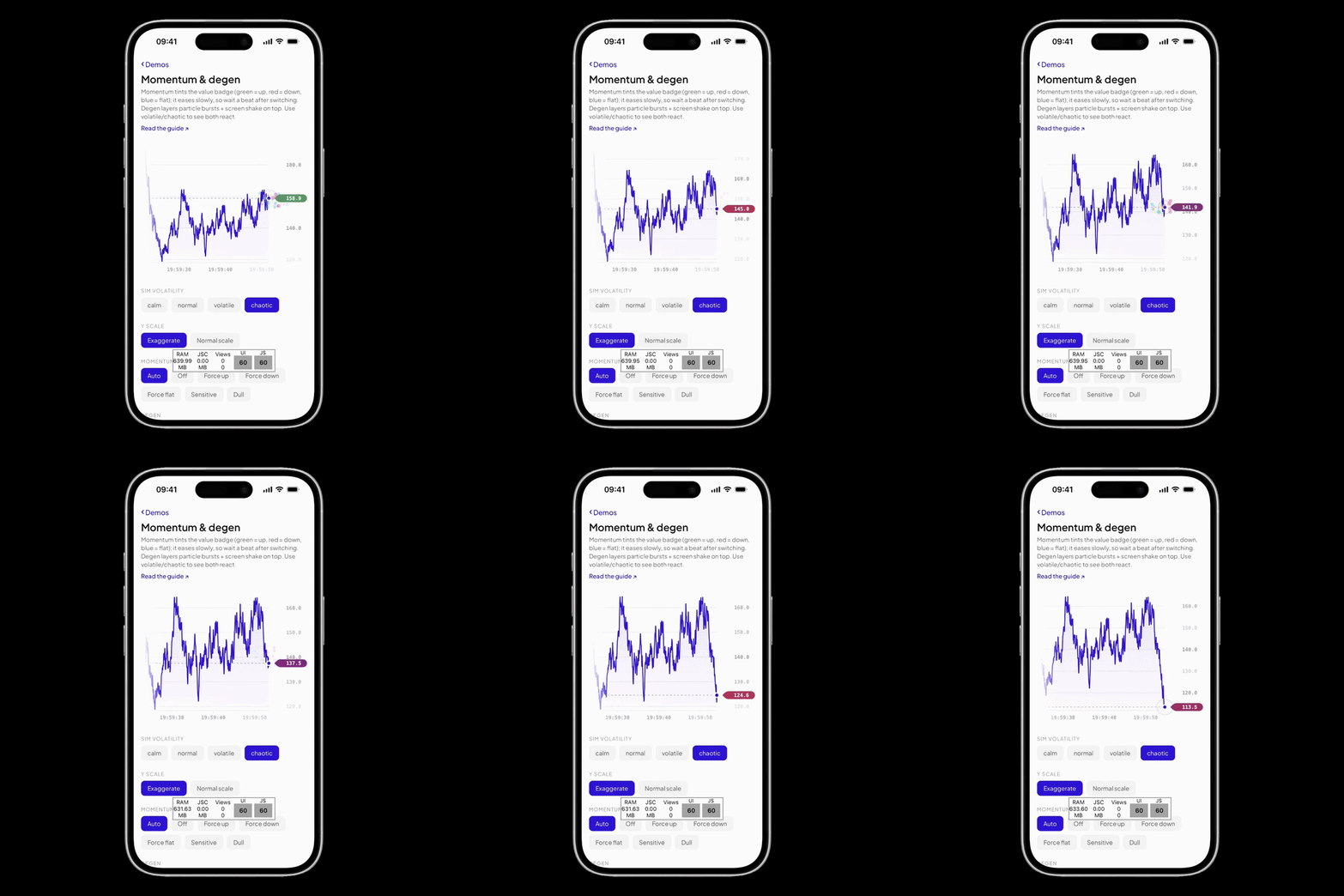
Underneath the theatrics, the library is…
(Read in British English, please) Rather impressive!
It runs on Skia (Shopify's GPU-accelerated 2D rendering engine for React Native), Reanimated, and Gesture Handler.
History and live values flow through SharedValue, so the chart animates on the UI thread without per-frame JS bridge traffic.
// livechart.tsx import { LiveChart } from 'react-native-livechart'; <LiveChart data={data} value={value} accentColor="#3323E6" mode="candle" degen momentum scrub />
One component.
Line and candlestick modes, multi-series with a toggleable legend, crosshair scrubbing, trade markers, momentum-based colouring and that degen mode we will never stop talking about.
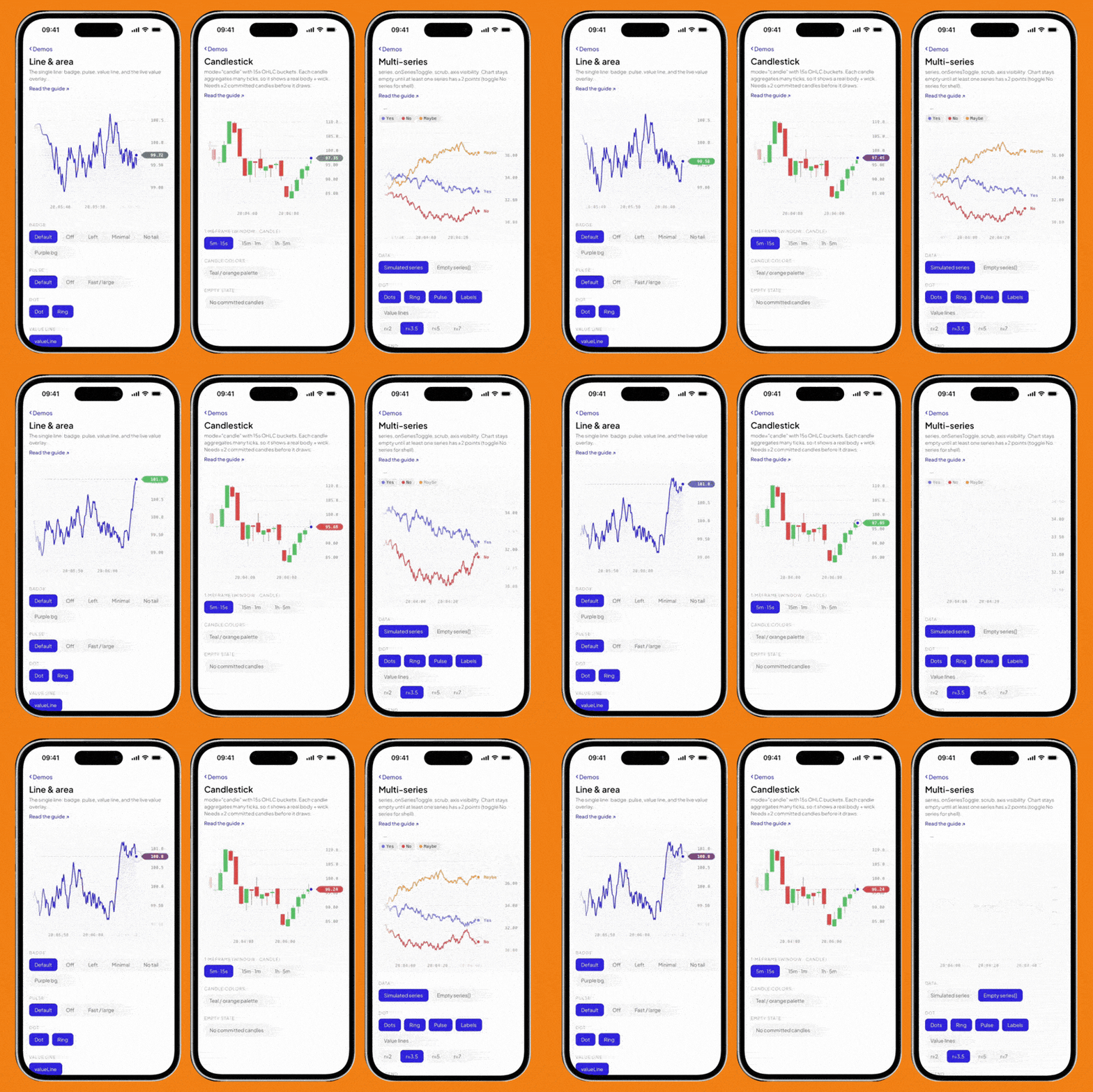
It is inspired by liveline by Benji Taylor (@benjitaylor).
So if your Dogecoin dips…
At least now it looks cool.
Your Monorepo Scripts Are a Junk Drawer
We've been porting The Collapse, our narrative decision game, from Expo to Amazon Fire TV using Amazon Devices Builder Tools.
The setup is a monorepo with two apps which mount the same shared @app package:
the-collapse/ ├── apps/ │ ├── mobile/ # Expo (iOS, Android, Web) │ └── tv/ # Vega (Fire TV) └── packages/ └── app/ # shared screens, state, logic
Two weeks into our port to Fire TV, our root package.json had thirteen scripts.
Most of them were subtle variations of dev and build with different filter flags, the kind of file that makes you whisper, "oh fuck, I forgot the command" when you open the terminal.
This kind of entropy usually takes six months.
It took us two weeks, because we're overachievers.
We collapsed it down to six scripts built around verbs that describe what they actually do. pnpm ios, pnpm android, and pnpm web, which use Expo's own conventions, since expo run:* already starts Metro, installs, and launches in a single process.
For Vega, we split it into two commands.
The first, vega:start, boots the Vega Virtual Device (Amazon's Fire TV simulator), a long-running process you start once at the beginning of the day and forget about. The second, vega:build, builds, installs, and launches the app with Metro running alongside it:
"vega:build": "concurrently \ --kill-others-on-fail \ -n bundler,vega \ -c blue,green \ \"pnpm --filter @collapse/tv start\" \ \"pnpm --filter @collapse/tv dev\""
It is powered by concurrently (a package that runs multiple commands in parallel with merged terminal output), which runs both processes from a single invocation.
The --kill-others-on-fail flag is the important bit: on a clean exit, Metro stays alive for live reload. Only a build failure tears everything down. We learned that one by accidentally killing our bundler the moment the install succeeded.
We did spend a couple of hours trying to make vega:start and vega:build into a single command. The script would auto-spawn the VD (Virtual Device) via osascript (macOS's built-in scripting tool), poll until the vega device list reports it as ready, then proceed.
Our agent had access to the Amazon Devices Builder Tools MCP, which meant we weren't guessing at vega device subcommands or lifecycle states; the correct flags came back before we had time to misremember them from a different SDK version.
On the happy path, it was beautiful.
The edge cases all traced back to one thing.
The Virtual Device is a long-running GUI process, and that's hard to manage from a single shell script.
Close the wrong Terminal window and the spawned process died with it; the GUI window didn't always appear when detached from a TTY (a terminal session), and our polling script couldn't distinguish "booting" from "exited.
The Collapse is a branching story.
Each scene branches based on the player's choices, and those choices branch again. Testing the fifth dialogue branch means watching the first four.
Every. Single. Time.
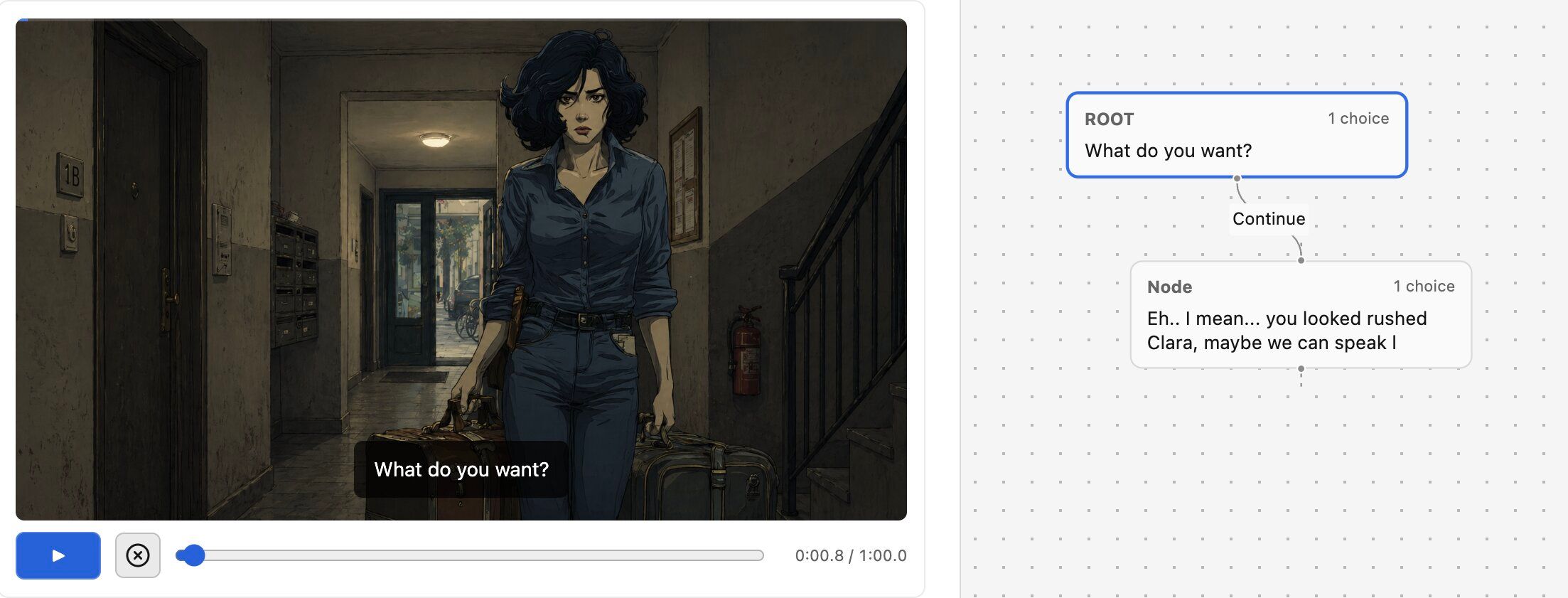
So we built a Skip button, one Pressable that advances through the story graph as fast as the data structure allows, dropping you straight into the branch you actually care about.
The gap between "the app builds on Fire TV" and "we're shipping changes in five-minute loops" was bridged entirely by small, boring things. A script that names what it does. A flag that keeps Metro alive. A button that skips four scenes.
None of it is novel.
Essentially, we just Marie Kondo'd the package.json.
👉 Amazon Devices Builder Tools
This guide was sponsored by Amazon. If you want to see how to actually monetise your existing code on their platform, check out Amazon Devices Builder Tools.