
Detecting My Dirty Laundry
You likely know what React Native ExecuTorch is, right? If not, it’s a React Native wrapper around ExecuTorch that lets you run AI models on-device.
Yes, we are talking about AI again… but then again, who isn’t?
They just "torched" the ecosystem (sorry for the dad joke) with the release of React Native ExecuTorch 8.0, they have dropped a huge swath of updates, including new models and speed improvements to audio. But most of all, the biggest drop is VLM.
VLM is not the name of the diss track dropped by Software Mansion team alongside this release (Software Mansion are the maintainers of React Native ExecuTorch).
VLM stands for Vision-Language Models, which means, in plain English, they dropped an API that allows you to send images to your on-device AI model. This is called multimodal input.
import { useLLM, LFM2_VL_1_6B_QUANTIZED } from 'react-native-executorch'; const llm = useLLM({ model: LFM2_VL_1_6B_QUANTIZED }); llm.sendMessage('What is in this image?', { imagePath: '/path/to/image.jpg', });
But it gets hotter… is what my massage therapist told me while awkwardly looking deep into my eyes… anyways…
It gets hotter.
The React Native ExecuTorch 8.0 release also includes integration with React Native Vision Camera (A professional-grade camera library that gives you full control over the phone's hardware and video frames) to support real-time frame processing.
Meaning… drum roll…
You can support AI video processing on-device.

This is achieved because the computer vision hooks returned from React Native ExecuTorch expose a runOnFrame function. This runOnFrame function is a worklet (i.e., it does not run on the JS layer) and can be paired with useFrameProcessor from React Native Vision Camera for real-time frame processing.
const model = useObjectDetection({ model: SSDLITE_320_MOBILENET_V3_LARGE }); const detRof = model.runOnFrame; const frameOutput = useFrameOutput({ pixelFormat: 'rgb', dropFramesWhileBusy: true, onFrame: useCallback( (frame: Frame) => { 'worklet'; try { if (!detRof) return; const isFrontCamera = false; // using back camera const result = detRof(frame, isFrontCamera, 0.5); if (result) { ... } } finally { frame.dispose(); } }, [detRof] ), });
They have a number of prebuilt hooks for things such as Object Recognition, Object Classification, Optical Character Recognition (OCR), and more.
It’s also important to note that not all models support VLM; you can see a full list of models and their capabilities here.
Now I can finally build my dream app: a "Laundry Classifier" that detects if your clothes are either clean enough for the wardrobe or dirty enough for the wash, specifically designed to stop them from ending up on... "The Chair.”

The Party Mansion’s Sticky Headers
A few years ago, I was working on a client project—and no, this is not a joke, even though it’s hard to tell when I am joking—it took me a full week to build a scroll-driven animated header with React Native Reanimated and React Native Gesture Handler.
Now, there is a library for that.
Oskar Pawica (@O_Pawica) from "Mansion of Mansions," the party mansion, Software Mansion has released react-native-header-motion to allow you to easily build animated headers.
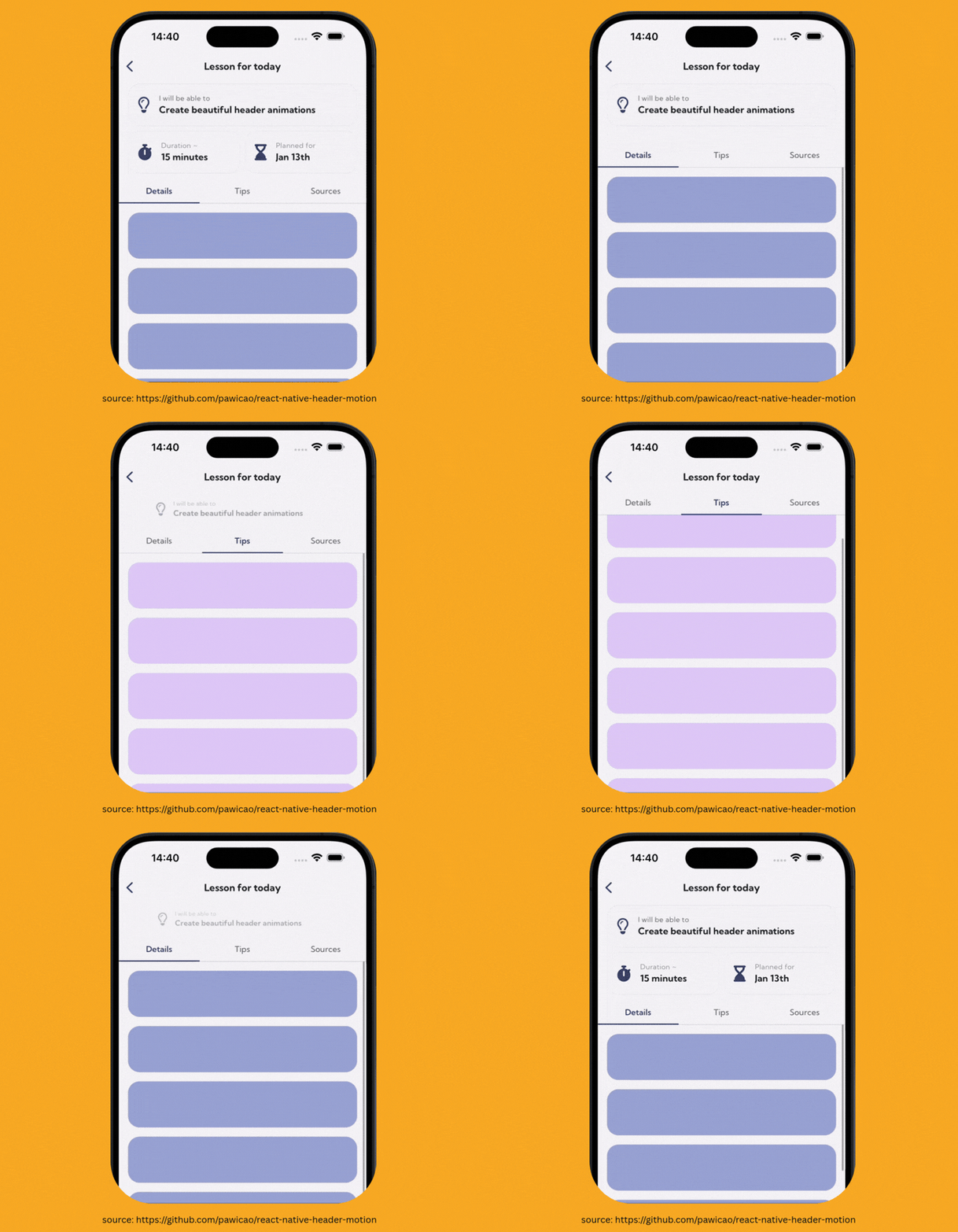
The library offers several HOCs (Higher Order Components) that allow you to build scroll-driven animated headers without forcing a pre-built UI or style onto your applications.
A basic setup with expo-router looks like:
import HeaderMotion from 'react-native-header-motion'; import { Stack } from 'expo-router'; export default function Screen() { return ( <HeaderMotion> <HeaderMotion.Bridge> {(ctx) => ( <Stack.Screen options={{ header: () => ( <HeaderMotion.NavigationBridge value={ctx}> <CollapsibleHeader /> </HeaderMotion.NavigationBridge> ), }} /> )} </HeaderMotion.Bridge> <HeaderMotion.ScrollView> {/* your scrollable content */} </HeaderMotion.ScrollView> </HeaderMotion> ); }
It then exposes a useMotionProgress hook, which allows you to control how other elements in the header animate based on the state of the header, from collapsed to expanded (which is header lingo for the header being hidden or shown).
const { progress, progressThreshold } = useMotionProgress(); const insets = useSafeAreaInsets(); const containerStyle = useAnimatedStyle(() => { const threshold = progressThreshold.get(); return { transform: [ { translateY: interpolate( progress.get(), [0, 1], [0, -threshold], Extrapolation.CLAMP ), }, ], }; });
In the example above, progressThreshold is the collapsed distance in pixels, that can be read inside a worklet with .get().
The days of spending weeks animating headers may be over.
Just like the days of actually writing any code all by yourself, right?
…right?

Overstimulating Your CRUD Operations
We have covered confetti libraries before, such as typegpu-confetti back in #9.
I don’t know if I personally have an obsession with confetti, if there is just nothing better to cover, or if I have a relentless drive to provide a rewarding UX by celebrating milestones as users complete their goals and transform (or ruin) their lives in mobile applications.
I’m going to be charitable and say it’s the latter.
React Native Fast Confetti 2.0 beta by Alireza (@alireza_hadjar) has been released. Like version 1.0, it supports iOS, Android, and Web—three cheers for sweet multi-platform libraries!
It’s been completely rewritten from scratch with physics-based animations and new components that let you control the type and direction of the confetti. You can now blast it from every edge of your screen like that money shot montage you haven’t been able to erase from your brain since 12th grade.
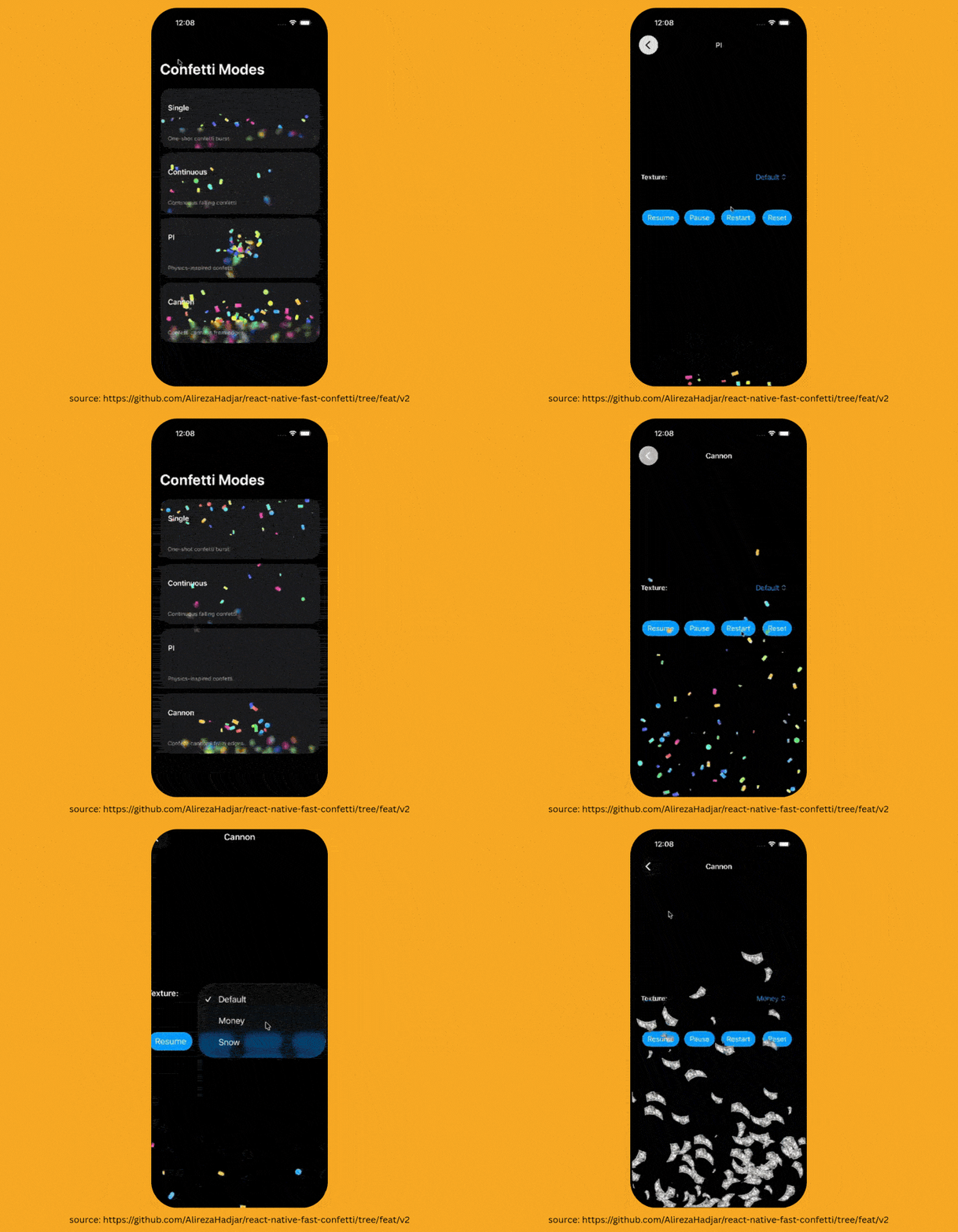
It also features a composition API. Thank you to Fernando Rojo (@fernandorojo) for popularising this; we are finally seeing the community implement it, so sanity can be gained—we absolutely love it.
// Version 2.0 <CannonConfetti autoplay> <CannonConfetti.Origin position={{ x: 0, y: 300 }}> <CannonConfetti.Flake size={12} /> </CannonConfetti.Origin> <CannonConfetti.Origin position={{ x: 400, y: 300 }}> <CannonConfetti.Flake size={12} /> </CannonConfetti.Origin> </CannonConfetti>
This allows for much more control over your confetti compared to the previous API:
// Version 1.0 <Confetti cannonsPositions={[ { x: 0, y: 300 }, { x: 400, y: 300 }, ]} blastDuration={300} />
It also supports new props such as…
Err…
blastPosition
And ehh..
blastDuration…
I’m not joking… I swear… these are real props which let you control your confetti.
And…
blastRadius.
God, those 12th-grade flashbacks are coming back…
So, if you are building an app that treats every "Save" button like a 4K money shot, or if you just want to make sure your users feel overstimulated after completing a basic CRUD operation, give this a spin.