
Running Into Chrome's Embrace
So today, I want to talk about React Native Run. And no, it’s not what you’re thinking… it’s not a list of companies that decided to "run away" from React Native because of.. eh.. skill issues. Do you even JavaScript, Airbnb?
React Native Run is a browser-based bundler that allows you compile your React Native application directly in the browser. Think of it like Expo Snack (a web-based tool for writing and running React Native code snippets) but with a major twist: while Expo Snack partially bundles on Expo’s servers, React Native Run bundles everything in the browser, on demand.
It utilises a tool called browser-metro. If you haven’t heard of it, that’s because it was built specifically for this project.
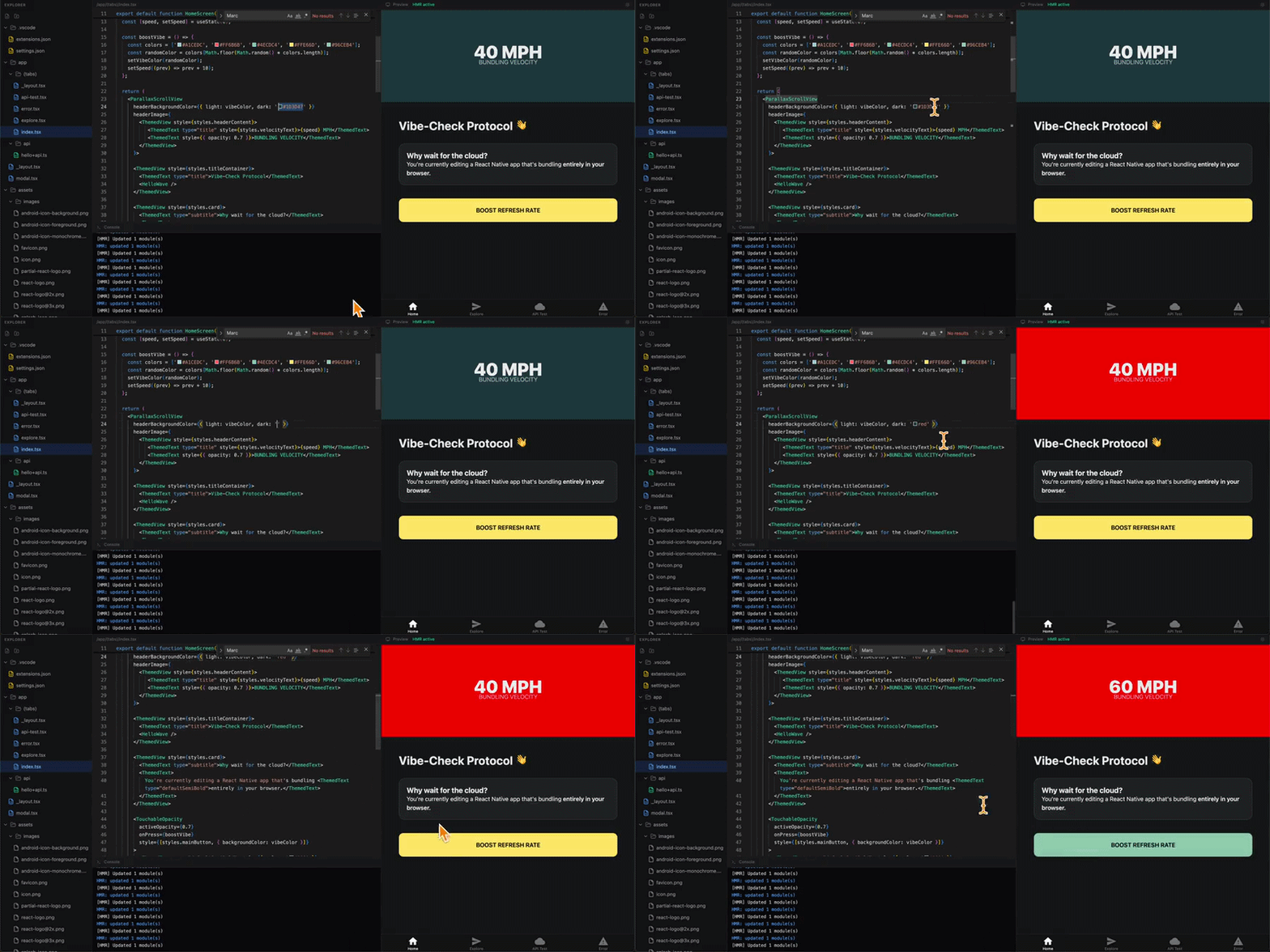
This allows bundling to happen entirely within the user's browser, which makes it, as Marc Roussavy might say, fast. (If you don’t know Marc, he is renowned in the community for his absolute need for speed).
But you may be saying… okay cool… but what is the actual point?
To be clear, this isn't meant to enable React Native to "run on the web" in the way React Native Web does. Consider what Expo Snack is typically used for: showcasing a specific feature from a library you want to install so you can finish your work and get off early on a Friday.
To understand the setup, it is important to distinguish between Metro and browser-metro. Metro runs in a Node.js environment typically from your terminal, whereas browser-metro runs directly inside the browser.
In the example below, think of the FileMap as code intended for browser-metro. If you were building an editor where users could add files, this content would be dynamic.
import { Bundler, VirtualFS, typescriptTransformer } from "browser-metro"; import type { BundlerConfig, FileMap } from "browser-metro"; // 1. Create a virtual filesystem const files: FileMap = { "/index.ts": 'import { greet } from "./utils";\nconsole.log(greet("World"));', "/utils.ts": 'export function greet(name: string) { return "Hello, " + name; }', }; const vfs = new VirtualFS(files);
The next step is to bundle the code and serve it within an iframe, where the React Native code will compile in the browser.
// 2. Configure the bundler const config: BundlerConfig = { resolver: { sourceExts: ["ts", "tsx", "js", "jsx"] }, transformer: typescriptTransformer, server: { packageServerUrl: "https://esm.reactnative.run" }, }; // 3. Bundle const bundler = new Bundler(vfs, config); const code = await bundler.bundle("/index.ts"); // 4. Execute (e.g. in an iframe)
So…
Why would you want a React Native compiler inside your browser?
It’s not just so your CPO can "vibe-code" a quick feature and immediately ask for a delivery estimate. There are powerful production use cases.
For example, you could build a technical interview platform where candidates complete React Native tasks without needing to download Node, Xcode, Android Studio, Watchman, or twenty thousand NPM modules just to power a "Hello World" application.

Inspecting Your File System Like a Jealous Ex
If you haven’t heard of Rozenite, it’s not a precious stone that Madame Zeroni once gave me to carry up a mountain and sing to every night to enchant beautiful Myra Menke, under the condition that I eventually carry her up the hill and sing to her, too.
But because I’m an idiot, I forgot to carry her up the mountain, relocated to America, and cursed myself and my family for always and eternity.
It’s a Callstack framework for React Native DevTools.
Now, why would you need a framework for React Native DevTools, you may ask?
And I would reply: why do you need a framework for React Native?
Erm… Expo.
Anyways, I digress… Rozenite has been available for several months now, but they have recently launched a number of plugins, including a file system plugin that allows you to inspect the file system from the comfort of your own laptop.
Man, you people have it so good; I remember back in my day…
(fist shakes and rants).
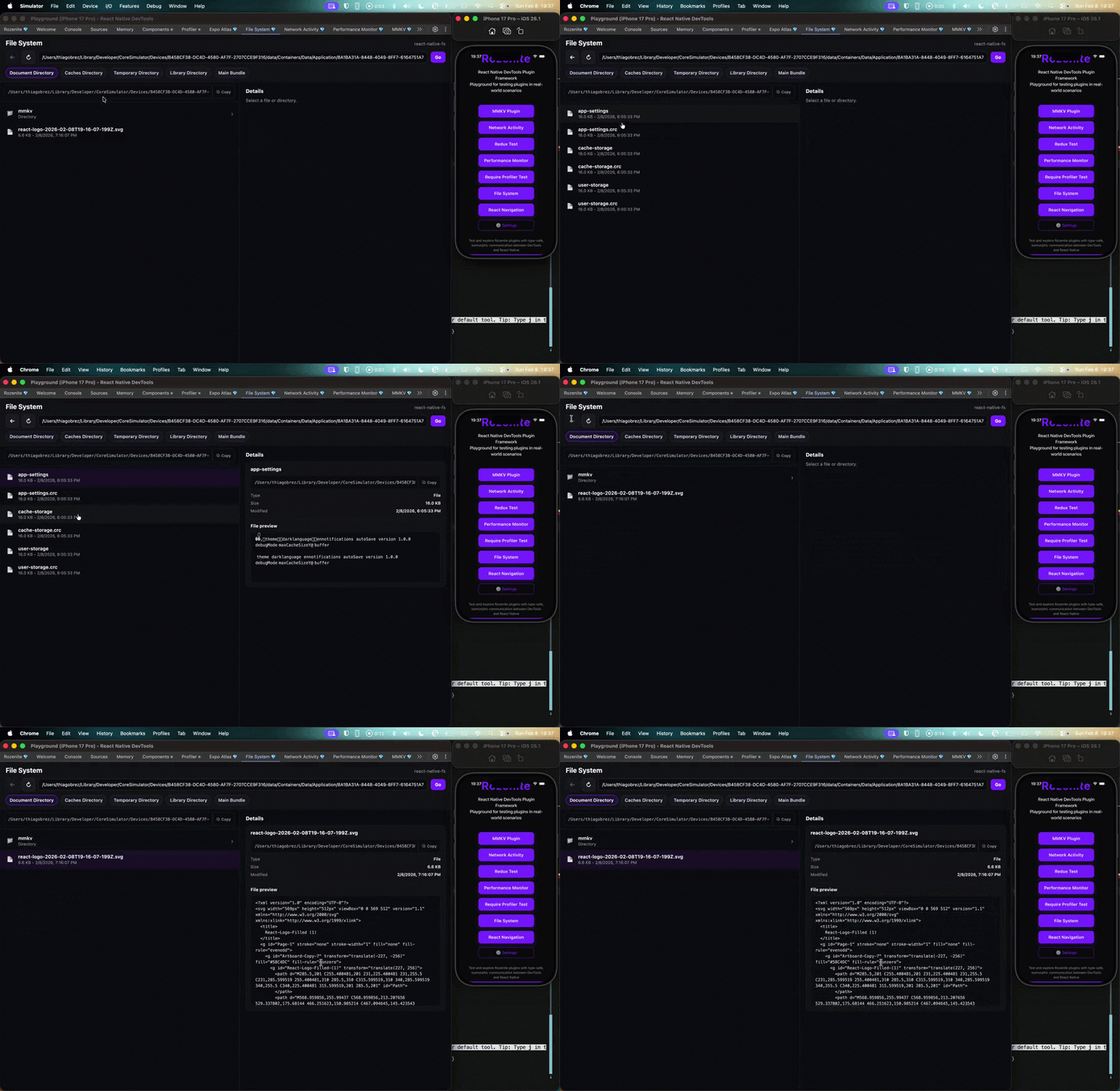
Beyond the file system preview, Rozenite is expanding its Agent Capabilities.
Essentially, a lot of the plugins also come shipped with AI skills, so when you install a plugin, your agents can interact with it.
LET ME SPELL THIS OUT.
This means that your agents can use tool calls to gather data about the running instance of your application, such as console logs, network information, file system structure, memory, performance, etc.
Meaning you no longer need to act as the middleman between the developer environment and the agent… HA… HA… HA… (laughing nervously).
So, how does this work under the hood?
Rozenite has an agent skill which you can install by following the instructions on the repository. Your agent can then use the Rozenite CLI to create a session and then pick a domain related to that task, essentially like this:
# Step 1: Agent Creates a Session rozenite agent session create # Step 2: Agent Lists Domains rozenite agent domains --session <id>
Domains are the specific categories of tools which either come packaged with Rozenite or are available via plugins, and they allow the agent to interact with parts of the app session that traditionally would not be able to access without a human-in-the-loop.
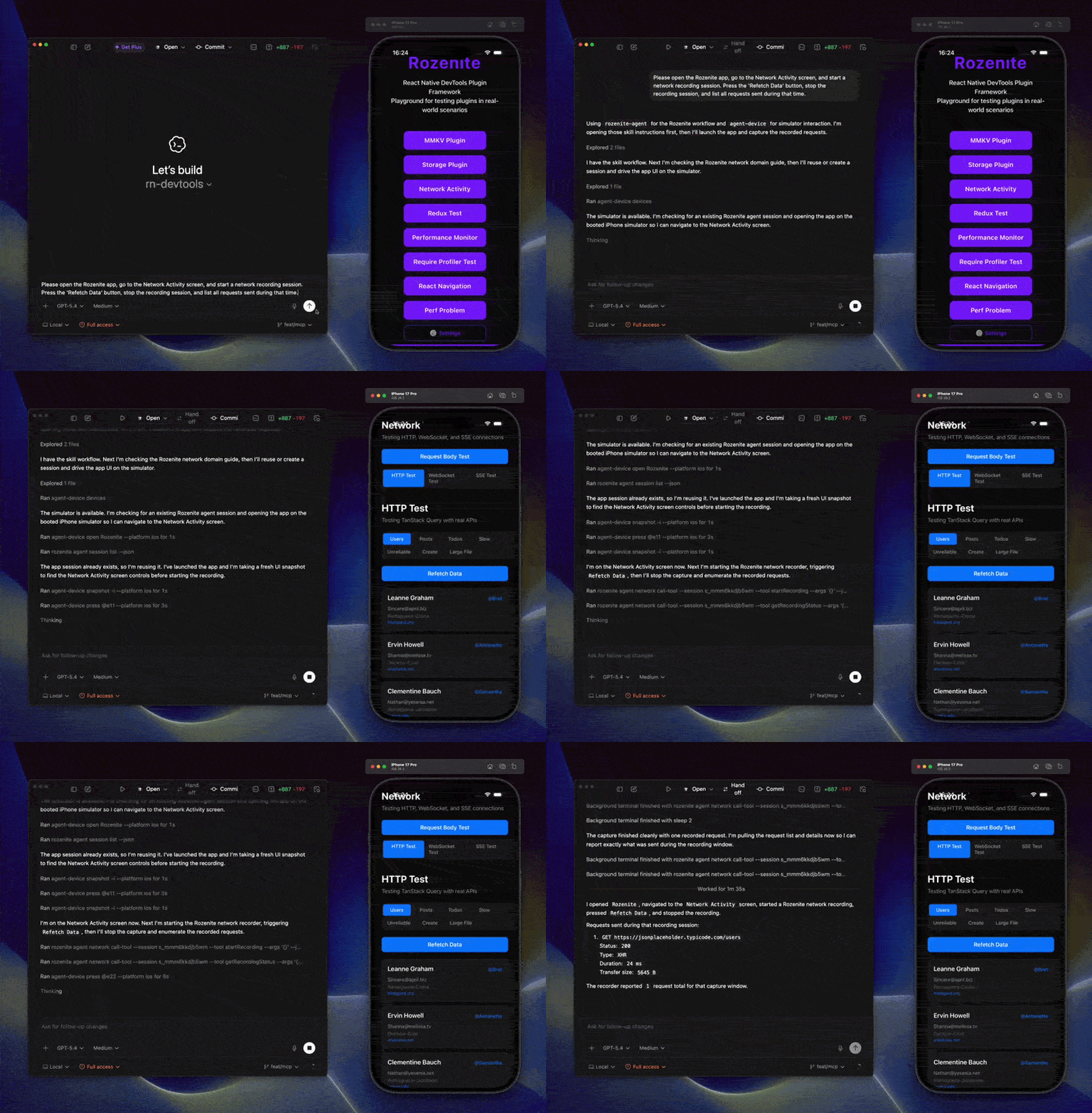
Honestly, if this keeps up, the next newsletter will probably be written by a Rozenite agent, and it'll probably be funnier than me.
Funnier than me?
Well I guess that ain’t hard.

Bundle Mode Ruined My Relationship
Worklets, despite what you may be thinking, are not a 2026 AI-embedded remake of the classic 1991 Lemmings, although I think I’ve just found my next vibe coding project.
React Native Worklets is a library which allows multi-threading (the execution of multiple parts of a program simultaneously to improve performance) inside of the React Native framework.
It powers React Native Reanimated and React Native Gesture Handler but has been extracted and open-sourced as its own library, so "Mansion of Mansions," the party mansion, Software Mansion, can’t have all the fun.
Without turning this into a thesis, we are going to break down React Native Worklets 8.0, and in particular, Bundle Mode and Shareable.
Bundle Mode has received some improvements in 8.0 which make it easier to set up and start using; previously, it required patching React Native to get working. It also received an improvement which allows you to run network requests in Bundle Mode.
So, what is Bundle Mode?
It’s not the words I shout when I’m trying to pack a suitcase three minutes before leaving for the airport.
”Bundle Mode!” The reason my girlfriend left me.
Bundle Mode allows React Native Worklets to access the entire JavaScript bundle, including third-party dependencies, meaning you can run any code in a worklet. This means that when you run the scheduleOnUI function, you could call some third-party library:
import { scheduleOnUI } from 'react-native-worklets'; import { uniqBy } from "lodash" const myFunction = (): void => { 'worklet'; # Call a third party library or network request uniqBy(...) }; scheduleOnUI(myFunction); // Hello from the UI Runtime!
Bundle Mode is experimental, but in this 8.0 update, it becomes easier to use. The Worklet team envisions that this will be the future default way of using worklets.
Worklets 8.0 also introduced the Shareable, which is a type of shared memory tied to a specific JavaScript Runtime. This means… yes… we need to explain threads and runtimes.
Here we go.
In this context, a runtime is an isolated instance of a JavaScript engine (like Hermes or V8) that possesses its own private memory heap, call stack, and garbage collector.
You have the RN Runtime by default; this is the runtime that powers your app. React Native Worklets then spawns a number of its own Worklet Runtimes, such as the UI Runtime and Worker Runtime.
Each runtime executes code on a specific thread while remaining completely memory-isolated from other runtimes. A runtime isn’t strictly tied to a specific thread (though in practice, the RN Runtime is locked to the JS Thread, it helps to ignore that for now to establish the Threads vs. Runtime mental model).
A runtime can run on any thread based on its priority. I like to think of it like the React Native render pipeline, where each step can be executed on either the UI Thread or JS Thread; although this example is unrelated, it helps with the mental model.
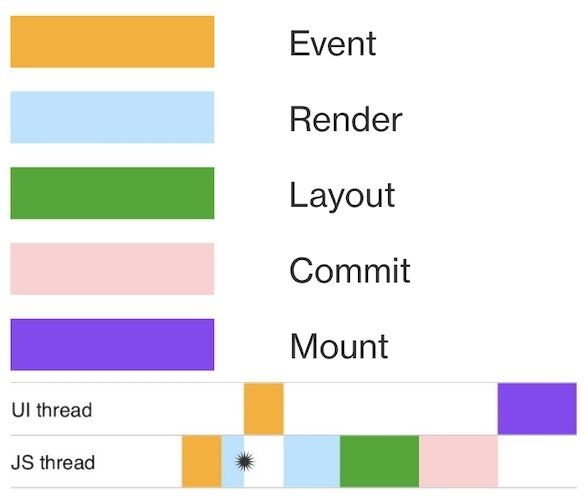
So, we have established there are specific runtimes that run on threads, and each runtime manages its own JavaScript Engine. This is where the Shareable comes in: it allows us to share data between runtimes.
import { createShareable, UIRuntimeId } from 'react-native-worklets'; const shareable = createShareable(UIRuntimeId, 42); console.log(shareable.getSync()); // 42
No matter what runtime the code above runs on, it will always get the value of 42.
42…0h, we see what you did there, Software Mansion.