
Your Most Reliable Employee Is a Folder
What never sleeps, never negotiates, has no opinion on return-to-office, and cannot be left alone for ninety seconds without doing something you will have to explain to legal?
Meet your most reliable employee. It is an AI agent.
A ChatGPT tells you how to reset a customer's password.
An agent resets it, emails the customer, closes the ticket, and refunds them four times for EMOTIONAL DAMAGE.
What makes it an agent is the loop.
It reads your request, takes action, reviews the results, and decides on the next action.
It also does not stop on its own, which is how a quiet task turns into someone awake at 3 am asking WHAT THE FUCK.
Eve is Vercel's framework for building agents.
What makes it different is that an agent is not a config file.
It is a folder of files, and each file tells Eve what it does. It’s Expo Router for Agents.
You scaffold a project with one command:
npx eve@latest init my-agent
Eve creates the directory tree, the dependencies, and a starter agent.
The structure looks like this:
my-agent/ ├── package.json └── agent/ ├── agent.ts # which model to use ├── instructions.md # the system prompt ├── tools/ │ └── get_weather.ts # a function it can call ├── skills/ │ └── plan_a_trip.md # a written procedure └── channels/ └── slack.ts # where people message it
Eve reads that folder and wires the agent together for you.
The three folders that matter most are tools/, connections/, and channels/.
A tool is a typed function the model is allowed to run.
You give it a description so the model knows when to use it, an input schema written with Zod (an open-source library that checks whether the data the model passes is the right shape), and the code that runs when it is called.
import { defineTool } from "eve/tools"; import { z } from "zod"; export default defineTool({ description: "Get the current weather for a city.", inputSchema: z.object({ city: z.string() }), async execute({ city }) { const res = await fetch( `https://api.weather.example/v1?city=${city}` ); return await res.json(); }, });
The model never sees this code. It reads the description, decides whether the tool fits, and Eve runs the function, feeding the result back into the loop. In the example above, if it attempts to call the tool without a city, the schema rejects the request before your code runs.
Then there are connections.
A connection lets the agent use tools it did not write, from apps you already pay for.
A connection is a file that points to an MCP server (Model Context Protocol, a standard way for an app like Notion or GitHub to expose its features to an AI).
import { defineMcpClientConnection } from "eve/connections"; export default defineMcpClientConnection({ url: "https://mcp.notion.com/mcp", description: "Notion workspace: pages and databases.", auth: { getToken: async () => ({ token: process.env.NOTION_API_TOKEN!, }), }, });
Eve does not always wait for you to start it, either.
A file in schedules/ runs the agent on a timer, so it can write the morning report before anyone is awake to ask for it.
And when you do want to talk to it, that is what channels/ is for. One file turns the same agent into a Slack bot, a Discord bot, or a web chat.
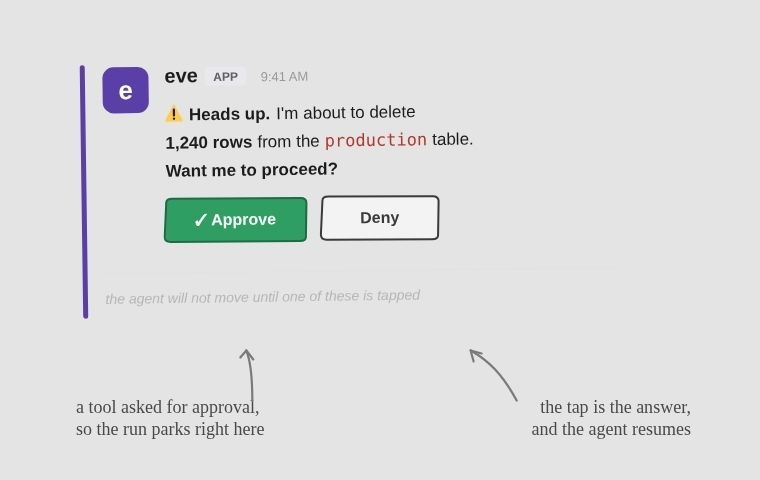
Channels are also where approval gates become usable by humans.
Letting an unsupervised model run your code is how companies end up issuing statements.
Any tool can be set to pause and wait for a human.
In Slack, that pause renders as a message with Approve and Deny buttons, and tapping it selects the answer the agent wanted approval for.
One thing it will not do on its own is remember you.
When a session ends, the agent forgets the whole conversation. Like my mother.
You can give it memory, but you wire that up yourself, and it lives in a store you point it at, not in the folder.
So by default it has the object permanence of your last situationship.
There is far more to Eve than one section can hold.
Subagents that hand work off to other agents. Isolated sandboxes so the code it writes cannot touch anything real. Scored evals so you find out a change made it worse before your users do.
It is the only coworker you can fire with rm -rf.
No notice, no exit interview, no LinkedIn post about closing an incredible chapter.
👉 Eve
Win a Free Ticket to Chain React 2026
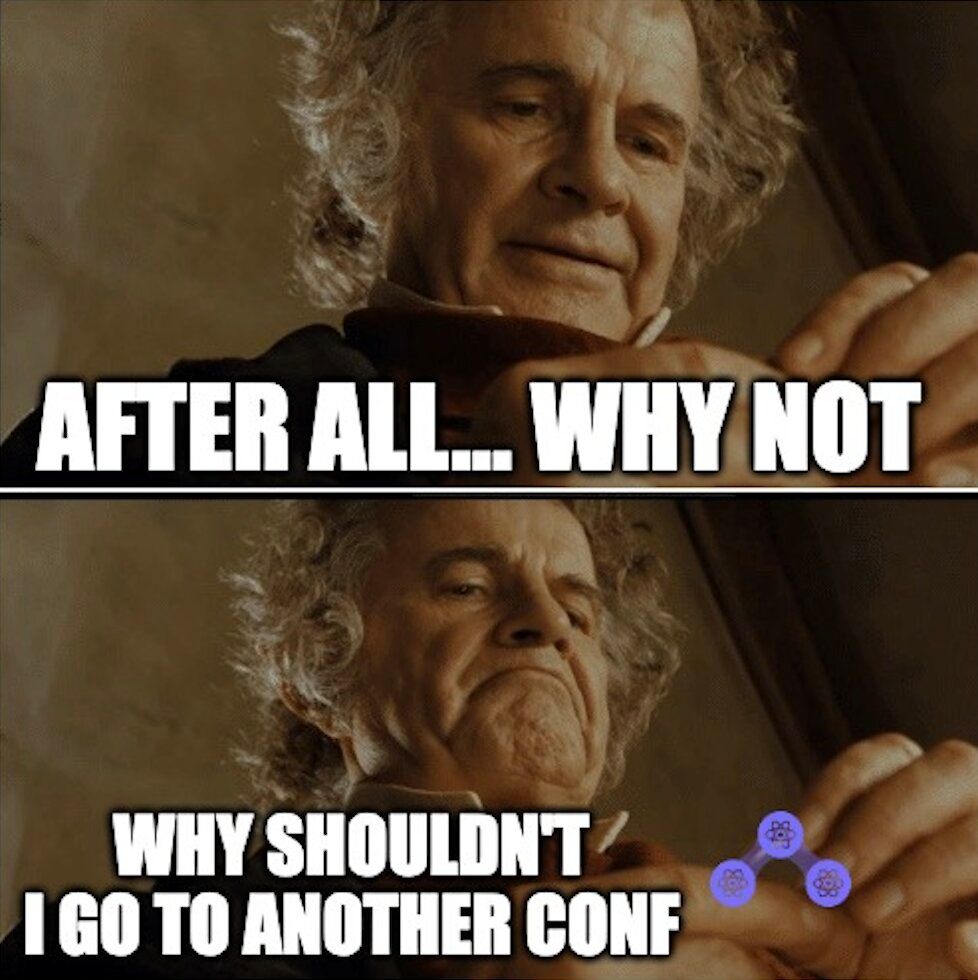
Bilbo had the ring.
React Native devs have Portland.
And we possess the one ticket of power.
We’re partnering with Chain React and have one free conference ticket to raffle.
Meet people from Expo, Infinite Red, Meta, Amazon, Microsoft, Software Mansion, and Callstack at the most beautiful venue in Portland as we discuss the craft with a craft beer.
Chain React happens in Portland on July 30–31, so yes…
This is your excuse to leave your mom’s basement, touch some grass (real grass unlike Amsterdam) and meet the people building the ecosystem.
The ticket is… FREE.
How to enter:
Subscribe to the Rewind.
👉 Join Rewind’s backstage Whatsapp Group.
That’s where we’ll share the raffle form, Chain React updates, conference plans, meetups, and behind-the-scenes Rewind stuff.
That’s it, you are in!
We’ll pick one winner and contact them directly.
If they can’t realistically make it to Portland, we’ll redraw.
Good luck, little hobbit.
No Diggity! I got to bag it up
There is a web app you basically live in.
Excalidraw, Google Messages, your team's internal dashboard, the admin panel nobody bothered to make a real app for.
It deserves a spot in your dock.
Not tab thirty-eight, slowly being strangled by tab thirty-nine.
The usual way to give it one is Electron.
Which ships a full copy of Chromium to render a page your browser can already open.
A couple hundred megabytes, to put a website in a window.
Pake by tw93 (@HiTw93) does that one job.
It wraps a URL in a standalone desktop app, with its own icon, dock presence, and keyboard shortcuts.
In one command.
pnpm install -g pake-cli pake https://excalidraw.com --name Excalidraw
That second line packages the whole site into a native app for macOS, Windows, or Linux, with the icon fetched automatically.
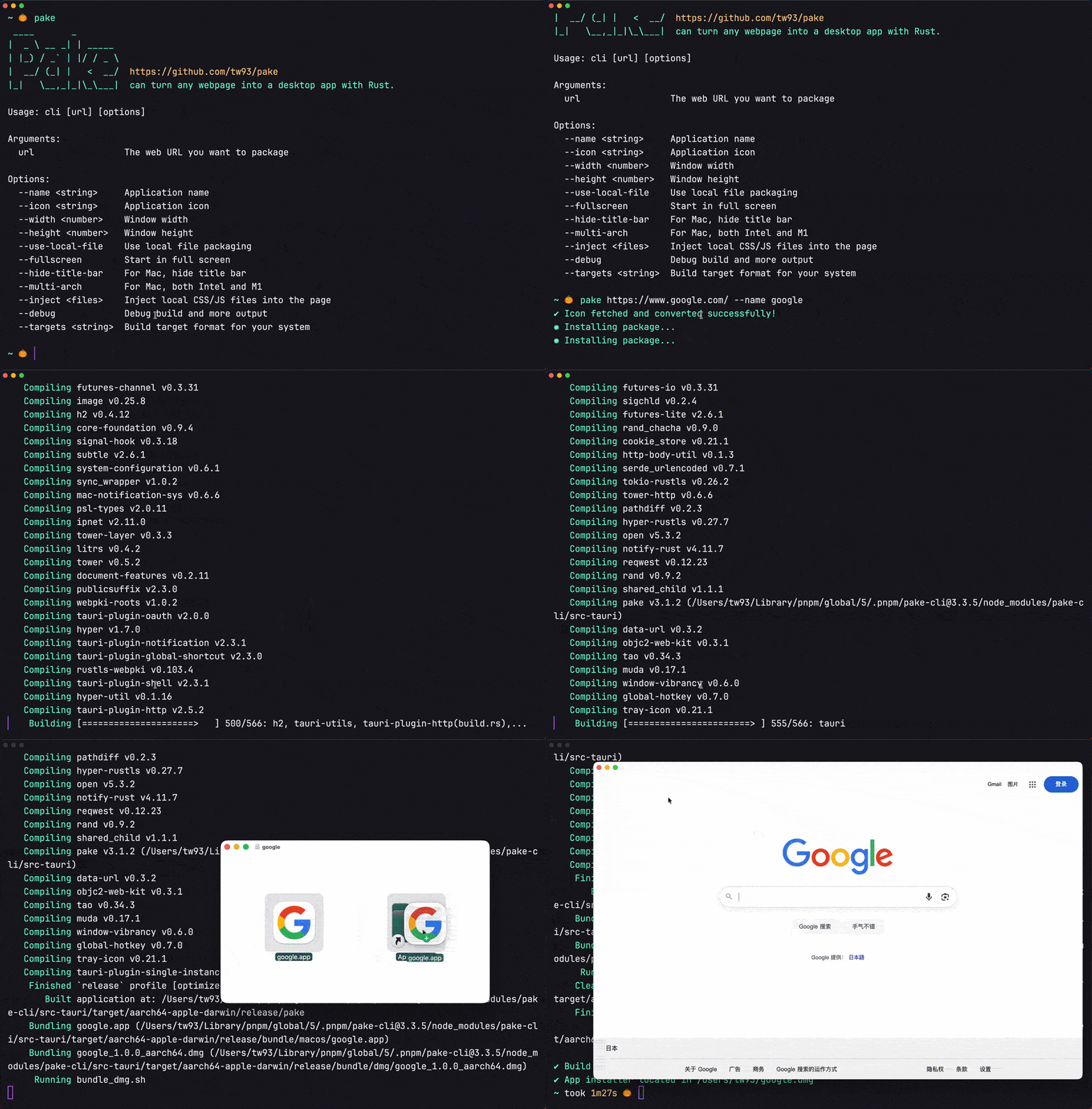
Flags let you set a custom icon, window size, or a hidden title bar.
The reason it comes out around 5 MB, not 200 MB, is Tauri (the Rust framework Pake is built on).
Instead of bundling its own browser, Tauri borrows the one your operating system already has, the system webview (the native web renderer macOS, Windows, and Linux each ship by default).
The app you download is a thin Rust shell around that, not a second Chromium instance.
Nearly twenty times smaller than the Electron equivalent.
You could do this in Tauri yourself, but that means starting a Rust project, configuring the window, and pointing it at your page.
Pake is the shortcut.
One CLI command instead of a whole project, and you never open an editor.
Allergic to terminals?
There are prebuilt downloads for ChatGPT, Grok, DeepSeek, YouTube, and a dozen more, plus a GitHub Actions flow that builds one for you in the cloud.
It is a wrapper, not a rewrite, so you inherit whatever the site does and whatever quirks each platform's webview brings. Those native touches are the Pake shell doing the work, configuring the window and injecting its own CSS and JS into the page, not the website cooperating, which is exactly why it works on sites you do not own.
Pake is MIT, and the only payment the maintainer asks is that, if it improves your life, you chip in for canned food for his two cats, TangYuan and Coke.
Easily the most reasonable license term in open source.
👉 Pake
One Image Oozes Into the Next
For years, swapping one image for another in React Native has meant a crossfade.
If you were feeling fancy, a crossfade with a spring.
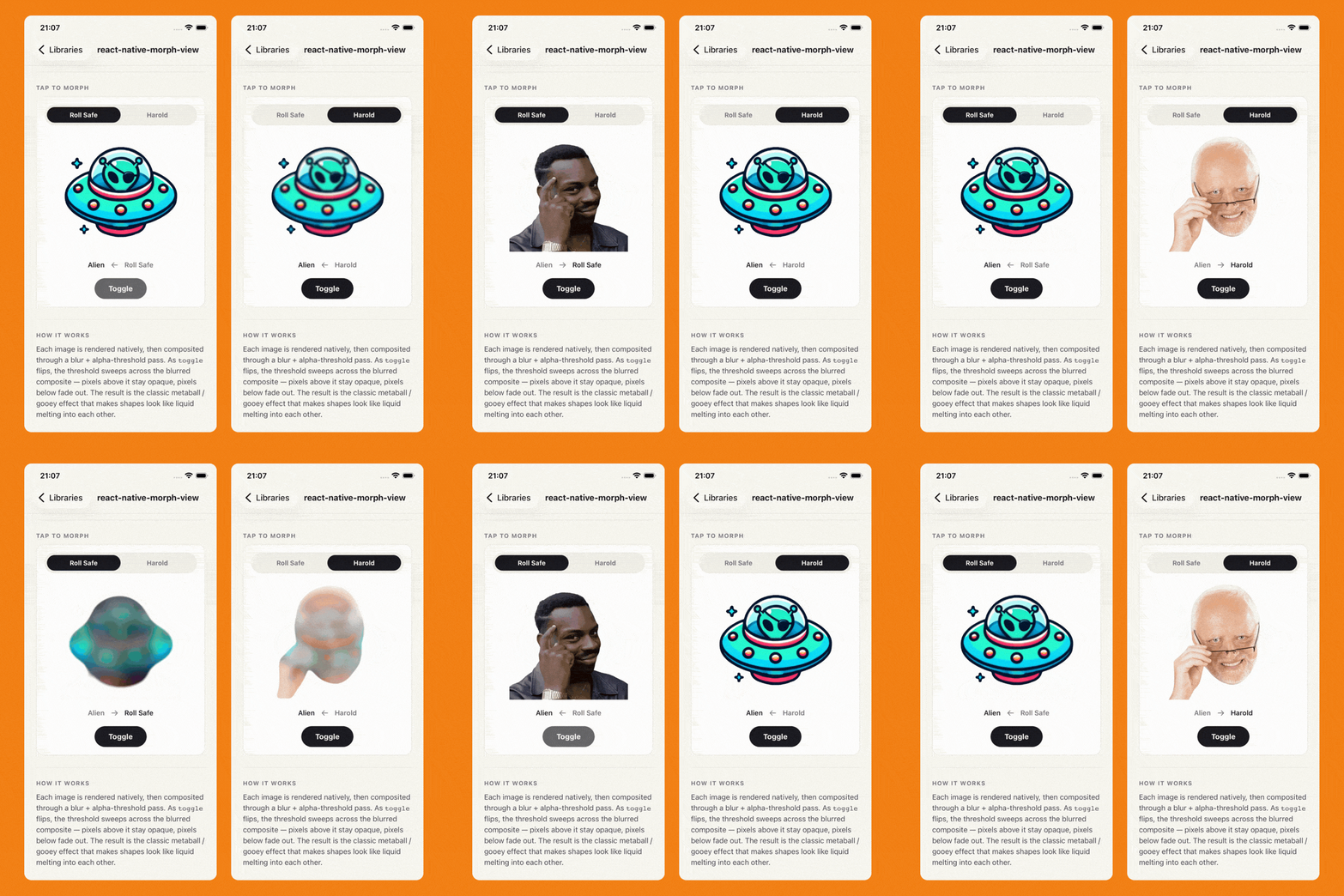
react-native-morph-view by Błażej Kustra (@blazejkustra) of Software Mansion does the thing you actually wanted. It melts one image into another, so a heart can ooze into a star and back without a hard cut in sight.
The trick is a real GPU shader, not a fade.
Both images get blurred until their edges bleed together, then an alpha-threshold pass snaps that overlap back into a hard edge, so the two shapes fuse into a single blob, the so-called metaball effect (where two blurry droplets look like they merge into one as they touch).
It runs as Metal and an AGSL shader on Android.
You drive the whole thing with one boolean:
<MorphView toggle={on} from={require('./heart.png')} to={require('./star.png')} blurRadius={24} duration={600} />
Flip toggle, and it plays the morph.
blurRadius sets how molten the midpoint looks; duration sets the timing.
It takes any image, bundled, remote, or a file URI, though the morph works best on solid shapes with transparent backgrounds, which the docs recommend.
It requires React Native 0.76+, iOS 15.1+, and Android 13+.
Older Androids and the web fall back to a plain crossfade, which is to say, back where we started.
Everywhere else, it is the T-1000 from Terminator 2, minus the part where it tries to kill anyone.