

(Winning the $300 million Afghan deal – War Dogs)
Expo SDK 55: More Than Just Fancy Handbags
Okay, now that the hype has calmed down, we thought we’d cover Expo SDK 55. In our last issue (#27), we covered Expo Widgets in a widget showdown between Expo Widgets and Voltra. Anyway, if you didn’t realise, there’s more to Expo SDK 55 than just widgets. So, what’s new?
Before we dive into the core features, this update includes the ability to now opt in to Hermes v1. For those who don’t know, Hermes v1 isn’t the latest line of handbags you desperately buy for your ex-girlfriend hoping to win her back.
Hermes is a lightweight JavaScript engine built by Meta to make React Native apps start faster and run more efficiently on mobile devices. It was first introduced in 2019, and Hermes v1 is a new version of the engine with performance improvements and support for new language features (enhancing support for modern ES syntax and language features).
You can enable it in Expo SDK 55 as such:
{ "expo": { "plugins": [ [ "expo-build-properties", { "buildReactNativeFromSource": true, "useHermesV1": true } ] ] } }
Hermes V1 is reportedly enabled in the Expensify app, where the TTI (time to interactive — meaning the time it takes for an app or web to become fully responsive and usable) improved by about 2.5% on iOS and around 7.6% on Android. To use the Hermes V1 compiler, you’ll need to override the hermes-compiler version:
{ "dependencies": {}, "overrides": { "hermes-compiler": "250829098.0.4" } }
So apart from over-priced handbags, what else does Expo SDK 55 have in store?
Skills. Yes, that’s right. Mad skills.
Okay, so if you’ve heard the term Agent Skills thrown around, you’re probably either thinking, “Yes, I know Agent Skills and I use them,” or “I have no fricken clue what Agent Skills are.”
We have the expo/skills repository, and as promised, here’s what it’s all about. Essentially, you add skills to your AI workflow or IDE. For example, with Cursor, you’d: Navigate to Rules & Command → Project Rules → Add Rule → Remote Rule (GitHub), and add https://github.com/expo/skills.git to include the Expo Skills.
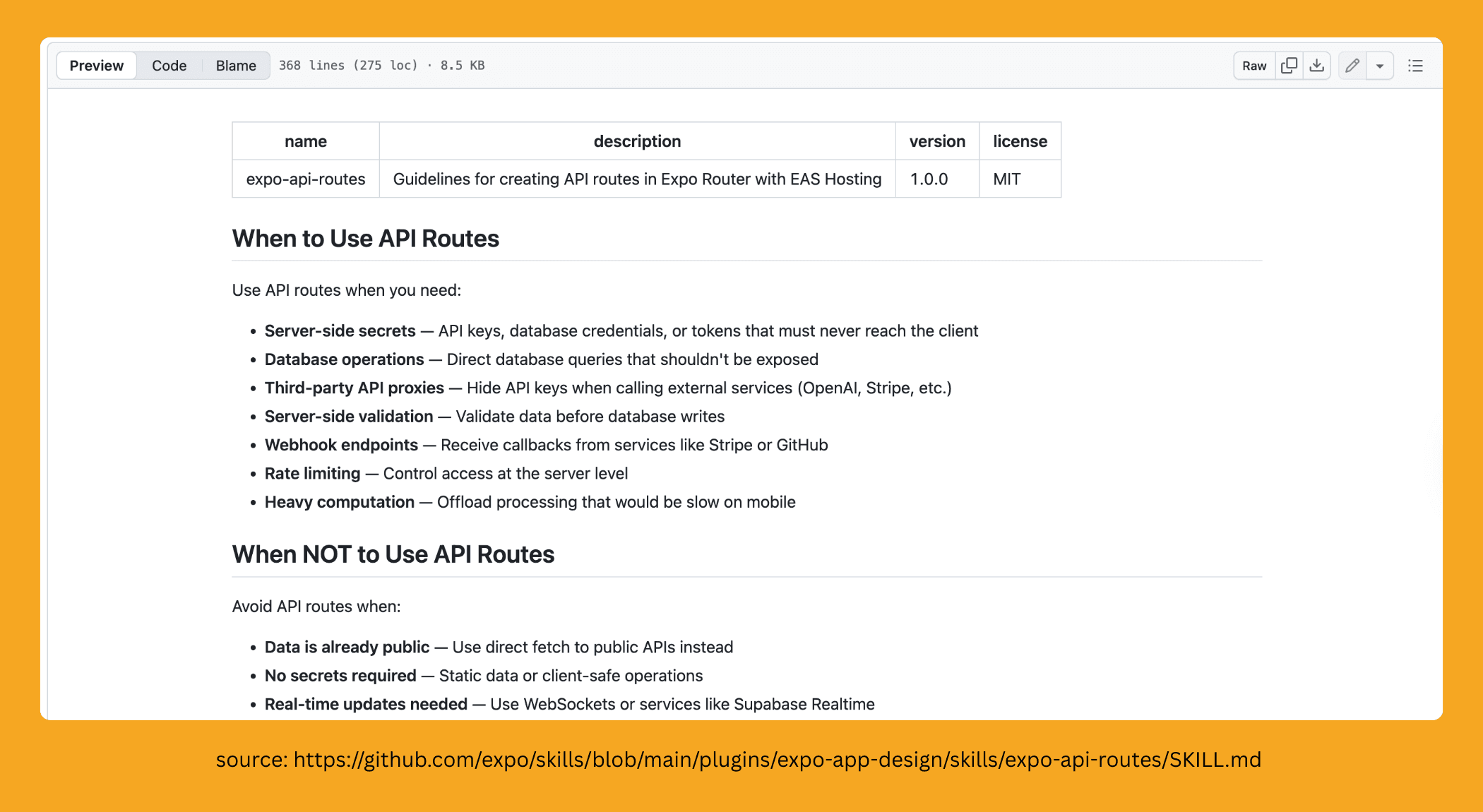
Then, skills are automatically discovered and used by the agent based on the context. The agent will automatically apply relevant skills depending on the skill descriptions. A skill is essentially a document or a set of instructions that provide context on patterns and best practices for a given area. It helps the agent understand how to handle specific tasks or commands more intelligently within that domain.
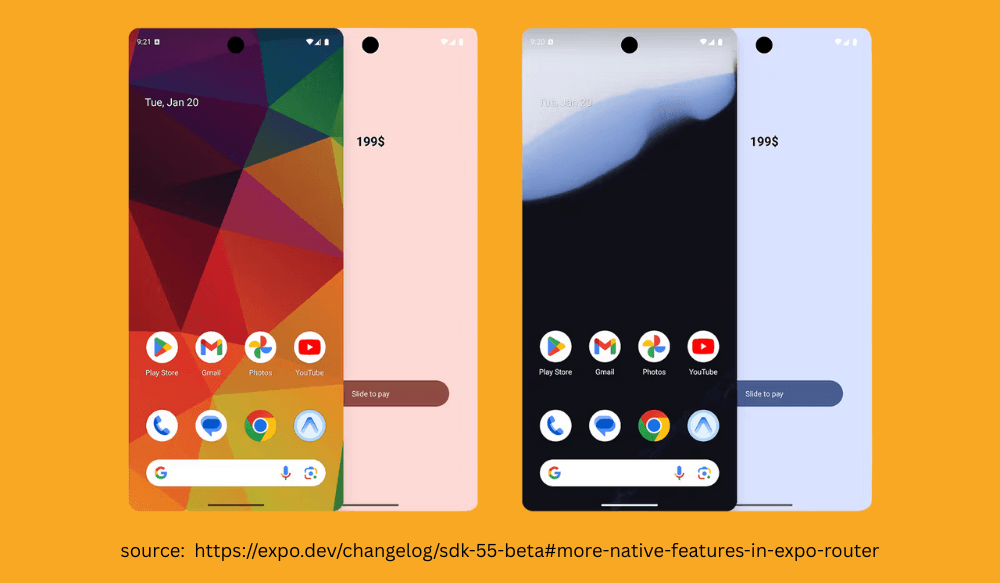
There have also been updates to our favourite Router package, including the introduction of a New Colors API. The most notable feature of this Colors API is support for Material 3 Dynamic Colors:
import { Color } from 'expo-router'; // Dynamic colors adapt to user's wallpaper Color.android.dynamic.primary; Color.android.dynamic.onPrimary; Color.android.dynamic.surface; Color.android.dynamic.onSurface;
This essentially allows your app’s colour scheme to match the user’s wallpaper colors, creating a seamless and personalised experience.
As part of SDK 55, Expo Router also brings experimental support for native UIToolbar for iOS applications, which lets you build menus and actions on iOS.
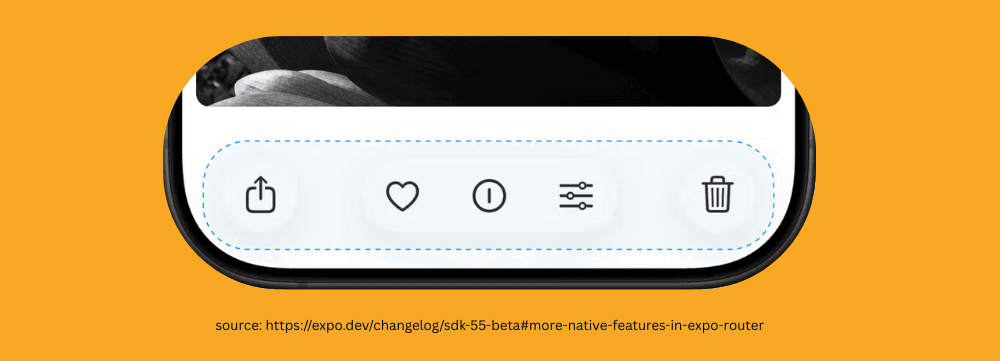
They say similar Android APIs are planned for the future—so for those losing their minds over the iOS-only features, relief is on the way. The setup is simple with straightforward syntax.
<Stack> <Stack.Screen name="index"> <Stack.Toolbar placement="left"> <Stack.Toolbar.Button icon="sidebar.left" onPress={...} /> </Stack.Toolbar> <Stack.Toolbar placement="right"> <Stack.Toolbar.Button icon="ellipsis.circle" onPress={...} /> </Stack.Toolbar> </Stack.Screen> </Stack>
This is a useful alternative to tabs when you have a screen that needs to offer actions from a menu rather than navigating between screens.
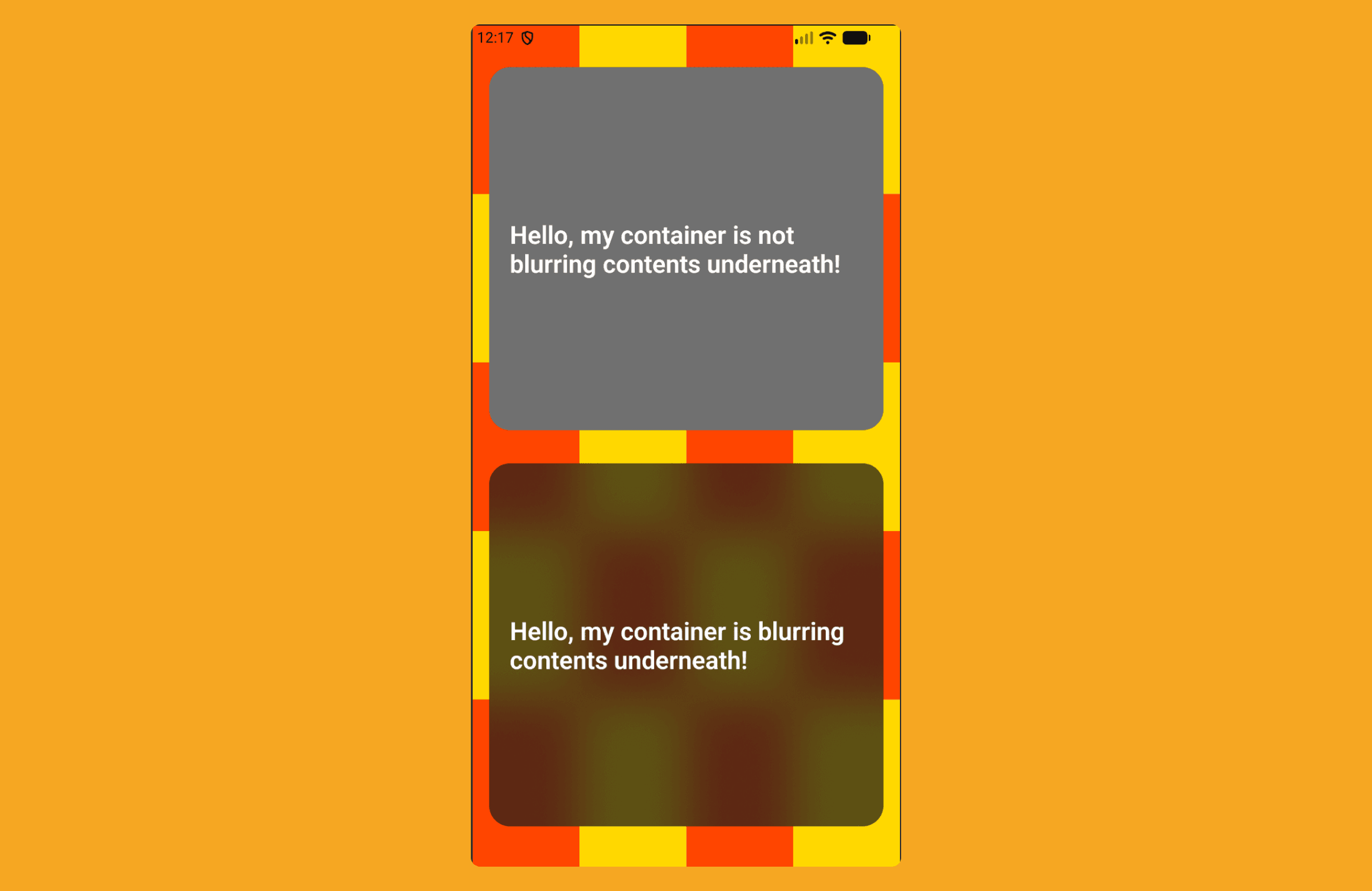
Lastly, a bit of love for Android, because San Valentine’s day is around the corner: there is now a more performant blur effect for expo-blur (where previously blur was very unperformant). You now need to specify a BlurTargetView for the background you want blurred—on Android only:
<View style={styles.container}> <BlurTargetView ref={targetRef} style={styles.background}> {[...Array(20).keys()].map(i => ( <View key={`box-${i}`} style={[styles.box, i % 2 === 1 ? styles.boxOdd : styles.boxEven]} /> ))} </BlurTargetView> <BlurView blurTarget={targetRef} intensity={100} style={styles.blurContainer} blurMethod="dimezisBlurView" > <Text style={styles.text}>{text}</Text> </BlurView> </View>
This results in a smoother, more efficient blur effect on Android, like so:

(Ah! Victory! – Star Wars: Episode I - The Phantom Menace)
Honey, I Teleported the Components
For those of you who don’t know what a Portal is, we are not talking about the Valve 2007 hit puzzle game — we’re talking about Portals in React.
In React, a Portal lets you render a component into a different part of the DOM tree than its parent, while still keeping it in the same React component hierarchy. This is especially useful for things like modals, tooltips, and popovers, where you want to escape overflow or z-index constraints without breaking React’s state and event handling.
import { createPortal } from 'react-dom'; function Modal({ children }) { return createPortal( <div className="modal">{children}</div>, document.getElementById('modal-root') ); }
Historically, Portals have not been supported in React Native due to the DOM-specific magic they rely on under the hood. Even the new architecture hasn’t fully solved this. While there have been some efforts — for example, the Portal implementation in React Native Paper (which works well) — it requires installing the entire react-native-paper library, which can feel a bit meh if all you want is a portal.
As a result, there still hasn’t been a well-supported solution that just works™.
So Kirill Zyusko (@ziusko) — the same wizard who brought us React Native Keyboard Controller — has used his sorcery once again to bring us React Native Teleport.
So… what is Teleport? And will it help me cross the pond to see a girl I fell in love with back in ’08?
React Native Teleport takes a novel approach. Instead of using a JS-based solution to render part of your React tree somewhere else (which can cause issues with context, state, and event handling), react-native-teleport renders components in the native layer (it directly tells the native layer: “put this component over here”, skipping JS layout quirks). It also supports Web, which is a nice bonus.
Essentially, you set up a PortalHost:
<SafeAreaProvider initialMetrics={initialWindowMetrics}> <PortalProvider> <RootStack /> <PortalHost style={StyleSheet.absoluteFillObject} name="overlay" /> </PortalProvider> </SafeAreaProvider>
Then you’d basically “teleport” your children, in a freaky new series of “Honey, I Teleported the Kids.”
<Portal hostName={"overlay"}> <View style={styles.box} testID="touchable" /> </Portal>
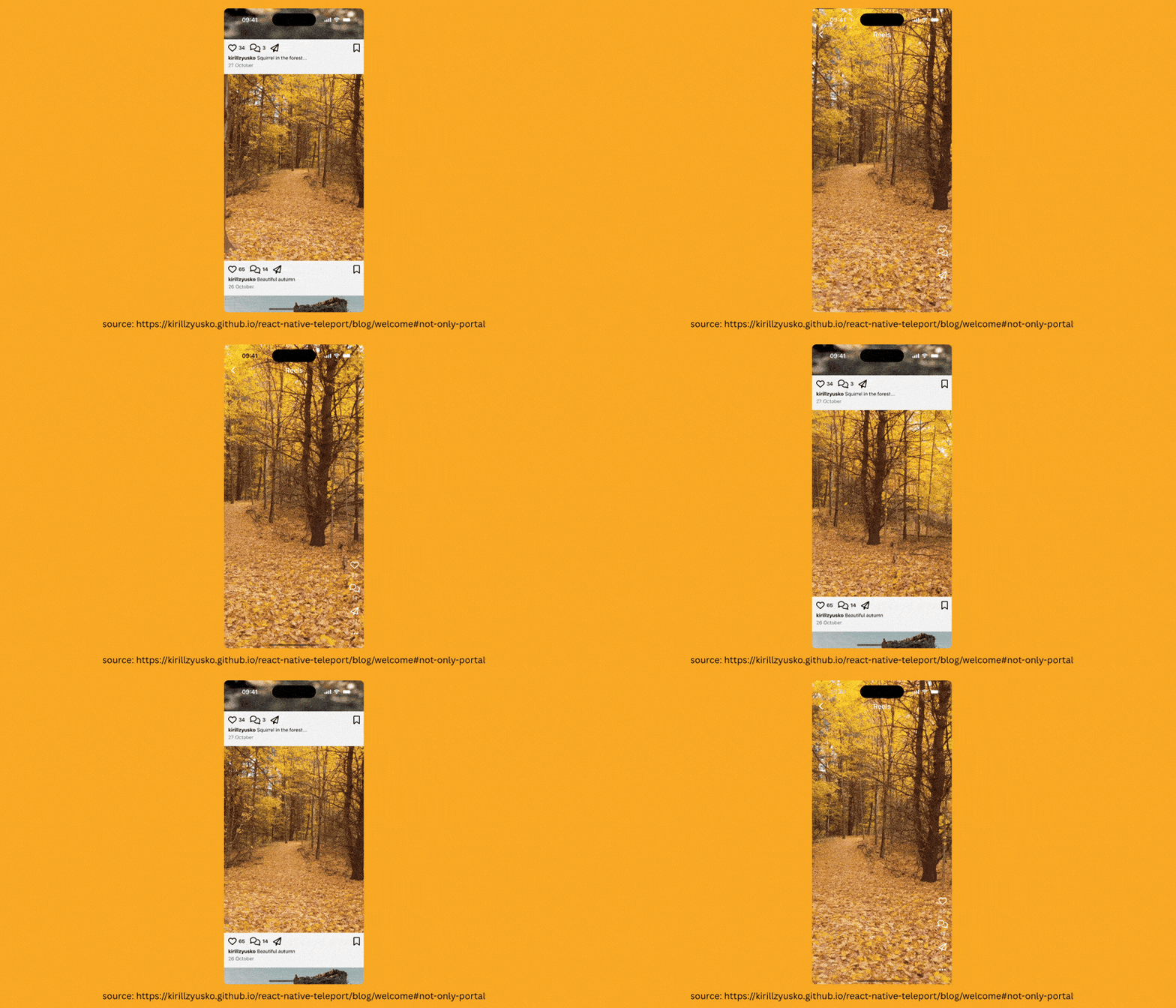
But this doesn’t sound all that exciting, right? Well, there’s more to react-native-teleport that sets it apart from other portal implementations. It provides a re-parenting pattern, which means you can move existing components without unmounting them.
In practice, this allows you to build seamless transitions.
Before you Go: Your Grandma’s Gesture Library
If you’ve been anywhere near React Native for more than five minutes, you’ve probably bumped into React Native Gesture Handler. It exists because the built-in PanResponder… (PanResponder is React Native’s built-in gesture system that lets you track touches and drags in JS) well, let’s just say it’s a bit, shall we say, limited. It handles the basics but struggles when you want anything more nuanced or performant.
Gesture Handler does exactly what it promises: it lets you handle pinch, crop, multi-touch gestures, swipe right or left (we like a satisfying right swipe!). You can build pretty sophisticated interactions — think complex editing suites or multi-touch controls — all within React Native, and it performs well enough to not make you want to throw your phone at the wall.
Now, you might expect Gesture Handler v3 to come loaded with bells and whistles, maybe something where you can control your app with your eyeballs, ears, or even your nose. But no, it’s actually quite restrained.
The big headline is that it now only supports the New Architecture — or as it’s sometimes called, “The Architecture”. Support for the old architecture? Gone. If you haven’t switched yet, well… good luck.
The other significant update is a complete API makeover: everything is hooks now. So what used to be a bit boilerplate-heavy and imperative…
const gesture = Gesture.Pan() .onBegin(() => { console.log("Pan!"); }) .minDistance(25);
…has become sleek, hook-based, and far more React-ish:
const gesture = usePanGesture({ onBegin: () => { console.log("Pan!"); }, minDistance: 25, });
Under the hood, it’s essentially the same behaviour — the hook just wraps all the gesture setup so you get a gesture object ready to use inside your component, with far less ceremony.
Needless to say, v3 is more about embracing the future React way than piling on features. But that’s progress for you — sometimes subtle, sometimes ruthless.
👉 React Native Gesture Handler V3