It wouldn’t be very good citizenship on our part not to mention that there’s another React vulnerability (yes, another)—not the Critical Security Vulnerability in React Server Components we talked about in #24, but a totally new one… actually, two 😅 Denial of Service (High Severity) and Code Exposure (Medium Severity). We’re sharing this to keep you informed—but also so you can enjoy the meme.
You’re reading The React Native Rewind #25.

It’s Not That Kind of Alpha
When we say a technology is “alpha” it doesn’t mean it’s lifting weights on a rooftop gym and sipping raw espresso from a titanium flask.
In software, “alpha” refers to an early stage of development where a feature or library is still being tested internally—it’s functional enough to try, but likely to be unstable, incomplete, and subject to change.
That’s where React Native 8.0 stands right now—and don’t worry, this time they haven’t pivoted from the Dynamic API (classic declarative JSX stylee.g. <Stack.Screen…) to the Static API (modern config-object style e.g., createNativeStackNavigator({…})), then back to the Dynamic API, and once again to the Static API (if you don’t know what we’re talking about, go back and read #1).
The main change here is that the native bottom navigator is now the default. So, you’ll need to explicitly specify if you want to use the JavaScript-based tabs. Native tabs are enabled by default to ensure apps feel as close as possible to the platform experience—mostly because of Liquid Glass.

As for types—if you’ve been working with React Navigation for any short amount of time, you’ll remember that types have always been a PITA (Pain in the Ass).
Sometimes it could take longer to set up your types than to set up your navigators, and usually, without a degree (or being Matt Pocock), your navigation TypeScript definitions probably ended up with a bunch of any and unknowns.
Long story short, a lot of magic has gone on under the hood, and hooks like useNavigation, useRoute, and useNavigationState now automatically infer types based on the provided screen name.
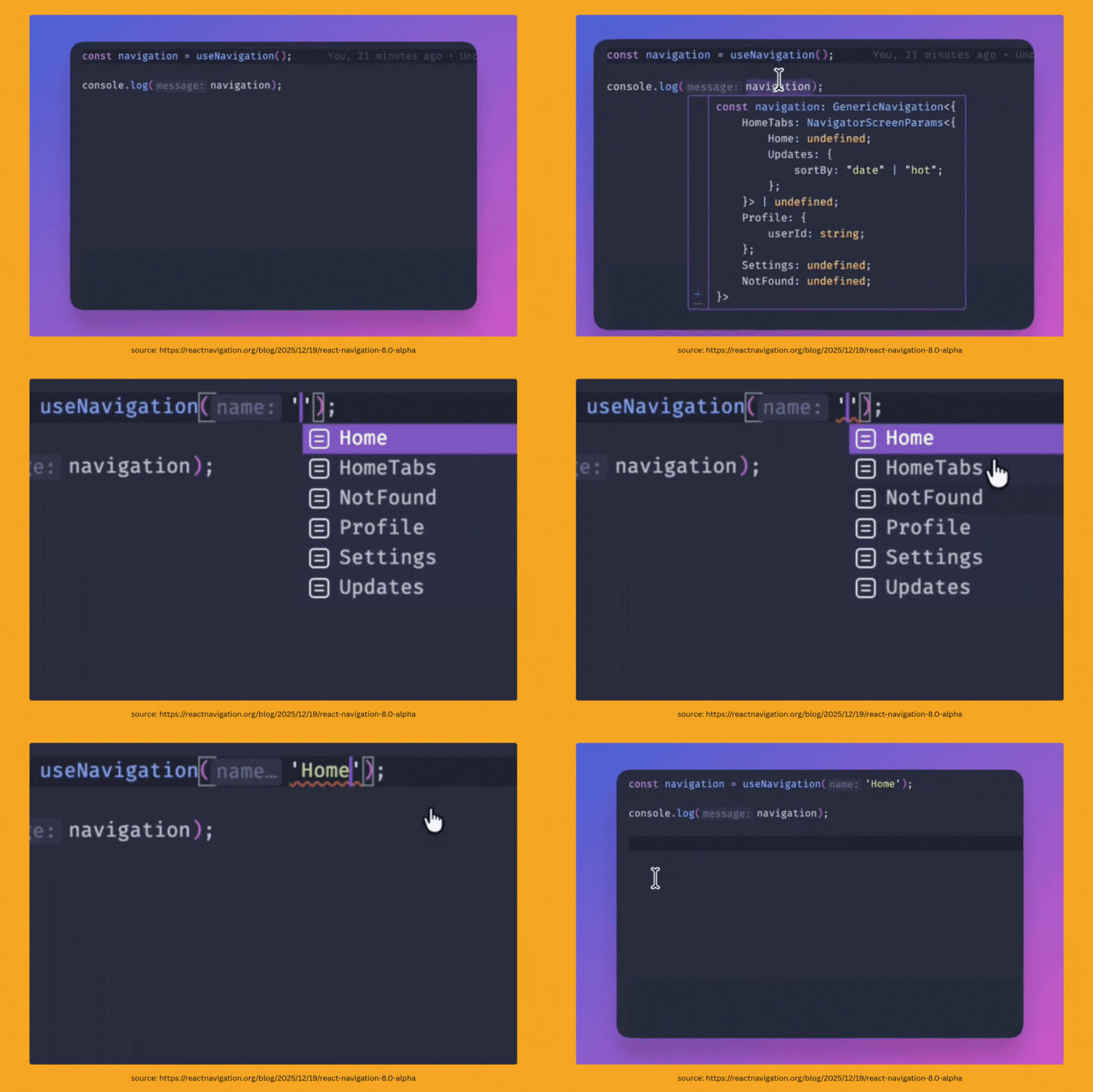
There’s also a new API in da club! pushParams, which basically means you can change a screen’s props without needing to reset or push it—so no transition or animation.
These params are added to the history stack, which is useful in cases like search functionality, where you want the back action to return to the previous params, and therefore the previous search results, instead of exiting the page.
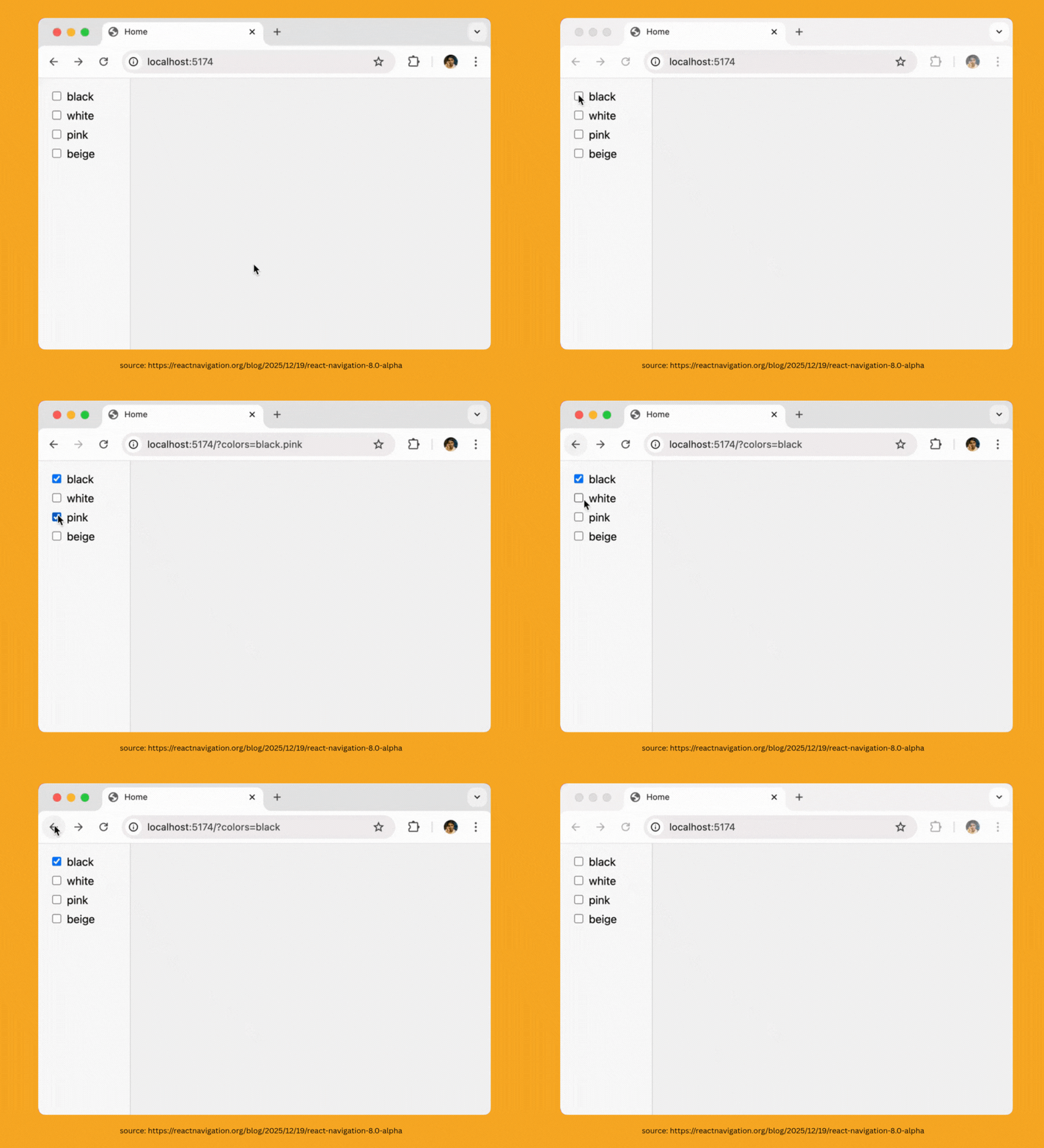
Lastly, there is now a new property on the NavigationContainer called “persistor”. Essentially, it allows you to define persist and restore functions to restore the navigator’s state even after the app has been terminated.
This can be helpful for a better development experience—for example, if you’re building a feature or debugging something in a deeply nested stack. It can also be useful for onboarding or editing experiences, where you’d want to bring the user back to the same place even after they leave the app.
const PERSISTENCE_KEY = 'NAVIGATION_STATE_V1'; export default function App() { return ( <NavigationContainer fallback={<Text>Loading ... </Text>} persistor= > <RootTabs /> </NavigationContainer> ); }

You Could Build a Zoom Grid or You Could Be Happy
Anyone who has tried to implement a zoom grid—we’ve talked to a few of you, so we know who you are—knows it’s hard. You almost get it perfect, and then that last 10%—getting it to stop jumping around randomly—takes you like three weeks. And even then, it’s still not perfect.
Well, as the saying goes: if you can’t do it yourself, pull in someone else’s third-party library. React Native Zoom Grid by @wassgha takes care of all your zooming woes. It’s built on top of Shopify’s powerful FlashList.
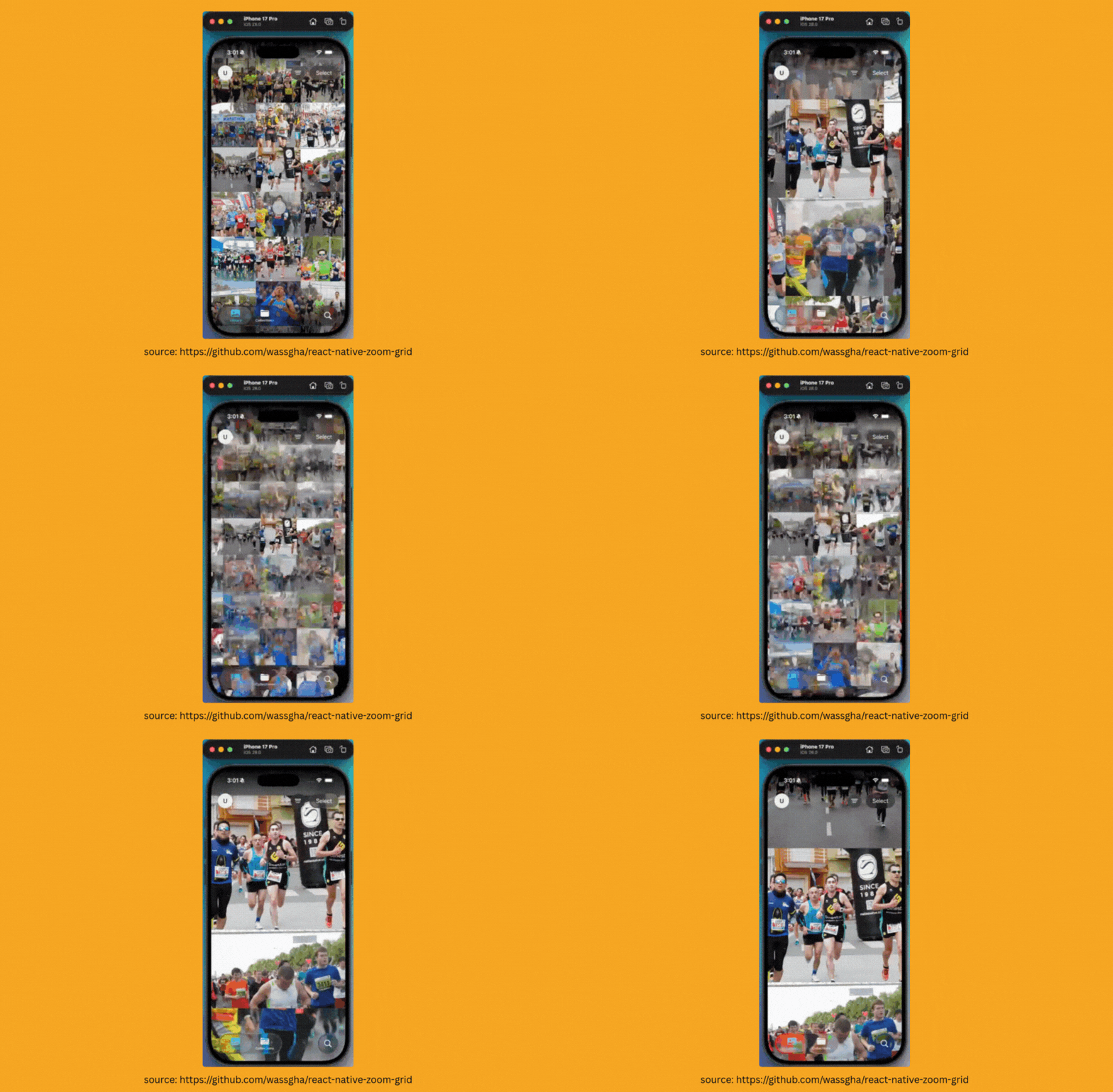
Simply install about 133 packages—just kidding, it’s “only” six 👀.
npm install react-native-zoom-grid @shopify/flash-list react-native-reanimated react-native-gesture-handler react-native-safe-area-context
And then the implementation is pretty simple after that:
const MyPhotoGrid = ({ photos }) => { return ( <ZoomGrid data={photos} initialNumColumns={3} zoomLevels={[5, 3, 1]} // Columns for each zoom level renderItem={({ item, size, index }) => ( <Image source= style= resizeMode="cover" /> )} keyExtractor={(item) => item.id} /> ); };
Not bad for a instant zoom grid which can get you out fast enough to still pretend you’re emotionally available.

Before you Go: Because Apple Said So
Okay, so if you don’t know what AppDelegate or SceneDelegate are — well, I mean, you’ve probably heard of AppDelegate. Or do you even React Native, bro?
In the old iOS lifecycle — the one React Native’s been using since forever — AppDelegate handled everything. Launch logic, deep linking, push notifications, URL handling, app state changes — all went through it.
If something needed to trigger behaviour in your React Native app from the native side, it usually passed through AppDelegate. If you’ve been doing React Native development for around three years or more, this may look familiar:
@implementation AppDelegate - (BOOL)application:(UIApplication *)application didFinishLaunchingWithOptions: (NSDictionary *)launchOptions { NSURL *jsCodeLocation; jsCodeLocation = [ [RCTBundleURLProvider sharedSettings] jsBundleURLForBundleRoot:@"index" fallbackResource:nil ]; RCTRootView *rootView = [ [RCTRootView alloc] initWithBundleURL:jsCodeLocation moduleName:@"ReactNativeExample" initialProperties:nil launchOptions:launchOptions ]; ... } @end
Apple’s been slowly breaking that apart since iOS 13. SceneDelegate was introduced to handle lifecycle per window, which became especially relevant with iPadOS and its multi-scene support.
Instead of one monolithic entry point, each scene (window) gets its own delegate — more modular, more in line with how Apple wants apps structured going forward.
And now, as of iOS 26, this modular structure isn’t just a suggestion. Apple’s begun deprecating AppDelegate lifecycle APIs and issuing warnings. The message is clear: adopt SceneDelegate, or get left behind.
Which brings us to RFC0000, React Native’s proposal for a graceful but inevitable migration path. If you’re not familiar with RFCs, they’re “Request for Comments” — long-form technical proposals for changes in the project.
This RFC updates React Native internals and the default template (@react-native-community/template, RNTester) to use a SceneDelegate entrypoint instead of the trusty old AppDelegate. For now, this is an additive change — you can keep using AppDelegate, and everything should still work. But only until Apple slams the door shut.
Here’s the catch: if your app — or any of your dependencies — still uses methods like application:openURL:options: or application:continueUserActivity. That includes RCTLinkingManager, the native module we all used for deep linking and URL handling in React Native before Expo turned it into a one-liner.
Same goes for anything accessing UIApplication.shared.delegate.window or UIScreen.main.bounds — yes, especially if you’ve got custom splash screen logic.
And if you’re relying on launchOptions or other old AppDelegate lifecycle hooks?
Those will need to be reworked.
Eventually, you’ll see a fresh SceneDelegate.mm where AppDelegate.mm used to do all the heavy lifting. Window setup, bootstrapping React Native, handing off URLs.
So no, your app won’t break today. But when iOS flips the switch, apps that haven’t moved over will just… stop working.
Like trying to run Xcode 10 on an M4 Mac. You can try, but why suffer?